Quick Verdict
Canva in 2026 is not the design tool it was three years ago. What was once a straightforward template editor has become a full AI-powered creative platform called Magic Studio, packing over 25 AI tools directly into the editor. For non-designers, small business owners, social media managers, and marketing teams who need to produce quality visual content at volume, this upgrade is genuinely useful. The integration is the key word here. You generate an image, drop it into a template, write copy with Magic Write, resize for every platform in seconds, and export. Without switching apps. Without copy-pasting. That all works, and it works well. Where it gets complicated is the pricing and the AI quality ceiling. The 2024 Teams price increase caught a lot of users off guard. The 500 monthly AI credit limit on Pro burns faster than many people expect. And for demanding creative work, the AI image quality, while solid for everyday content, simply does not match what Midjourney or Adobe Firefly deliver. We rate Canva AI 3.8 out of 5 for 2026. It is excellent for what it is designed for. Know what that is before you subscribe.
At a Glance: Icon Polls Ratings
Here is how Canva AI scored across the areas we evaluated in our 2026 research:
|
Category |
Stars |
Score |
|
App Interface and Ease of Use |
★★★★★ |
4.5/5 |
|
AI Design Features (Magic Studio) |
★★★★☆ |
3.5/5 |
|
Template Library and Quality |
★★★★★ |
4.5/5 |
|
Free Plan Value |
★★★★☆ |
4/5 |
|
Pricing Transparency |
★★★☆☆ |
3/5 |
|
Login and Account Experience |
★★★★☆ |
4/5 |
|
Team and Collaboration Tools |
★★★★☆ |
3.5/5 |
|
Overall |
★★★★☆ |
3.8/5 |
What Is Canva AI in 2026?
Canva was founded in 2013 in Sydney, Australia, with a mission to make professional design accessible to people who have never opened Adobe Illustrator in their lives. That mission worked. By 2026, Canva serves over 170 million monthly active users across 190 countries and is valued at more than $25 billion. The platform is the default design tool for a generation of content creators, small business owners, and marketing teams who want professional-looking output without a design degree.
The Canva AI story is primarily the story of Magic Studio, the umbrella brand for all of Canva's AI-powered tools. Magic Studio did not arrive as a single product launch. It accumulated over time through acquisitions, partnerships, and internal development. Canva's purchase of Kaleido gave it background removal technology. Partnerships with AI image providers expanded its generative capabilities. Canva's official AI in Marketing report from 2026 claims that 85 percent of marketers using Magic Studio save at least four hours per week with its tools, roughly equivalent to one full workday every two weeks. That figure comes from Canva, so treat it with appropriate skepticism, but the general direction reflects what real users describe.
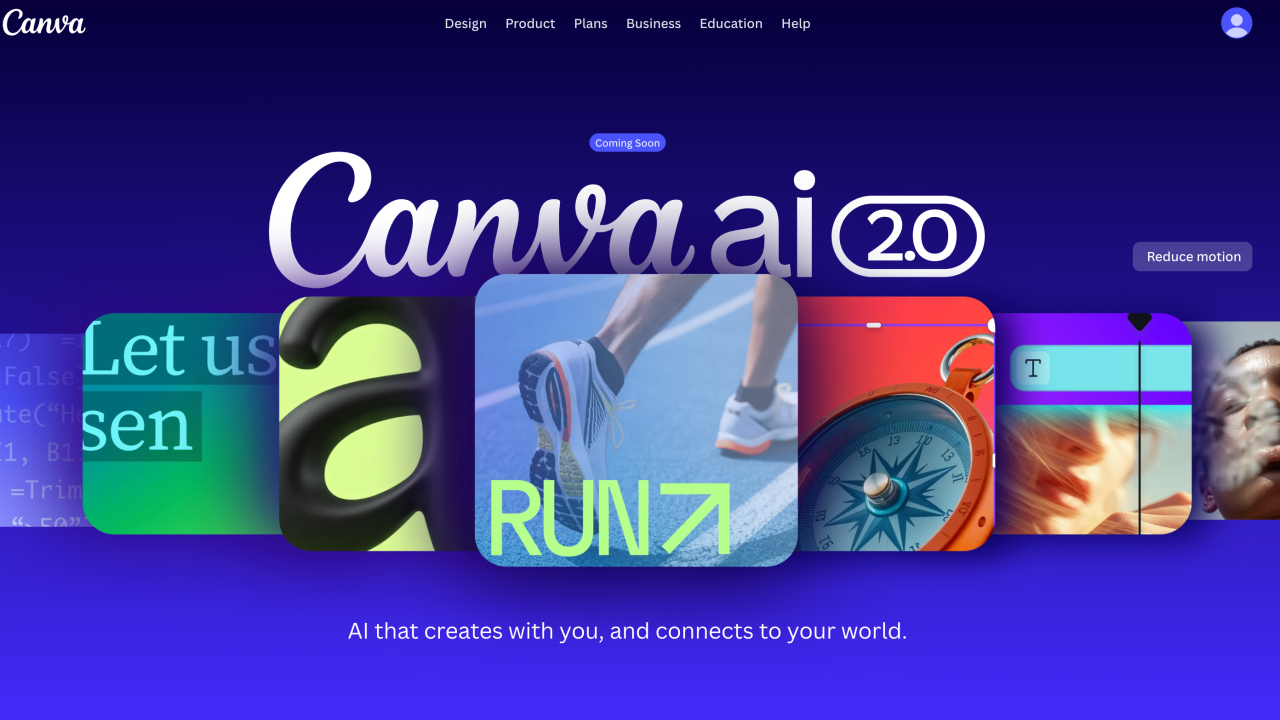
Magic Studio bundles more than 25 AI tools directly into the Canva editor. These include Magic Design (generate complete design sets from a prompt), Magic Write (inline text generation), Magic Media (text-to-image and text-to-video), Magic Eraser (remove unwanted elements), Magic Expand (extend images beyond their original borders), Magic Resize (resize and reformat designs for any platform instantly), Background Remover, and a suite of translation tools supporting over 150 languages. All of these run inside the editor you already know, which is the core value proposition: you do not have to learn a new tool.
Since March 2026, Canva introduced a real-time AI credit tracker inside the app so users can monitor how much of their monthly allocation they have used. This came after consistent complaints that Pro users were burning through their 500-credit monthly limit faster than expected. It is a useful addition, though the more fundamental question of whether 500 credits is enough for heavy users remains open.
The Canva App: Where the Experience Genuinely Shines
Canva operates primarily as a browser-based application at canva.com. No installation is required to use it on a desktop or laptop. For users who prefer a dedicated application, Canva offers downloadable apps for macOS, Windows, Chromebook, iOS, and Android. All versions require an internet connection. There is no offline mode. Downloads work once exported, but you cannot create or edit within the app without connectivity.
The app interface is the part of Canva that most consistently earns praise across independent reviews. It is designed to be usable by someone with no prior design experience, and it delivers on that promise with unusual consistency. The drag-and-drop editor is genuinely intuitive. Templates serve as starting points rather than constraints, and switching between them, modifying elements, and building from scratch all happen inside the same canvas without friction.
Canva's template library is one of the most significant competitive advantages the platform has. Over 600,000 templates span social media posts, presentations, posters, marketing emails, resumes, menus, event flyers, and dozens of other formats. This breadth means most users find a starting point that requires only light customization rather than building from zero. The quality ranges considerably, and premium templates with the crown icon require a paid plan, but the depth available on the free tier is genuinely substantial.
One documented performance complaint across multiple review platforms concerns large or complex designs. Reviewers on G2 describe the experience as lag city with many pages or animations, and note that larger projects load slowly when working with multiple high-resolution elements. Video-heavy designs and browser-based use on slower connections are particularly affected. For users primarily creating single-page social media content or short presentations, this is rarely an issue. For teams building complex multi-page documents or video projects, it is worth testing before committing.
Mobile App
The Canva mobile app for iOS and Android delivers a meaningful subset of the full desktop experience. You can create, edit, access templates, and use several AI features including Magic Write and background removal. The interface on mobile is necessarily simplified compared to the desktop version, and complex editing or multi-element manipulation is harder to manage on a small screen. The mobile app works well for quick edits, adding finishing touches, and accessing your work on the go. For primary creation, most professional users default to the desktop interface.
Login and Account Access
Creating a Canva account is free and takes about two minutes. You can sign up at canva.com using an email address, Google account, or Facebook account. For teams on the Business plan, single sign-on (SSO) is available, allowing users to log in with a single set of credentials across multiple applications, which simplifies access management for larger organizations.
The login experience itself is standard and rarely generates complaints. Two-factor authentication is available and recommended. For teams, the account admin has centralized control over user access, meaning when someone leaves the organization you can revoke their access to brand assets and shared designs immediately rather than waiting for password changes or account transfers.
One area of genuine frustration documented across review platforms is the sharing and access confusion that happens when teams try to share a single Pro account. This is against Canva's terms of service, but more practically it causes operational problems with 2FA and security checks when multiple people try to access the same credentials. The correct path for teams is the Business plan, but the per-seat pricing that came with the September 2024 Teams price increase has pushed some teams toward workarounds that create more friction than they solve.
For educational institutions and nonprofits, the login process leads to dedicated program access. Verified teachers, students, and qualifying educational institutions get full Canva Pro features at no cost through Canva for Education. Registered nonprofits can access full Pro and Teams features free for up to 50 users through the Canva for Nonprofits program. Both programs require verification, but for eligible organizations they represent significant savings. A nonprofit qualifying for the 50-user Teams plan avoids what would otherwise be a $5,000 or more annual subscription cost.
Magic Studio: The AI Design Tools in Depth
Magic Design
Magic Design is Canva's most ambitious AI feature. You type a text prompt or upload a file and the system generates a full design set: a presentation, a social media post, a document, or whatever format you specify. The results are a starting point, not a finished product. They tend to be well-structured and visually coherent, which is actually more impressive than it sounds given that they draw from Canva's template library and apply your Brand Kit automatically on paid plans. The real value is eliminating the blank canvas problem: you have something to react to immediately rather than starting from nothing.
For presentations specifically, Magic Design generates slide structures with relevant headings and a logical narrative flow from a prompt. The quality of AI-generated body text is more variable than the layout quality, which means most users end up replacing the copy while keeping the visual structure. That is still a net time save.
Magic Write
Magic Write is Canva's inline text generation tool. It lives inside the text box you are already editing rather than in a separate panel or external app. This convenience is its main selling point: you describe what you want, it generates copy, and you refine it without ever leaving the design canvas. For social media captions, short product descriptions, slide bullets, and email subject lines, Magic Write handles the task quickly enough to be genuinely useful.
The honest limitation is depth. Magic Write produces acceptable marketing copy but lacks the brand voice awareness and strategic thinking you would get from a dedicated writing tool or a more powerful AI model. It does not pull context from the broader design well enough to understand the industry, audience, or purpose beyond the basic format. One reviewer described it as perfect for captions and bullets, weak for anything requiring brand voice or strategic messaging. That assessment holds up. If your copywriting needs are lightweight, Magic Write saves time. If they are substantial, you still need a better tool alongside Canva.
Magic Media: Image and Video Generation
Magic Media covers both text-to-image and text-to-video generation inside Canva. Image generation produces four options from a text prompt in seconds. The quality is consistently clean, professionally usable, and visually appropriate for social media and marketing materials. It is not the artistic depth of Midjourney or the photorealism of DALL-E 3, but that is not what most Canva users actually need. What they need is an image that fits their design, matches their tone, and does not require licensing negotiation. On those criteria, Magic Media delivers.
Video generation from text produces short clips suitable for social content, reels, and motion graphics. The quality is basic compared to dedicated video AI tools like Runway or Pika, but Canva pairs the generation with solid video editing tools: automatic background removal from video, beat sync for matching footage to music, and text-to-animation for converting slides into video content. For social media managers producing 15-second Reels, this combination is meaningful. For anyone building longer-form video content, it falls short.
The credit consumption on Magic Media is the friction point. Each Dream Lab (the premium image generation tool) batch can consume 100 to 150 credits out of the Pro plan's 500 monthly allocation. When you are also using Magic Write and photo editing tools, heavy users can run through their monthly allowance by the second or third week of the month. The March 2026 real-time credit tracker helps manage this, but the underlying limit has not changed.
Photo Editing: Magic Eraser, Expand, and Edit
The photo editing tools in Magic Studio are among the most consistently praised AI features Canva offers. Magic Eraser removes unwanted elements from photos with a single brush stroke. Magic Expand extends an image beyond its original borders by generating contextually appropriate surrounding content. Magic Grab lets you isolate subjects from backgrounds for repositioning. Background Remover does exactly what it says, accurately in most cases.
These tools handle the everyday photo editing needs that used to require Photoshop knowledge or a separate subscription to a dedicated tool. For complex professional retouching or multi-layer compositing, Photoshop remains in a different category. But for the vast majority of marketing and social media photo editing, Canva's AI editing tools cover the job without the learning curve.
Brand Kit Integration
Brand Kit is one of the most genuinely valuable features for professional users, and it integrates tightly with Magic Studio. You define your colors, fonts, logos, and voice guidelines once. Every AI-generated asset can automatically conform to those standards. When Magic Design produces a layout, it applies your brand colors and fonts. When Magic Write generates copy, you can set tone guidelines. This is the kind of feature that makes AI tools actually useful for professional organizations rather than just individual creators. Brand Kit is available on Pro and higher plans.
The Canva Free Plan: Genuinely Useful, but Bounded
Canva's free plan is one of the more generous free tiers in any design tool. You get access to more than 1.6 million templates, 4.7 million free stock photos, graphics, and videos, the full drag-and-drop editor, real-time collaboration for up to 5 people, 5 GB of cloud storage, and the ability to export in standard formats. You can use this plan indefinitely with no time limit. It is not a trial.
The free plan also includes a meaningful baseline of AI features. Magic Write allows around 50 uses per month. Magic Design and Magic Media have limited credit allocations, enough to try the tools and understand what they do. Background removal is available in basic form. For a casual user, small business owner in early stages, or someone evaluating whether to pay for the Pro features, the free plan is a legitimate tool rather than a handicapped preview.
The limitations become relevant as usage scales. Five GB of storage fills quickly for content-heavy teams. You cannot access Brand Kit, which means maintaining visual consistency across designs requires manual attention every time. Premium templates, which are often the best-looking ones, have the crown icon indicating they require Pro. Magic Resize, the feature that converts a design for every platform format in one click, is Pro-only. Magic Write's 50 monthly uses are enough for light use but not for anyone building a content workflow around it. And free exports do not include SVG or transparent PNG formats.
For education and nonprofits, the free plan calculus changes entirely. Teachers, students, and educational institutions get full Pro features at no cost through Canva for Education. Registered nonprofits get full Teams features for up to 50 users at no cost. For anyone eligible for these programs, the free plan upgrade is effectively the best offer in design software.
Canva Pricing in 2026: What Each Plan Actually Costs
Canva's pricing is straightforward in structure but has generated frustration among teams who experienced the September 2024 price increase without adequate warning. Here is the current plan breakdown:
|
Plan |
Cost |
What You Get |
|
Free |
$0 |
1.6M+ templates, 4.7M free stock assets, 5GB storage, basic AI tools, real-time collaboration for up to 5 users, unlimited design exports in standard formats. |
|
Pro |
$15/month or $120/year |
Everything in Free plus Brand Kit, 100GB storage, 100M+ premium stock assets, Magic Resize, full Magic Write access, 500 monthly AI credits, and all Magic Studio tools. |
|
Business |
$20/user/month or $200/user/year (min 3 seats) |
Everything in Pro plus admin controls, approval workflows, unlimited brand kits (300 vs Pro's 100), SSO, team reporting, and dedicated collaboration features. |
|
Enterprise |
Custom pricing |
Custom deployment, enterprise security, advanced compliance, dedicated support, centralized brand management at scale. Median enterprise contract approximately $13,319/year based on verified purchase data. |
Education: Full Pro features free for verified teachers and students. Nonprofits: Full Teams features free for up to 50 users for verified nonprofits. A 30-day free trial is available for Pro with a full money-back guarantee on annual plans. Prices verified April 2026.
The 2024 Teams Price Increase and Its Aftermath
The pricing story you need to know before committing to a Business plan is the September 2024 change. Before that update, Canva Teams was a flat $119.99 per year regardless of how many users were on the account. After the update, it moved to $10 per user per month, billed annually. For a five-person team, this was a jump from $120 per year to $500 per year, a 316 percent increase. The change was justified by the AI features in Magic Studio, and there is a legitimate argument that the bundled AI tools have real value relative to what you would pay for equivalent standalone tools. But the sudden price increase, framed by many users as coming with little warning, generated significant negative sentiment across review platforms and led some teams to migrate away.
As of 2026, the Business plan sits at $20 per user per month (or $200 annually per user), a further adjustment from the initial per-seat rate. For teams evaluating Canva, the per-seat cost is the critical number to run before signing up. A 10-person team on Business costs $2,000 per year. A 25-person marketing department pays $5,000. This is still significantly cheaper than many enterprise design tool alternatives, but it is no longer the almost-free team tool it was positioned as before 2024.
User Experience: What Day-to-Day Canva Actually Looks Like
The best summary of Canva's user experience in 2026 comes from how different types of users describe it. Social media managers and content creators consistently describe Canva as the tool that lets them produce the volume of content their roles require without being a bottleneck. A typical workflow looks like this: pick the goal, generate two to four design drafts using Magic Design, choose one layout, swap imagery using Magic Edit or Magic Media, rewrite or generate copy using Magic Write, resize for all required platforms in one click using Magic Resize, and export. That entire workflow can happen in fifteen to thirty minutes for a practiced user. Without Canva, the same result might require a designer, a separate stock photo subscription, a separate writing tool, and significantly more time.
For small business owners using Canva without a design background, the experience is similarly consistent: the templates provide confidence where a blank canvas would cause paralysis. The AI tools accelerate the parts of the process that slow non-designers down the most, specifically generating images that fit the context and writing copy that sounds professional. This is the audience Canva was built for, and the AI additions make the tool considerably more capable for them.
Where the experience is less smooth is for users who push the tools beyond their design. The Brand Kit's voice guidelines do not currently pull enough context from the design for Magic Write to understand the brand deeply. Magic Write generates generic-sounding marketing copy that needs significant editing for anyone with a distinctive tone of voice. The AI image generation produces safe, attractive images that rarely surprise you, which is a feature for consistent marketing content and a limitation for anyone looking for genuine creative differentiation. One consistent note across multiple independent reviews is that Canva AI is great for content that needs to be good enough, not exceptional. If you are presenting to a major client or launching a premium brand identity, you will need additional tools or human designers.
Collaboration in Canva works well for the platform's target audience. Real-time editing, commenting, and approval workflows are functional and meaningful for teams. Where collaboration breaks down is in the credit system: the 500 monthly AI credits on Pro plans are per user, not per team workspace, which means a team of three people each drawing from their individual 500-credit pools works fine, but the credit allocation resets on the individual billing cycle rather than synchronized across the team. This creates coordination friction for agencies and small teams running multiple campaigns simultaneously.
Pros and Cons
What Canva AI Gets Right
The integrated workflow is the strongest argument for Canva: image generation, editing, copy writing, resizing, and exporting happen in a single tool without switching apps
The template library of over 600,000 options is unmatched in breadth among design tools at any price point
Magic Eraser, Magic Expand, Background Remover, and Magic Edit cover the photo editing needs of most non-professional users without requiring Photoshop
Magic Resize converts any design to every required platform format instantly, one of the most practical time-saving features for content teams
Brand Kit integration ensures AI-generated content automatically conforms to brand colors, fonts, and logos on paid plans
The free plan is genuinely functional for casual use with no time limit, 1.6 million templates, and a meaningful baseline of AI features
Education and nonprofit programs offer full paid features at no cost for verified organizations, one of the better support programs in the industry
Real-time collaboration and approval workflows work well for small to mid-sized marketing teams
As of March 2026, a real-time AI credit tracker helps users monitor their monthly usage before running out mid-campaign
Magic Switch supports translation across 150-plus languages while maintaining layout style, useful for global marketing teams
Where Canva AI Has Limitations
The September 2024 Teams price increase of over 300 percent surprised many users and remains a sore point in reviews. Business plan costs scale steeply per seat for larger teams
500 monthly AI credits on Pro burn through faster than expected for heavy users who run multiple iterations per concept across multiple projects
AI image quality, while commercially usable, does not match Midjourney for artistic depth, DALL-E 3 for photorealism, or Adobe Firefly for text rendering in images
Magic Write produces generic marketing copy. It lacks brand voice depth and strategic awareness, making it less useful for organizations with distinctive communication styles
No public API for AI image or video generation, which means Canva cannot be used to build AI-powered products or integrate generation into custom workflows
No offline mode. Everything requires an active internet connection, which is a meaningful constraint for users working in areas with unreliable connectivity
Performance degrades with large, complex designs. Multi-page documents with many animated elements or high-resolution images cause noticeable lag in browser-based use
Model selection is not user-controllable. Canva decides which AI model handles your generation request, with no option to specify preferences for different task types
Credit allocation is individual on Pro plans, not shared across a team workspace, creating coordination friction for agencies handling multiple simultaneous campaigns
How Canva AI Compares to the Competition
Canva vs Adobe Express: Adobe Express is Canva's most direct competitor in 2026 and has narrowed the gap significantly. Adobe Express integrates with Creative Cloud, its AI features are powered by Adobe Firefly, and Firefly's commercial safety certification and quality for text rendering and generative fill are genuinely ahead of what Canva AI currently offers. For teams already paying for Creative Cloud, Adobe Express often makes financial sense without adding a separate Canva subscription. Canva wins on template breadth and the user-friendliness that comes from a decade of non-designer focus.
Canva vs Midjourney: Midjourney produces significantly better AI image quality with more artistic control, finer stylistic range, and higher resolution outputs. If your need is raw image generation quality and creative depth, Midjourney wins. But Midjourney has no editor, no templates, no text tools, no collaboration, and no design output workflow. For most marketing and content teams, Canva's integrated workflow, even with lower image quality, produces more useful end products faster than generating in Midjourney and manually importing into a design tool.
Canva vs Figma: Figma and Canva serve different audiences with minimal overlap. Figma is a professional design tool for UX and product designers who need precision, component systems, and developer handoff. Canva is a content creation tool for marketing and communications teams who need speed and volume. Professionals in design careers use Figma. Non-designers producing marketing content use Canva. The comparison only becomes relevant when a team is trying to consolidate tools and is deciding which category of design work to optimize for.
Frequently Asked Questions About Canva AI (2026)
1. What is Magic Studio and how is it different from regular Canva?
Magic Studio is the name Canva uses for all of its AI-powered features bundled into the standard Canva editor. It is not a separate product you download or subscribe to separately. When you open Canva and see options like Magic Design, Magic Write, Magic Eraser, Magic Expand, Dream Lab, or Background Remover, you are looking at Magic Studio. The difference from regular Canva is that Magic Studio adds generative and automated capabilities on top of the existing template-based editor. Regular Canva lets you drag and drop elements. Magic Studio lets you describe what you want and have the AI generate or modify content. Both live in the same interface, and some Magic Studio features are available on the free plan while others require Pro or Business.
2. Is Canva AI free to use in 2026?
Canva has a genuinely free permanent plan, not a time-limited trial, that includes a meaningful baseline of AI features. Free users get approximately 50 Magic Write uses per month and limited access to Magic Media for image and video generation. Background Remover has basic free access. Magic Design is partially available. The features that are not available on the free plan include full Magic Write access, Dream Lab premium image generation, Magic Resize, the full suite of Magic Edit and Magic Expand tools, and Brand Kit integration. If you want to understand what the AI tools can do, the free plan gives you a real preview. If you want to build a content workflow around them, you will need Pro at minimum. Teachers, students, and nonprofits can access full Pro or Teams features for free through Canva's dedicated programs for those groups.
3. How do I log in to Canva?
Go to canva.com and click Log In or Get Started in the top right corner. You can sign in using an email and password you registered with, or authenticate through Google, Facebook, or Apple accounts. For teams on Business or Enterprise plans with SSO enabled, you log in through your organization's identity provider rather than directly through Canva. First-time users can create a free account by clicking Sign Up. The process takes about two minutes and requires no payment information. If you are part of an educational institution or nonprofit that has set up Canva for Education or Canva for Nonprofits, you may have a dedicated sign-in link from your administrator. The Canva mobile app for iOS and Android uses the same login credentials as the browser version, and your designs sync automatically between devices.
4. How much does Canva Pro cost in 2026?
Canva Pro costs $15 per month when billed monthly, or $120 per year when billed annually, which works out to $10 per month. The annual plan saves $60 compared to paying monthly and is the more cost-effective option for anyone planning to use Canva regularly. A 30-day free trial is available with full Pro feature access, and annual plans include a 30-day money-back guarantee. The Pro plan covers one user. For teams, the Business plan is $20 per user per month ($200 per user per year) with a minimum of three seats, meaning the minimum Business spend is $600 per year. Education and nonprofit programs provide free Pro and Teams access to qualifying organizations. The one pricing change to know: the Teams plan went from a flat annual fee to per-seat pricing in September 2024, which significantly increased costs for most teams that were on the old pricing.
5. What are AI credits in Canva and how do they work?
AI credits are the usage currency for Canva's AI features on paid plans. Canva Pro includes 500 AI credits per month that reset on your billing date. These credits are shared across all of Canva's premium AI tools: Dream Lab image generation, Magic Write above the free limit, Magic Media video generation, Magic Edit, Magic Expand, and others. The rate at which different tools consume credits varies. A batch of Dream Lab images might consume 100 to 150 credits. Magic Write uses are lighter. If you are iterating on images with three to five generations per concept across multiple projects, and also using Magic Write regularly, the 500 monthly credits can be gone by the middle of the month. Since March 2026, Canva includes a real-time credit tracker in the app so you can monitor your remaining balance. Business and Enterprise plans offer higher credit allocations. Unused credits do not roll over to the next month.
6. Can I use Canva AI images commercially?
Yes. According to Canva's own AI product terms, content generated using Canva AI can be used for both personal and commercial projects. You own the content you create using Canva's AI tools, and Canva AI is built to support real-world commercial use across individuals, teams, and businesses. This is an important distinction from some other AI image generation tools that have more restrictive commercial licensing. Canva also describes its AI content as commercially safe, meaning it has been designed to minimize the risk of reproducing copyrighted material. That said, reviewing Canva's AI Product Terms and their Terms of Use is still advisable for any specific commercial deployment, as terms can change and specific use cases may have additional considerations. For sensitive commercial work, document your use and keep records of your prompts and outputs.
7. What is Magic Resize and why do people care about it?
Magic Resize is one of the most practically useful features in Canva Pro and one of the clearest differences between the free and paid plans. It takes a design you have already created, say a Facebook post, and instantly converts it to every other format you need: Instagram square, Instagram Story, LinkedIn banner, Twitter post, Pinterest pin, email header, and so on. This happens in one click, and Canva adjusts the layout, text sizing, and element positioning automatically to fit the new dimensions. Without Magic Resize, adapting a single design for multiple platforms means manually duplicating and resizing each version. For a social media manager or content team producing content for five platforms, Magic Resize alone can save several hours per week. It is the feature that most commonly turns free plan users into Pro subscribers once they discover it exists.
8. How does Canva AI compare to Adobe Firefly in 2026?
Adobe Firefly and Canva's Magic Studio are the two most directly competing AI design systems for marketing and content teams in 2026. Firefly's image generation quality is generally considered better than Canva's for text rendering within images, photorealistic outputs, and generative fill precision. Firefly is also certified as commercially safe in a way that has been third-party verified, which matters for risk-conscious enterprise buyers. Canva's advantage is integration and accessibility. Canva's editor is simpler and faster for non-designers, the template library is larger, and the end-to-end workflow from image generation to finished design is more seamless within Canva than within Adobe Express. For teams already in the Adobe Creative Cloud ecosystem, Firefly is usually the better AI choice. For teams that are not, Canva's integrated approach often produces better results per hour of effort even if individual AI outputs are slightly lower quality.
9. Is Canva good for professional designers?
This is the question that generates the most divided opinions about Canva. Professional graphic designers and illustrators who are serious about their craft almost universally find Canva's design controls too limiting for their work. There is no vector editing at the professional level, custom typography control is restricted compared to tools like Figma or Illustrator, and the template-forward design philosophy can feel creatively constraining for designers who want to build from scratch. Canva's AI tools are also insufficient for high-end brand identity work where creative distinctiveness matters. Where professional designers do use Canva is for rapid content production at volume. A designer creating fifty social media posts for a client campaign can use Canva to execute faster than Adobe tools would allow. The answer is that Canva is not a replacement for professional design tools but can be a useful production acceleration tool even for people who know what they are doing.
10. Can I use Canva offline?
No. Canva requires an active internet connection for all functionality. You cannot create, edit, or access your designs offline. This applies to both the browser-based version and the downloadable desktop apps for macOS and Windows. Files and designs you have exported and downloaded to your device are obviously accessible offline once saved, but you cannot edit them in Canva without reconnecting. This is a meaningful limitation for users who travel frequently, work in areas with unreliable connectivity, or need to work on sensitive projects without internet exposure. For those users, tools like Affinity Designer or Adobe Illustrator (with their local file storage models) may be more appropriate choices. For the majority of Canva's user base with consistent internet access, this limitation rarely comes up in practice.
Icon polls Verdict
Canva AI earns a 3.8 out of 5 from Icon Polls in 2026, and that score reflects a product that is excellent for its intended audience and genuinely limited outside it. For social media managers, small business owners, marketing teams, educators, and non-designers who need to produce consistent, professional visual content at volume, Canva AI in 2026 is the most practical all-in-one tool available. The Magic Studio integration means you are not cobbling together six different subscriptions to produce a social media calendar. You generate images, write copy, resize for every platform, and export without leaving the editor. That workflow, executed well, is worth the $15 per month Pro subscription for anyone producing content regularly.
The rating does not reach 4.5 or higher for specific reasons. The September 2024 pricing restructuring created real financial surprises for teams that were not prepared for per-seat pricing at scale. The 500 monthly AI credit ceiling on Pro genuinely constrains heavy users and the credit burn rate is not transparent enough at signup. The AI image quality, while perfectly adequate for social media and marketing, will not satisfy anyone who has worked with Midjourney or needs creative differentiation from a premium brand. Magic Write is convenient but not strategic. And the absence of any offline mode or public AI generation API limits the platform's flexibility in ways that matter to some users.
The practical question to ask before subscribing is: what are you actually making? If the answer is social media content, marketing materials, presentations, and branded collateral for a small to medium-sized business or a marketing team, Canva AI at the Pro or Business tier is likely the right tool. If the answer is high-end brand identity work, complex video production, or building AI-powered products that need a generation API, Canva is the wrong foundation for that work. Know which category you are in, and Canva AI 2026 is a much easier call.