Quick Verdict
iCloud is the invisible glue that holds the Apple ecosystem together, and for the hundreds of millions of people who live entirely on iPhone, iPad, and Mac, it works so seamlessly that most never think about it until a storage warning appears. The syncing is fast and reliable, photos and files appear across every device automatically, iCloud Keychain has become genuinely essential as passkeys replace passwords, and the iCloud+ privacy features like Private Relay, Hide My Email, and Custom Email Domain deliver real value at prices that undercut standalone services. The 50GB tier at $0.99 per month is one of the cheapest entry points in consumer cloud storage, and the 2TB plan shared across a family can cost as little as $1.67 per person. For Apple households, iCloud is not just good, it is probably already the right choice and most users are underusing what they already pay for. The 3.0 rating reflects the equally real frustrations that keep it from scoring higher. The free tier is still 5GB, a figure that has not changed since iCloud launched in 2011 while iPhone photo and video sizes have ballooned, and most users hit the limit within weeks, which is widely and fairly criticized as one of the stingiest free tiers in the industry against Google's 15GB. Apple offers monthly billing only, with no annual discount that competitors provide. Private Relay is Safari-only and not the system-wide VPN many users assume it is. Collaboration outside Apple apps is shallow with no real-time co-editing or version history. And cross-platform use on Windows and Android is functional but clearly second-class. iCloud is excellent inside the Apple walled garden and frustrating at its edges.
At a Glance: Icon Polls Ratings
Here is how iCloud scored across the areas we evaluated in our 2026 research:
|
Category |
Stars |
Score |
|
Apple Ecosystem Sync and Backup |
★★★★★ |
5/5 |
|
iCloud+ Privacy Features |
★★★★☆ |
4/5 |
|
Photos and Shared Library |
★★★★☆ |
4/5 |
|
iCloud Drive and File Management |
★★★★☆ |
3.5/5 |
|
Free Tier Value (5GB) |
★★☆☆☆ |
1.5/5 |
|
Pricing Structure and Billing |
★★★☆☆ |
2.5/5 |
|
Cross-Platform and Collaboration |
★★☆☆☆ |
2/5 |
|
Overall |
★★★☆☆ |
3/5 |
What Is iCloud?
iCloud is Apple's cloud storage and synchronization service, launched in 2011 and built into every Apple device. It is the system that keeps your photos, files, app data, passwords, device backups, mail, calendars, and contacts synchronized and available across your iPhone, iPad, Mac, and Apple Watch. Every Apple ID comes with 5GB of free iCloud storage, and the paid upgrade, branded iCloud+, adds more storage along with a set of privacy and convenience features.
The distinction between iCloud and iCloud+ matters. iCloud is the free 5GB tier that every Apple account receives. iCloud+ is the paid subscription, starting at $0.99 per month, that increases storage and unlocks privacy features including iCloud Private Relay, Hide My Email, Custom Email Domain, and HomeKit Secure Video. Importantly, every paid tier includes the full set of iCloud+ features regardless of how much storage you buy, so the $0.99 plan gives you the same privacy tools as the $59.99 plan, just with less storage.
What makes iCloud distinct from standalone cloud services like Dropbox or Google Drive is that it is not really a product people choose so much as infrastructure that is already there. It is built into the operating system, enabled by default, and woven through every Apple app and service. Most Apple users do not sign up for iCloud, they simply have it, and they interact with it mainly through the experience of their photos and files appearing everywhere automatically, and occasionally through the storage-full warning that prompts them to consider a paid plan.
In 2026, iCloud is increasingly tied to Apple Intelligence and the broader AI direction of Apple's platforms. Features like enhanced search in Photos, on-device processing that uploads only encrypted results, and the integration of iCloud Keychain with the passkey transition all reflect how central iCloud has become to the modern Apple experience. As the SolidAITech guide notes, with passkeys increasingly replacing passwords in 2026, iCloud Keychain has become genuinely essential rather than just convenient, which is a fair summary of how iCloud's role has deepened over time.
The iCloud App and Accessing It
iCloud is not a single app so much as a service threaded through the entire Apple operating system. On iPhone, iPad, and Mac, iCloud settings live within the system settings under your Apple Account, and the individual functions appear in their respective apps: Photos for iCloud Photos, Files for iCloud Drive, Mail for iCloud Mail, and so on. There is no standalone iCloud app to open on Apple devices because iCloud is the underlying layer rather than a destination.
On Windows, Apple provides the iCloud for Windows application, downloadable from the Microsoft Store, which brings iCloud Photos, iCloud Drive, Mail, Contacts, Calendars, and bookmarks to a PC. It works, but reviewers consistently describe the Windows experience as functional rather than polished, with the syncing being less seamless than on Apple hardware. For Apple users who also use a Windows PC, it is a useful bridge, but it is clearly not where Apple invests its best effort.
The web interface at iCloud.com provides browser-based access to Photos, Drive, Mail, Notes, Reminders, Contacts, Calendar, and the iWork apps Pages, Numbers, and Keynote from any computer, including Windows PCs and even Android devices through a browser. This web access is genuinely useful for retrieving a file or photo from a non-Apple device, and the iWork web apps allow basic document editing in a browser. It is the most practical way for someone on a non-Apple device to reach their iCloud content.
For Android, there is no native iCloud app, and access is limited to the iCloud.com web interface in a browser, which provides a subset of functionality. This is the clearest expression of iCloud's Apple-first design: it is built to make Apple devices work together, and access from other platforms is a secondary consideration that Apple supports minimally rather than embracing fully.
Signing In to iCloud
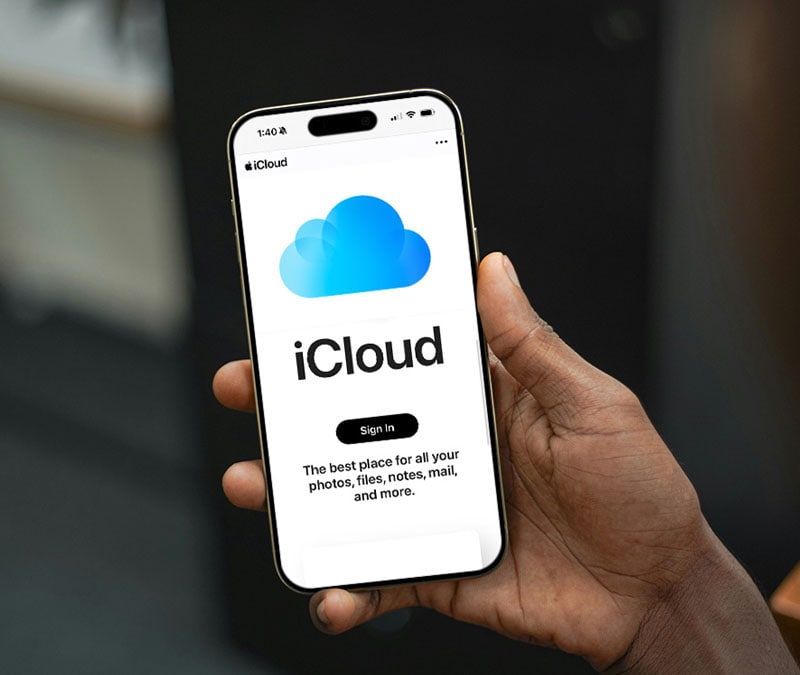
Signing in to iCloud happens through your Apple Account, formerly called your Apple ID, which is the single identity that ties together everything you do with Apple. On a new Apple device, you sign in with your Apple Account during setup, and iCloud is enabled automatically. The same credentials sign you in to iCloud.com on the web and to iCloud for Windows on a PC. There is no separate iCloud account: your Apple Account is your iCloud account.
Two-factor authentication is built into the Apple Account system and is effectively mandatory for modern accounts, which is a genuine security strength. When you sign in on a new device, a verification code appears on your other trusted Apple devices, confirming the sign-in. This makes unauthorized access substantially harder, and it is one of the reasons Apple's account security is generally regarded as strong, particularly since the hardening that followed the 2014 security incident.
The sign-in experience is smooth within the Apple ecosystem and more cumbersome outside it. Signing in to iCloud.com from a Windows PC or Android device requires the two-factor code from an Apple device, which means you need an Apple device on hand to authenticate. For someone who has an iPhone and a Windows PC, this works fine. For someone trying to access iCloud without any Apple device nearby, the two-factor requirement can be a genuine obstacle, which is worth knowing if you rely on iCloud.com as a fallback.
A specific friction point for business and cross-platform users: iCloud is difficult to integrate with Microsoft logins and security chains, with time lost especially during password or permission changes. For individuals in an all-Apple setup, sign-in is effortless. For users straddling Apple and Microsoft environments, the authentication can introduce friction that does not exist within a single ecosystem.
iCloud Photos and the Shared Library
iCloud Photos is one of the most used and most valued parts of the service. It automatically uploads and syncs your entire photo and video library across all your Apple devices, so a photo taken on your iPhone appears on your iPad and Mac within moments. The Optimize Storage option keeps full-resolution originals in iCloud while storing smaller versions on your device, which lets a phone with limited storage maintain access to a photo library far larger than the device could hold locally.
The syncing is fast and reliable, and the experience of having your complete photo library available on every device is genuinely valuable. For users who take a lot of photos, this is often the single most important function iCloud performs, and it is also the function that consumes the most storage and most frequently triggers the upgrade prompt. A modern iPhone shooting high-resolution photos, 4K video, ProRAW, and ProRes generates files large enough that the 5GB free tier is exhausted almost immediately once photo syncing is enabled.
The iCloud Shared Photo Library, which allows up to six family members to contribute to and access a common library, is a genuinely useful collaboration feature for households. Everyone can add photos, edit them, and see the shared collection, which is far better than manually sending photos between family members. Shared Albums similarly allow sharing specific collections with chosen people. These features reflect Apple's strength in family-oriented design within its ecosystem.
In 2026, iCloud Photos benefits from Apple Intelligence enhancements including improved search that lets you find photos using natural descriptions, and on-device processing that analyzes images locally before uploading only encrypted results, which preserves privacy while enabling smart features. The GetApp reviews reflect strong user satisfaction with photo storage and real-time synchronization, with 97 percent of surveyed users rating data storage management as important or highly important, underscoring how central the photo and file syncing is to the iCloud value proposition.
iCloud Drive and File Management
iCloud Drive is Apple's file storage and syncing system, accessible through the Files app on iPhone and iPad and through Finder on a Mac. It lets you store any type of file in the cloud, organize files into folders, and access them from any Apple device or through iCloud.com. Files saved to iCloud Drive sync automatically, so a document you save on your Mac is available on your iPhone moments later.
For the core function of storing and syncing files across Apple devices, iCloud Drive works well and reliably. The ManyTools review notes that iCloud Drive allows easy access and sharing of saved files from any Apple device, and the real-time synchronization is consistently praised across review platforms. Folder organization, file sharing with view or edit permissions, and the ability to recover recently deleted files all work as expected.
Where iCloud Drive falls short is in collaboration and cross-platform depth. Unlike Google Drive, which offers best-in-class real-time co-editing through Google Docs, iCloud Drive has no meaningful real-time collaboration outside Apple's own iWork apps, and even within iWork the collaboration is less robust than Google's. There is no meaningful version history for third-party files, which is a genuine limitation for users who need to track document changes over time. For Apple users who primarily store and sync their own files, iCloud Drive is fine. For teams or individuals who need collaborative document workflows, it is noticeably weaker than the alternatives.
The third-party items run by Microsoft or Google do not sync well with iCloud, and that cross-platform file workflows lose time during integration. iCloud Drive is built to make Apple's own file ecosystem seamless, and it succeeds at that, but it is not designed to be the hub of a cross-platform or heavily collaborative file workflow, and users with those needs will feel the constraints.
iCloud Mail
iCloud Mail provides a free email account with an @icloud.com address for anyone with an Apple Account, accessible through the Mail app on Apple devices, through iCloud.com on the web, and through standard mail protocols on third-party clients. For users who want an email address tied to their Apple ecosystem, it is a clean, ad-free, reliable email service that integrates naturally with the other Apple apps.
The iCloud+ subscription adds Custom Email Domain, which lets you use a personalized email domain with iCloud Mail, so you can have an address at your own domain name while using iCloud's mail infrastructure. For individuals and families who want a custom email identity without running their own mail server, this is a genuinely useful feature that is bundled into every paid iCloud+ tier at no extra cost.
iCloud Mail is competent rather than remarkable. It does not have the advanced filtering, labeling, and search sophistication of Gmail, and it lacks the deep integration with productivity tools that some competitors offer. For users whose email needs are straightforward and who value the ad-free, privacy-respecting, ecosystem-integrated experience, it is a solid choice. For power users who depend on advanced email management features, iCloud Mail is functional but basic. The mail storage also counts against your overall iCloud storage quota, which is worth remembering when managing space.
iCloud+ Privacy Features
The iCloud+ privacy features are one of the strongest arguments for paying for iCloud, and they are bundled into every paid tier regardless of storage size, which means even the $0.99 plan includes the full set.
Private Relay
iCloud Private Relay routes your Safari browsing through two separate relays so that no single party, including Apple, can see both who you are and what site you are visiting. It masks your IP address and encrypts your traffic, providing meaningful privacy protection for web browsing. The important caveat that the bestcloudstorageguide review flags clearly is that Private Relay is Safari-only and is not a system-wide VPN. Many users expect it to work like a VPN across all their apps and traffic, and it does not, and Apple does not communicate this distinction clearly. Understanding that Private Relay protects Safari browsing specifically, not your entire device's internet traffic, is important to having accurate expectations.
Hide My Email
Hide My Email generates unique, random Apple-managed email addresses that forward to your real inbox. You can create as many as you want, use a different one for every service or newsletter, and disable or delete any of them at any time. This means you can sign up for a free trial, a retailer account, or any service you do not fully trust without handing over your actual email address, and when spam starts arriving, you delete that alias and your real inbox stays clean. As the review record notes, this is a feature that standalone services like SimpleLogin charge $4 per month for, and iCloud+ delivers it at $0.99 per month alongside storage, which is genuine value.
HomeKit Secure Video and Custom Domain
HomeKit Secure Video lets compatible smart home cameras upload encrypted footage to iCloud, where it is analyzed on-device before upload so Apple's servers never see unencrypted video. The number of cameras supported scales with your storage tier. Custom Email Domain, covered in the Mail section, lets you use a personal domain with iCloud Mail. Together with Private Relay and Hide My Email, these features make iCloud+ more than just storage, positioning it as a privacy bundle that happens to include cloud storage rather than the reverse.
iCloud Pricing and Storage Plans in 2026
iCloud pricing in 2026 is straightforward, with one free tier and five paid iCloud+ tiers. Here is the complete structure verified in May 2026:
|
Plan |
Price |
What You Get |
|
Free (iCloud) |
$0/month |
5GB storage. No iCloud+ privacy features. Included with every Apple Account. Fills up within weeks for most users once photo backup is on. |
|
50GB |
$0.99/month |
All iCloud+ privacy features (Private Relay, Hide My Email, Custom Domain), 1 HomeKit camera. One of the cheapest cloud storage entry points anywhere. Best for single light users. |
|
200GB |
$2.99/month |
All iCloud+ features, up to 5 HomeKit cameras. Shareable with up to 5 family members. The best-value tier for most individuals and families. |
|
2TB |
$9.99/month |
All iCloud+ features, unlimited HomeKit cameras. Family Sharing across 6 people brings per-person cost as low as $1.67/month. Sweet spot for power users. |
|
6TB |
$29.99/month |
All iCloud+ features. For users with very large photo and video libraries or multiple heavily-used devices. |
|
12TB |
$59.99/month |
All iCloud+ features. The maximum tier, for professionals and households with extensive storage needs. |
Prices verified May 2026 from multiple independent sources. Every paid tier includes the full set of iCloud+ privacy features; only storage and HomeKit camera limits differ. Apple offers monthly billing only, with no annual discount option that Google One, OneDrive, and Dropbox provide (typically 16-17% annual savings). Prices have remained stable for years. Local taxes may apply.
The Pricing Strengths and the Billing Catch
On a per-feature basis, iCloud+ pricing is genuinely competitive and in some respects excellent. The 50GB tier at $0.99 per month is one of the cheapest entry points in all of consumer cloud storage, and it includes the full privacy feature set. The 200GB tier at $2.99 per month shared across a family of up to six people, with everyone getting their own private storage, is one of Apple's better deals. The 2TB tier at $9.99 per month shared across a family brings the per-person cost down to as little as $1.67 per month.
The billing catch is that Apple offers monthly billing only. Unlike Google One, OneDrive, and Dropbox, which all offer roughly 16 to 17 percent savings for annual prepayment, iCloud has no annual option. Over a year, this means iCloud users pay the full monthly rate every month with no discount available, while competitors reward annual commitment. For the 2TB plan, the difference over a year compared to a competitor offering annual savings is real money. This is a genuine structural disadvantage in iCloud's pricing that has nothing to do with the quality of the service and everything to do with Apple's billing policy.
The 5GB Free Tier Problem
The single most criticized aspect of iCloud, consistently across every review and user discussion, is the 5GB free tier. This figure has not changed since iCloud launched in 2011, while the size of the files a modern iPhone generates has grown enormously. The result is that the free tier is, as multiple reviews put it bluntly, one of the stingiest in the industry.
The comparison is stark. Google gives every account 15GB free, three times iCloud's allowance, and MEGA offers 20GB. Apple's 5GB has stayed frozen while iPhones gained high-resolution photography, 4K and ProRes video, ProRAW, and larger app data and backup files. The AppleMagazine analysis describes the gap between what an iPhone can create and what free iCloud can hold as continually widening, and notes that most iPhone owners hit the limit within weeks of enabling automatic photo backup. The CheckThat.ai assessment is equally direct: treat the free tier as a trial, not a long-term solution.
The practical consequence is the iCloud storage warning, which appears when the 5GB fills up and which interrupts the otherwise smooth Apple experience. Backups stop completing, photos stop syncing, and the user is prompted to either delete data or upgrade to a paid plan. The product experience is smooth until the storage warning appears, and then the ecosystem reminds users that convenience has a ceiling. For Apple, this is a profitable services path that converts free users into paying subscribers. For users, it is a recurring irritation that feels engineered rather than accidental.
The honest reality is that the 5GB free tier exists in its current form because nudging users toward paid plans is good business for Apple's services revenue. The storage is cheap to provide, and a more generous free tier would reduce upgrade conversions. Whether you view this as reasonable or as a deliberate friction designed to extract subscriptions, the practical advice is the same: if you own an iPhone and take photos, you will need a paid plan, and the 50GB tier at $0.99 per month removes the first warning at a genuinely low cost.
Security and the Advanced Data Protection Option
iCloud's security in 2026 is strong, with a notable optional upgrade that privacy-conscious users should know about. By default, Apple uses standard data protection, which encrypts your iCloud data but means Apple holds the encryption keys for most categories, so Apple can technically access that data, for example to comply with a legal request or to help you recover an account.
Advanced Data Protection, which you enable in Settings under your name and iCloud, changes this. With it on, most of your iCloud data is end-to-end encrypted and Apple cannot access it, because only your trusted devices hold the keys. This is a meaningful privacy upgrade for users who want maximum protection, with the trade-off that if you lose access to all your trusted devices and recovery methods, Apple cannot recover your data for you because it genuinely cannot read it. For most users the default protection is appropriate, and for privacy-focused users Advanced Data Protection is a valuable option that many do not know exists.
The historical security context that still gets referenced is the 2014 celebrity photo leak, in which attackers accessed iCloud accounts through targeted phishing and weak password practices rather than a breach of iCloud's core systems. Apple significantly hardened its security afterward, with mandatory two-factor authentication being the most important change, and there has been no comparable incident since. The 2014 event remains a reference point in security discussions but does not reflect iCloud's current security posture, which is robust, particularly with two-factor authentication universal and Advanced Data Protection available.
User Experience: Seamless Inside, Constrained Outside
The iCloud user experience divides cleanly along a single line: inside the Apple ecosystem it is excellent and largely invisible, and at the boundaries with other platforms it is functional but constrained. This duality is the defining characteristic of the service.
For an all-Apple household, iCloud is close to ideal in daily use. Photos appear everywhere, files sync without thought, passwords and passkeys flow across devices through iCloud Keychain, device backups happen automatically overnight, and a new device can be restored from a backup in a way that recreates the old device almost exactly. The GetApp reviews capture this satisfaction, with users praising automatic backups, reliable device synchronization, strong security, and the convenience of accessing everything across iPhone, iPad, and Mac. For this audience, iCloud delivers on its core promise so well that they rarely think about it, which is the highest compliment infrastructure can earn.
The constraints appear at the edges. Cross-platform use on Windows is functional but second-class, and on Android it is limited to the web interface. Collaboration outside Apple's own apps is shallow, with no real-time co-editing or version history for third-party files. Integration with Microsoft and Google services is documented as causing friction and lost time. And the recurring storage warnings from the 5GB free tier interrupt the otherwise smooth experience for anyone who has not upgraded. The ManyTools review summarizes the cons fairly: limited functionality and accessibility for non-Apple devices, some features sharing more personal data than users might be comfortable with, and storage pricing that is not the most competitive in the market.
The practical reality is that iCloud is not a service you evaluate and choose so much as one you accept as part of being an Apple user, and the experience is best when you lean into the ecosystem and most frustrating when you try to make it work across platforms. For users committed to Apple hardware, that is a perfectly good arrangement. For users straddling multiple ecosystems, iCloud is the part of the Apple experience most likely to generate friction, and supplementing it with a cross-platform service for collaborative or cross-device work is a sensible approach.
Pros and Cons
What iCloud Gets Right
Seamless syncing and backup across iPhone, iPad, Mac, and Apple Watch that works automatically and reliably, making the entire Apple ecosystem feel like one connected experience
iCloud Photos with Optimize Storage keeps full-resolution originals in the cloud while maintaining device access to libraries far larger than local storage could hold
The iCloud Shared Photo Library and Shared Albums provide genuinely useful family photo collaboration across up to six people
iCloud Keychain syncs passwords, passkeys, credit cards, and Wi-Fi credentials across devices, and has become genuinely essential as passkeys replace passwords in 2026
iCloud+ privacy features including Private Relay, Hide My Email, Custom Email Domain, and HomeKit Secure Video are bundled into every paid tier, delivering value that standalone services charge more for
The 50GB tier at $0.99 per month is one of the cheapest cloud storage entry points anywhere, and family sharing brings the 2TB per-person cost as low as $1.67 per month
Strong security with universal two-factor authentication and the optional Advanced Data Protection for end-to-end encryption of most data
Device backup and restoration recreates a lost or replaced device almost exactly, which is one of the most reassuring features for anyone who has upgraded or recovered an iPhone
Where iCloud Falls Short
The 5GB free tier has not changed since 2011 and is one of the stingiest in the industry against Google's 15GB and MEGA's 20GB, with most iPhone users hitting the limit within weeks
Apple offers monthly billing only, with no annual discount option that Google One, OneDrive, and Dropbox all provide at roughly 16 to 17 percent savings
Private Relay is Safari-only and is not the system-wide VPN that many users assume, a distinction Apple does not communicate clearly
Collaboration outside Apple's own apps is shallow, with no real-time co-editing and no meaningful version history for third-party files
Cross-platform use is second-class, functional on Windows but limited to the web interface on Android, with documented friction integrating Microsoft and Google services
The recurring storage-full warnings interrupt the otherwise smooth experience and feel engineered to drive paid upgrades
iCloud Mail is competent but basic, lacking the advanced filtering, labeling, and search of Gmail and the deep productivity integrations of competitors
Some features can share more personal data than privacy-conscious users may be comfortable with unless Advanced Data Protection is enabled
Frequently Asked Questions About iCloud (2026)
1. What is the difference between iCloud and iCloud+?
iCloud is the free service that comes with every Apple Account, providing 5GB of storage for backups, photos, files, mail, and device syncing. iCloud+ is the paid subscription that increases your storage and adds privacy and convenience features. The privacy features in iCloud+ include iCloud Private Relay, which routes your Safari browsing through two relays to hide your IP address; Hide My Email, which generates unlimited disposable email addresses that forward to your real inbox; Custom Email Domain, which lets you use a personal domain with iCloud Mail; and HomeKit Secure Video, which stores encrypted footage from compatible smart home cameras. Importantly, every paid iCloud+ tier includes the full set of these privacy features regardless of storage size, so the $0.99 per month 50GB plan gives you the same privacy tools as the $59.99 per month 12TB plan. The only differences between paid tiers are the amount of storage and the number of HomeKit cameras supported. The upgrade from free iCloud to paid iCloud+ is what unlocks both more space and the privacy bundle.
2. How much does iCloud storage cost in 2026?
iCloud storage pricing in 2026 has one free tier and five paid tiers. The free tier provides 5GB with every Apple Account. The paid iCloud+ tiers are: 50GB for $0.99 per month, 200GB for $2.99 per month, 2TB for $9.99 per month, 6TB for $29.99 per month, and 12TB for $59.99 per month. Every paid tier includes the full set of iCloud+ privacy features; the only differences are storage capacity and the number of HomeKit Secure Video cameras supported. Apple offers monthly billing only, with no annual discount option, which is a notable difference from Google One, OneDrive, and Dropbox, which all offer roughly 16 to 17 percent savings for annual prepayment. The best-value tier for most individuals and families is the 200GB plan at $2.99 per month, which can be shared across up to six family members through Family Sharing. For families with large libraries, the 2TB plan at $9.99 per month shared across six people brings the per-person cost as low as $1.67 per month. Prices have remained stable for several years.
3. Why does my iCloud storage fill up so fast?
Your iCloud storage fills up quickly because the free tier is only 5GB, a figure that has not changed since iCloud launched in 2011, while the files a modern iPhone creates have grown enormously. When you enable iCloud Photos, your entire photo and video library begins syncing to iCloud, and a modern iPhone shooting high-resolution photos, 4K video, ProRAW, and ProRes generates files large enough to exhaust 5GB almost immediately. On top of photos, iCloud stores your device backups, which include app data, settings, and messages, plus iCloud Drive files, Mail, and app data from apps that use iCloud. All of this shares the same 5GB free allowance. Most iPhone users hit the limit within weeks of enabling automatic photo backup. To address it, you can either upgrade to a paid iCloud+ plan, with the 50GB tier at $0.99 per month removing the first warning at low cost, or reduce your usage by cleaning up your photo library to remove duplicates, blurry shots, and old screenshots, and by managing which apps back up to iCloud. For most iPhone owners who take photos regularly, a paid plan is effectively necessary.
4. Is iCloud safe and private?
iCloud is secure, with strong protections that have improved significantly over the years. All iCloud data is encrypted, two-factor authentication is universal and effectively mandatory for modern Apple Accounts, and signing in on a new device requires a verification code from a trusted device. By default, Apple uses standard data protection, which encrypts your data but means Apple holds the encryption keys for most categories and can technically access that data, for example to help with account recovery or comply with legal requests. For maximum privacy, you can enable Advanced Data Protection in Settings under your name and iCloud, which applies end-to-end encryption to most of your iCloud data so that only your trusted devices can access it and Apple cannot. The trade-off with Advanced Data Protection is that if you lose access to all your devices and recovery methods, Apple cannot recover your data because it genuinely cannot read it. The 2014 celebrity photo leak is sometimes cited, but that resulted from targeted phishing and weak passwords rather than a breach of iCloud's systems, and Apple has substantially hardened security since then. For most users, iCloud's default security is appropriate, and privacy-focused users have Advanced Data Protection available as a strong optional upgrade.
5. How do I sign in to iCloud?
You sign in to iCloud using your Apple Account, formerly called your Apple ID, which is the single identity for everything you do with Apple. On an Apple device, you sign in during setup and iCloud is enabled automatically. To access iCloud on the web, go to iCloud.com in any browser and sign in with your Apple Account email and password, then enter the two-factor authentication code that appears on your trusted Apple devices. On a Windows PC, download iCloud for Windows from the Microsoft Store and sign in with the same credentials. There is no separate iCloud account: your Apple Account is your iCloud account. The two-factor authentication requirement means you generally need access to a trusted Apple device to complete a sign-in on a new device or browser, which is a security strength but can be an obstacle if you are trying to access iCloud.com without any Apple device nearby. If you forget your Apple Account password, you can reset it through Apple's account recovery process, though account recovery can take time if you do not have a trusted device or recovery contact set up.
6. Can I use iCloud on Windows or Android?
Yes, but with clear limitations. On Windows, Apple provides the iCloud for Windows application, downloadable from the Microsoft Store, which brings iCloud Photos, iCloud Drive, Mail, Contacts, Calendars, and bookmarks to a PC. It works, but the experience is functional rather than polished, and syncing is less seamless than on Apple hardware. On Android, there is no native iCloud app at all. Android users can only access iCloud through the iCloud.com web interface in a browser, which provides a subset of functionality including Photos, Drive, Mail, and the iWork apps. The web interface at iCloud.com is the universal fallback that works on any device with a browser, including Windows PCs and Android phones, and it is genuinely useful for retrieving a file or photo from a non-Apple device. However, iCloud is fundamentally designed to make Apple devices work together, and access from other platforms is a secondary consideration that Apple supports minimally. If you use a mix of Apple and non-Apple devices and need seamless cross-platform syncing, iCloud will feel constrained, and pairing it with a cross-platform service like Google Drive or Dropbox for your cross-device work is a practical approach.
7. What is iCloud Private Relay and is it a VPN?
iCloud Private Relay is a privacy feature included with every paid iCloud+ plan that protects your Safari browsing by routing your traffic through two separate relays. The first relay, run by Apple, sees your IP address but not the website you are visiting; the second relay, run by a third party, sees the website but not your IP address. This design means no single party, including Apple, can see both who you are and what you are browsing, which provides meaningful privacy protection. However, Private Relay is not a VPN, and this is an important distinction that Apple does not communicate clearly. It only protects Safari browsing, not your entire device's internet traffic. Other browsers, apps, and system traffic do not go through Private Relay. Many users assume it works like a system-wide VPN and are surprised to learn it only covers Safari. If you need full-device VPN protection, for example to mask all your traffic or to appear in a different geographic location across all apps, Private Relay does not do that and you would need a dedicated VPN service. For the specific purpose of private Safari browsing, Private Relay works well and is a genuine privacy benefit included at no extra cost in iCloud+.
8. Is iCloud+ worth paying for?
For people on Apple hardware, iCloud+ is almost certainly worth it, and many users are already paying for it while underusing the features they get. The value case is strong for several reasons. The 5GB free tier is insufficient for any iPhone user who takes photos, so some paid storage is effectively necessary rather than optional. The privacy features bundled into every paid tier, including Private Relay, Hide My Email, and Custom Email Domain, deliver value that standalone services charge more for, with Hide My Email alone being comparable to services that cost $4 per month while iCloud+ starts at $0.99 per month. The family sharing economics are excellent, with the 200GB plan at $2.99 per month or the 2TB plan at $9.99 per month split across up to six people. For an all-Apple household, iCloud+ is not just good, it is probably the right choice and is likely already in use. The value case weakens if you are cross-platform or need serious collaboration tools, because iCloud's cross-platform support is second-class and its collaboration outside Apple apps is shallow. In that situation, pairing iCloud+ with a dedicated cross-platform service, or relying primarily on a service that fits your actual workflow, makes more sense. For Apple-committed users, iCloud+ is worth it; for cross-platform users, it is worth it only as part of a broader storage strategy.
9. What happens to my photos and files if I stop paying for iCloud?
If you downgrade from a paid iCloud+ plan back to the free 5GB tier, or your subscription lapses, your data is not immediately deleted, but it does enter a state that requires attention. Your iCloud content remains stored, but if your total usage exceeds the 5GB free limit, iCloud stops syncing new data and stops completing new backups until you are back under the limit or upgrade again. Apple gives you a grace period during which your data is retained in a read-only state, allowing you to download or remove content to get under the limit. According to Apple's policy, if you remain over the limit for an extended period, typically around 30 days, Apple may begin deleting data, starting with backups and then other content, though photos and documents are generally among the last to go and you receive multiple warnings. The practical advice is that if you decide to stop paying for iCloud, first download anything important to a local device or another storage service before downgrading, so that nothing is at risk. Do not let a paid plan lapse while you are over the free limit without first ensuring your important data is backed up elsewhere, because the combination of being over the limit and not paying eventually puts data at risk of deletion.
10. Is iCloud good for backing up my iPhone?
Yes, iCloud Backup is one of iCloud's most valuable features and one you should not ignore. It automatically backs up your iPhone or iPad when the device is connected to Wi-Fi, plugged into power, and locked, typically overnight. A fresh backup includes your app data, device settings, home screen layout, purchase history, ringtones, and critically your text messages. When you set up a new iPhone or need to restore a lost or damaged one, the iCloud backup recreates your device almost exactly, which is one of the most reassuring features in the Apple ecosystem. There are important things iCloud Backup does not include: content already stored in iCloud such as iCloud Photos, which is synced separately rather than included in the backup; data from apps with their own backup systems such as WhatsApp, which you must back up separately; Apple Pay information; Face ID and Touch ID settings; and your Apple Account password. The main constraint on iCloud Backup is storage: a full device backup can be several gigabytes, which the 5GB free tier cannot accommodate alongside photos and other data, so reliable iPhone backup effectively requires a paid iCloud+ plan. For automatic, hands-off iPhone backup that makes device replacement seamless, iCloud Backup is excellent, provided you have enough storage for it to complete.
Icon polls Verdict
iCloud earns a 3.0 out of 5 from Icon Polls in 2026. The rating reflects a service that is genuinely excellent at its core purpose for its core audience and genuinely frustrating in ways that have persisted for years without resolution.
Inside the Apple ecosystem, iCloud is close to essential infrastructure and largely deserves the trust users place in it. The syncing is fast and reliable, photos and files appear everywhere automatically, device backup and restoration is reassuring, iCloud Keychain has become essential as passkeys take over, and the iCloud+ privacy features deliver real value bundled into low monthly prices. The 50GB tier at $0.99 and the family sharing economics on the 200GB and 2TB tiers are genuinely competitive. For an all-Apple household, iCloud+ is probably already the right choice, and the main mistake most users make is underusing features they already pay for.
The 3.0 rather than higher comes down to a set of frustrations that have not changed and that Apple appears to have little incentive to fix. The 5GB free tier, frozen since 2011 while file sizes ballooned, is one of the stingiest in the industry and converts into a recurring storage warning that interrupts the otherwise smooth experience and feels engineered to drive upgrades. The monthly-only billing with no annual discount is a structural disadvantage against every major competitor. Private Relay being Safari-only while many assume it is a VPN reflects unclear communication. And the shallow collaboration and second-class cross-platform support make iCloud constraining for anyone whose life is not entirely within the Apple ecosystem.
The practical guidance from Icon Polls: if you own an iPhone, you will need a paid iCloud plan, and the 50GB tier at $0.99 per month is the low-cost way to remove the first storage warning, while the 200GB family plan at $2.99 per month is the best value for most households. Enable Advanced Data Protection if you want maximum privacy. Understand that Private Relay protects Safari only, not your whole device. And if you use non-Apple devices or need real collaboration, pair iCloud with a cross-platform service rather than expecting iCloud to do that job. iCloud is excellent inside the walled garden and frustrating at its edges, and a 3.0 is the honest reflection of both of those truths.