Quick Verdict
Jamie AI has a genuinely good idea at its core. It is a privacy-first, bot-free AI meeting note taker built in Germany that records and transcribes your meetings without sending a visible bot to join the call. It captures audio locally through a desktop or mobile app, works for in-person meetings as well as online ones, supports a very wide range of languages, and stores and processes data in Europe under GDPR with a commitment to not training models on your conversations. For privacy-conscious professionals, executives, consultants, and people in regulated fields who genuinely cannot or will not allow an AI bot into their calls, that bot-free, EU-hosted approach is a real and meaningful differentiator, and when it works the transcription and summary quality is good. The 2.5 rating reflects that the good idea is held back by a consistent set of real frustrations. Note generation is slow, with users reporting waits of five to ten minutes for summaries even after short meetings, which makes it awkward for back-to-back schedules. Speaker identification is inconsistent, because relying on a single device microphone rather than a bot in the call makes mapping voices to names genuinely harder, and it sometimes mislabels or duplicates speakers. The app experience is described as clunky, with rough interface details. Integrations beyond calendar syncing are limited, so getting meeting data into your other tools often means manual transfer. It is fundamentally a single-user product with weak team and collaboration features. And the pricing runs higher than many competitors while the free plan is capped at a small number of meetings. Jamie is a reasonable fit for a light, privacy-focused solo user with only a handful of meetings a week. For heavier users, teams, or anyone needing fast turnaround and deep integrations, the frustrations outweigh the privacy appeal, which is why our assessment lands at the midpoint.
At a Glance: Icon Polls Ratings
Here is how Jamie AI scored across the areas we evaluated in our 2026 research:
|
Category |
Stars |
Score |
|
Privacy and Bot-Free Approach |
★★★★★ |
4.5/5 |
|
Transcription Quality |
★★★★☆ |
3.5/5 |
|
Summary and Action Item Quality |
★★★★☆ |
3.5/5 |
|
Processing Speed |
★★☆☆☆ |
1.5/5 |
|
Speaker Identification |
★★☆☆☆ |
2/5 |
|
App Experience and Integrations |
★★☆☆☆ |
2/5 |
|
Pricing Value |
★★☆☆☆ |
2/5 |
|
Overall |
★★★☆☆ |
2.5/5 |
What Is Jamie AI?
Jamie is an AI-powered meeting note taker built around a single distinctive idea: capturing and summarizing your meetings without sending a bot to join the call. It was founded in Germany and has built its identity around being privacy-first and bot-free, which sets it apart in a crowded category where most competitors join meetings as a visible AI participant. Jamie records the audio locally through its app, then produces a transcript, a structured summary, and a list of action items after the meeting ends, supporting both online and in-person conversations across a very wide range of languages.
The bot-free approach is the heart of what Jamie is. Most AI meeting assistants work by adding a visible bot to your video call, which appears in the participant list and announces that the meeting is being recorded. Jamie instead captures the audio directly from your device, so there is no third participant in the call, no awkward recording announcement, and no bot sitting in the meeting. For people who find meeting bots intrusive, or who work in contexts where having an AI participant in the room is not acceptable, this is a genuine and meaningful difference rather than a marketing gimmick.
The other pillar of Jamie's identity is privacy and European data handling. The platform stores and processes data in Europe, operates under GDPR, holds recognized security certification, and commits to not storing raw audio recordings or training its AI models on customer conversations. For professionals in legal, consulting, healthcare, finance, and other regulated or confidentiality-sensitive fields, this combination of bot-free capture and strict European privacy handling is the core reason to consider Jamie over the many alternatives, and it is the area where Jamie most clearly earns its place.
Jamie produces the standard outputs of a modern AI note taker: a full transcript of what was said, a structured summary that organizes the conversation into topics, and automatically extracted action items and tasks. It supports speaker identification, semantic search across past meetings, and an AI assistant sidebar that can answer questions about your meeting history and help with related tasks like drafting follow-up emails. On paper this is a complete feature set. The question this review examines is how well it all actually works in practice, and that is where the picture becomes more mixed.
The Jamie App and How to Download It
Jamie works through a desktop application for macOS and Windows, with a companion mobile app, and the desktop app is the primary surface because the bot-free approach depends on capturing audio locally from your device. You download the app from Jamie's official website and the relevant app store, install it, and grant it the audio permissions it needs to capture meeting sound. Because Jamie records the device audio rather than joining a call, the app needs to be running on the machine where the meeting is happening, whether that is an online call on your computer or an in-person conversation captured through the device microphone.
The download and installation are straightforward, and the app syncs your meeting notes and content across the desktop and mobile versions so your captured meetings are available on both. The cross-device sync is one of the smoother aspects of the experience, letting you record on your computer and review the notes on your phone. The mobile app in particular is useful for capturing in-person meetings, where you can set the phone on the table and let it record the conversation for later transcription and summary.
The honest caveat about the app is that the experience, while functional, is frequently described as clunky rather than polished. Users point to rough interface details, including awkward contrast in dark mode and a reliance on forced keyboard shortcuts, that make the app feel less smooth than the best tools in the category. The app does the core job of capturing audio and presenting the resulting notes, but the day-to-day feel of using it is one of the areas where Jamie trails competitors, and it is part of why the app experience scores low in our assessment. It is the kind of friction that a light user may tolerate but that becomes more grating with heavy daily use.
Login and Getting Started
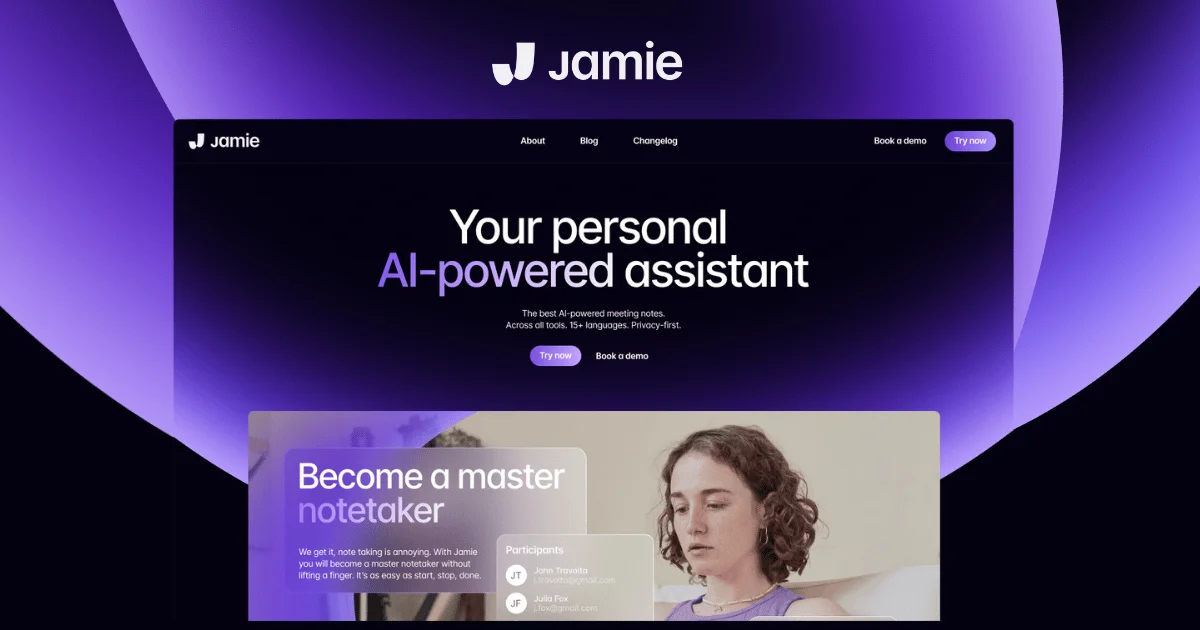
Getting started with Jamie involves creating an account through the app or the website, signing in, and connecting your calendar so that Jamie can see your scheduled meetings and be ready to capture them. The login and onboarding are not complicated, and connecting a calendar like Google Calendar, Outlook, or Apple Calendar is the main setup step, since calendar syncing is the integration Jamie handles most cleanly and it lets the app line up your notes with the right meetings.
Because Jamie captures audio locally rather than dialing into calls, part of getting started is understanding the workflow difference this creates. With a bot-based tool, you invite the bot to a meeting and it joins automatically. With Jamie, you start and stop the recording yourself through the app on your device. This manual start and stop is a direct consequence of the bot-free design, and it is worth understanding upfront, because forgetting to start the recording means the meeting is not captured. It is a reasonable trade for the privacy benefit, but it does place a small ongoing responsibility on the user that bot-based tools remove.
Once you are signed in and your calendar is connected, the basic loop is simple: when a meeting starts, you begin recording through the app, and when it ends, you stop, and Jamie processes the audio into a transcript, summary, and action items. Your meeting history accumulates in the app, where you can search across it and use the AI assistant to query past meetings. The getting-started experience itself is not where Jamie's problems lie. The problems show up after the meeting, in how long the processing takes and how accurately it labels who said what, which we cover next.
Transcription and How Well It Works
Transcription is the core function of Jamie, and the quality of the transcription itself is genuinely good. When Jamie produces a transcript, it generally captures the conversation accurately, including the nuances of natural speech, and it supports a very wide range of languages, which is a real strength for international users and multilingual meetings. Users specifically praise the accuracy of the transcription in multiple languages, and the system can learn industry-specific terms you add, so technical jargon and specialized vocabulary are handled better over time as it adapts to your usage. For the pure task of turning spoken words into accurate text, Jamie performs well.
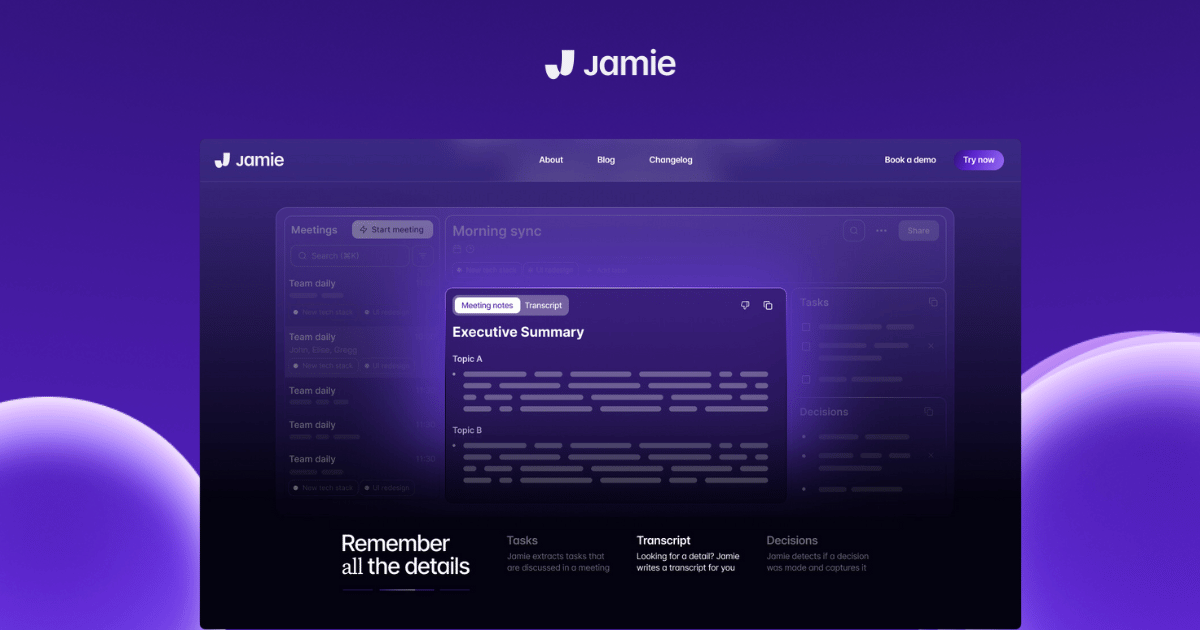
The summaries built on top of the transcription are also a strength. Jamie organizes the conversation into a structured summary separated by topic, and it automatically extracts action items and tasks. The summary quality is good enough that users who want to spot themes across their meetings and capture the key decisions and next steps without manual note-taking are generally well served. For the central promise of letting you stay present in a conversation while the tool captures the details, Jamie delivers a solid result on the content of what was said.
The serious weakness in the transcription experience is not accuracy but speed and speaker attribution. On speed, Jamie generates its notes after the meeting ends rather than in real time, and the processing can be slow, with users reporting waits of five to ten minutes for a summary even after a short meeting. For someone with back-to-back meetings, waiting several minutes after each call for the notes to appear is genuinely disruptive, and it stands in contrast to tools that produce live or near-instant transcription. If you need to glance at what was just said before walking into your next call, the delay is a real problem.
On speaker attribution, the bot-free design that is Jamie's biggest strength is also the source of one of its biggest weaknesses. Because Jamie captures audio from a single device microphone rather than joining the call where each participant has a separate audio stream, mapping voices to specific named speakers is genuinely harder. Users report that speaker identification is inconsistent, sometimes mislabeling who said what or duplicating speakers. Interestingly, for in-person meetings where multiple people speak into one microphone, some users find the speaker differentiation works well enough to be valuable, but across the board the speaker labeling is less reliable than tools that get a clean separate audio feed for each participant. Manual speaker labeling is available to correct it, but needing to fix the labels by hand undercuts the time savings the tool is supposed to provide.
Privacy: The Genuine Strength
Privacy is where Jamie is strongest and where it most clearly justifies consideration over the many alternatives. The combination of features here is genuinely differentiated and well suited to confidentiality-sensitive work. The bot-free capture means no AI participant ever appears in your meeting, which matters both for discretion and for contexts where an external bot in the call is simply not allowed. The data is stored and processed in Europe under GDPR, which is meaningful for organizations with European data-residency requirements. The platform holds recognized security certification. And it commits to not storing raw audio recordings and to not training its AI models on your customer conversations, which addresses one of the most common and legitimate concerns professionals have about feeding sensitive meetings into an AI tool.
For professionals in legal, consulting, healthcare, financial, and other regulated or highly confidential fields, this privacy posture is the reason to look at Jamie. A lawyer discussing a client matter, a consultant handling sensitive corporate information, or a healthcare professional in a confidential conversation often cannot use a tool that puts a recording bot in the room or sends audio to be used for model training. Jamie's design directly addresses those constraints, and it does so as a core part of the product rather than as an enterprise add-on. This is the one area where our assessment is strongly positive, and it is what keeps the overall rating at the midpoint rather than lower despite the operational frustrations.
It is worth being clear that privacy is a genuine differentiator and not just marketing. Many competing tools have privacy features, but the specific combination of bot-free local capture, European data residency, GDPR compliance, no audio storage, and no model training on customer data is a coherent privacy-first design rather than a checklist. If privacy and discretion are your top priorities and you are willing to accept the operational trade-offs in speed, speaker labeling, integrations, and app polish, Jamie's privacy strength is real and may justify the choice. The question for most users is whether that privacy benefit outweighs the frustrations, and for many it will not, but for the specific privacy-driven user it genuinely can.
Jamie Free Plan and Pricing in 2026
Jamie offers a free plan and several paid tiers, with pricing denominated in euros reflecting its European base. Here is the general structure as found in our 2026 research:
|
Plan |
Price |
What You Get |
|
Free |
EUR 0 |
A limited number of meeting summaries per month, each capped in length, with transcripts, action items, speaker ID, offline recording, and limited daily use of the AI assistant. A way to test the tool, not a working plan for regular use. |
|
Standard |
Around EUR 24/month |
A modest monthly meeting allowance with longer meeting length support, transcripts, summaries, and action items. For light, regular solo use. |
|
Pro |
Around EUR 47/month |
A larger monthly meeting allowance for power users who run frequent or longer meetings, with the full AI assistant and template features. |
|
Executive |
Around EUR 99/month |
Unlimited meetings with the longest meeting length support, aimed at heavy individual users who live in meetings. |
|
Team |
Around EUR 39/seat/month |
For 2 or more users, adding centralized billing, encryption, and shared workspace elements, though collaboration features remain comparatively limited. |
|
Enterprise |
Custom |
For 10 or more seats, adding single sign-on, admin controls, EU data residency commitments, data processing agreements, security certification, and onboarding. |
Pricing reflects 2026 research and is denominated in euros. Annual billing reduces the effective monthly cost versus monthly billing. Plans are differentiated largely by how many meetings per month they allow and the maximum meeting length, with the free plan capped at a small number of short meetings. Exact figures and plan structures change periodically, so confirm current pricing before subscribing.
Is the Free Plan and Pricing Worth It?
The free plan is best understood as a trial rather than a usable long-term option. It allows only a small number of meeting summaries per month, each capped in length, which is enough to evaluate whether Jamie's transcription quality and bot-free workflow suit you, but not enough to rely on for regular professional use. Anyone with more than a handful of meetings will exhaust the free allowance quickly and need to move to a paid plan. As an evaluation tool, the free plan is genuinely useful, and we recommend using it to test the speed and speaker-labeling behavior on your own real meetings before committing, since those are the areas most likely to determine whether Jamie works for you.
On the paid pricing, the honest assessment is that Jamie runs more expensive than many competitors in the category while offering fewer integrations and weaker team features. The pricing is structured around meeting volume, so you pay more as you run more meetings, and the higher tiers reach a notable monthly cost for what remains fundamentally a single-user note-taking tool. For the privacy-driven user who specifically needs the bot-free, EU-hosted approach and cannot get it elsewhere, the premium may be justified. For a general user choosing among meeting note takers on overall value, Jamie's combination of higher price, slower processing, inconsistent speaker labeling, limited integrations, and weak collaboration makes the value proposition harder to defend, which is reflected in the low pricing-value score in our ratings.
Integrations and Team Use
Integrations are a clear weak point for Jamie. The tool handles calendar syncing well, connecting with the major calendar services so it can line up with your scheduled meetings, and it offers some connections to note and task tools. But beyond calendar syncing, the integration depth is limited compared to competitors, and getting your meeting data into the other tools your team actually uses, such as CRMs and project management platforms, often requires manual transfer rather than automated sync. For a sales team that wants meeting notes to flow automatically into a CRM, or a project team that wants action items to land in their task system, this manual-transfer reality is a meaningful friction that undercuts the productivity benefit.
Jamie is also fundamentally a single-user product, and its team and collaboration features are comparatively limited. There is no strong real-time collaborative note-taking, no deep shared-workspace functionality of the kind that team-oriented tools provide, and the cross-meeting intelligence that lets you query across an entire organization's meetings is weaker than dedicated team platforms. The Team and Enterprise plans add centralized billing, security controls, and administrative features, but the core product experience remains oriented around the individual user capturing their own meetings rather than a team collaborating on shared meeting intelligence.
This single-user orientation shapes who Jamie is right for. It is a personal note-taking tool that happens to offer team billing, not a team collaboration platform. For a solo professional or a very small team where each person simply wants their own meetings captured privately, that is fine. For a larger team that needs meeting data integrated into shared workflows, automated into other systems, and collaboratively accessible across the organization, Jamie's limited integrations and weak collaboration features are a significant constraint, and a more team-oriented tool will usually serve better. Understanding this distinction is key to deciding whether Jamie fits your situation.
Alternatives and Where Jamie Fits
Because Jamie's strengths are narrow and its frustrations are real, it is worth understanding where it fits relative to the broader category so you can judge whether it is the right choice. The AI meeting note taker space in 2026 is crowded, with options ranging from lightweight personal note takers to compliance-driven enterprise platforms, and they differ along several axes: whether they use a bot or capture audio bot-free, how fast they process, how well they identify speakers, how deeply they integrate with other tools, how strong their collaboration features are, and how they handle privacy and data residency.
Jamie's distinct position is at the privacy-first, bot-free, individual-user end of that range. Its closest competition on the bot-free dimension includes tools that offer botless recording alongside other capabilities, and some of those competitors now match the bot-free capture while adding the integration depth, collaboration, and enterprise governance that Jamie lacks, which narrows Jamie's unique advantage. On the other axes, tools that offer real-time transcription serve users who need to follow the conversation live better than Jamie's post-meeting processing, tools with genuine collaborative note-taking serve teams better, and tools with deep CRM and project-tool integration serve sales and project workflows better. There are also privacy-focused open and local options for users whose top priority is keeping data entirely on their own devices.
The honest framing is that Jamie occupies a real but narrow niche. If your defining need is bot-free capture with strong European privacy handling, and your usage is light and individual, Jamie fits that niche well and the alternatives that match its privacy posture may not match its specific bot-free simplicity. But if any of speed, speaker accuracy, integrations, collaboration, or value-for-money matters more to you than the specific privacy-and-bot-free combination, there are alternatives that will serve you better, and you should trial Jamie against one or two of them on your real meetings before committing. Jamie is not a bad tool, but it is a specialized one, and choosing it over the alternatives only makes sense when its specific strength is the thing you most need.
User Experience: Good Idea, Frustrating Execution
The day-to-day experience of using Jamie is defined by the gap between a genuinely appealing concept and an execution that has consistent rough edges. The concept is excellent: stay present in your meeting, let a private, bot-free tool capture everything, and get a clean transcript, summary, and action items afterward without any awkward bot in the call. When everything works, that is exactly what you get, and the privacy reassurance of European hosting and no model training makes it feel safe to use for sensitive conversations. For a light user with a few meetings a week and a strong privacy preference, the experience can be genuinely satisfying.
The frustrations accumulate with heavier use. The five-to-ten-minute wait for notes after each meeting is the most commonly cited problem, and for anyone with a busy meeting schedule it turns the tool from a time-saver into a source of waiting. The inconsistent speaker labeling means the transcripts and summaries sometimes attribute statements to the wrong person or duplicate speakers, requiring manual correction that eats into the time the tool is supposed to save. The clunky app, with its rough interface details, makes the routine of using it less pleasant than it should be. And the limited integrations mean that getting the captured information into the rest of your workflow often involves manual copying, which again undercuts the efficiency benefit.
The pattern across the experience is that Jamie does the hardest part, accurate transcription and good summaries, reasonably well, but stumbles on the surrounding details that determine whether a tool is pleasant and efficient to use day to day. Speed, speaker accuracy, app polish, and integration are not the glamorous parts of a meeting tool, but they are what separate a tool you are happy to rely on from one you tolerate for a specific reason. Jamie currently sits in the second category for most users: tolerable, and worth it specifically if the bot-free privacy approach is something you genuinely need, but frustrating enough that users without that specific need tend to look elsewhere.
The balanced conclusion is that Jamie is a tool with a clear and defensible reason to exist, serving a real need that some users genuinely have, but one whose execution has not yet caught up to its concept. For the privacy-driven light user it is a reasonable choice with real benefits. For everyone else, the frustrations in speed, accuracy of attribution, app quality, integrations, and value tend to outweigh the appeal of the bot-free approach, and our 2.5 assessment reflects exactly that split between a strong idea and a frustrating execution.
Pros and Cons
What Jamie Gets Right
The bot-free approach captures meetings without sending a visible AI participant into the call, which is genuinely valuable for discretion and for contexts where a recording bot is not allowed
Strong privacy posture with European data storage and processing, GDPR compliance, recognized security certification, no storage of raw audio, and no training of AI models on customer conversations
Good transcription accuracy that captures natural speech well and supports a very wide range of languages, with the ability to learn industry-specific terms over time
Solid structured summaries organized by topic with automatically extracted action items, delivering on the core promise of letting you stay present while it captures the details
Works for in-person meetings as well as online ones, since it captures device audio rather than joining a call, which suits low-tech and face-to-face settings
Notes sync across desktop and mobile apps, so captured meetings are available on both surfaces
Well suited to privacy-conscious professionals in legal, consulting, healthcare, and finance who genuinely cannot use bot-based or model-training tools
Where Jamie Falls Short
Note generation is slow, with users reporting five-to-ten-minute waits for summaries even after short meetings, which is disruptive for back-to-back schedules
Speaker identification is inconsistent, sometimes mislabeling or duplicating speakers, because single-microphone capture makes mapping voices to names genuinely harder
The app experience is frequently described as clunky, with rough interface details including awkward dark mode contrast and reliance on forced shortcuts
Integrations beyond calendar syncing are limited, so getting meeting data into CRMs and project tools often requires manual transfer rather than automated sync
It is fundamentally a single-user product with comparatively weak team and collaboration features
Pricing runs higher than many competitors while offering fewer integrations and weaker team features, making the overall value harder to defend
The free plan is capped at a small number of short meetings, functioning as a trial rather than a usable long-term plan
The manual start-and-stop workflow, a consequence of the bot-free design, places a small ongoing responsibility on the user and risks missed captures if forgotten
Frequently Asked Questions About Jamie AI (2026)
1. What is Jamie AI and how does it work?
Jamie is a privacy-first, bot-free AI meeting note taker built in Germany. Unlike most AI meeting assistants, which join your call as a visible bot participant, Jamie captures the meeting audio locally through its desktop or mobile app without ever appearing in the call. You start recording through the app when a meeting begins, and when it ends, Jamie processes the audio and produces a transcript, a structured summary organized by topic, and a list of automatically extracted action items. It works for both online and in-person meetings, since it captures device audio rather than dialing into a call, and it supports a very wide range of languages. The data is stored and processed in Europe under GDPR, and Jamie commits to not storing raw audio recordings or training its AI models on your conversations. The core appeal is staying present in your meeting while a private, discreet tool captures the details, with no awkward bot in the call and strong privacy handling. The main trade-offs are that processing is slow, speaker labeling can be inconsistent, and integrations are limited, which are the issues this review examines.
2. Is Jamie AI free?
Jamie has a free plan, but it is limited enough that it functions as a trial rather than a usable long-term option. The free plan allows only a small number of meeting summaries per month, each capped in length, along with transcripts, action items, speaker identification, offline recording, and limited daily use of the AI assistant. This is enough to evaluate whether Jamie's transcription quality and bot-free workflow suit you, but not enough to rely on for regular professional use, since anyone with more than a handful of meetings will exhaust the free allowance quickly. After the free plan, paid tiers are priced in euros and structured mainly around how many meetings per month you can run and the maximum meeting length, starting at a modest monthly cost for light use and rising to a notable monthly price for unlimited meetings. There are also team and enterprise plans. We recommend using the free plan specifically to test the processing speed and speaker-labeling accuracy on your own real meetings before paying, since those are the areas most likely to determine whether Jamie works for your situation.
3. How do I download and set up Jamie AI?
You download Jamie from its official website and the relevant app store. It runs as a desktop application for macOS and Windows, with a companion mobile app, and the desktop app is the primary surface because the bot-free approach depends on capturing audio locally from your device. After installing, you create an account, sign in, grant the app the audio permissions it needs to capture meeting sound, and connect your calendar so Jamie can line up with your scheduled meetings. Because Jamie captures device audio rather than joining calls, the app needs to be running on the machine where the meeting happens, and you start and stop the recording yourself rather than inviting a bot. The setup itself is straightforward, and notes sync across the desktop and mobile apps so your captured meetings are available on both. The one workflow point to understand upfront is the manual start and stop: since there is no bot to join automatically, you are responsible for starting the recording when a meeting begins, and forgetting to do so means the meeting is not captured.
4. How accurate is Jamie AI's transcription?
Jamie's transcription accuracy is genuinely good and is one of its real strengths. It captures natural conversation well, handles a very wide range of languages accurately, and can learn industry-specific terms you add so that technical jargon and specialized vocabulary improve over time as it adapts to your usage. For the core task of turning spoken words into accurate text, Jamie performs well, and the structured summaries built on top of the transcription, organized by topic with extracted action items, are also solid. The weaknesses in the transcription experience are not about word accuracy but about speed and speaker attribution. Processing is slow, with reported waits of five to ten minutes for a summary even after a short meeting. And speaker identification is inconsistent, sometimes mislabeling or duplicating speakers, because capturing audio from a single device microphone rather than from a call where each participant has a separate audio stream makes mapping voices to specific names genuinely harder. Manual speaker labeling is available to fix this, but needing to correct it by hand reduces the time savings. So the transcription content is accurate; the speed and the who-said-what attribution are where it falls short.
5. Why is Jamie AI bot-free and does that matter?
Jamie is bot-free because it captures meeting audio directly from your device rather than sending an AI participant to join the call, and for the right user this matters a great deal. Most AI meeting assistants join your video call as a visible bot that appears in the participant list and announces that recording is happening. Jamie avoids this entirely, so there is no third participant, no recording announcement, and no bot in the meeting. This matters in two main ways. First, discretion: some people simply find meeting bots intrusive and prefer a tool that stays out of sight. Second, and more importantly, there are professional contexts where an external AI bot in the call is not allowed, such as confidential legal, consulting, healthcare, or financial conversations, and in those settings a bot-free tool is the only kind that can be used at all. The bot-free design also enables Jamie to capture in-person meetings, which bot-based tools cannot do. The trade-off is that bot-free single-microphone capture makes speaker identification harder, and the manual start and stop places a small responsibility on the user. For privacy-driven and in-person use, the bot-free approach is a genuine and meaningful advantage rather than a gimmick.
6. Why does Jamie AI take so long to generate notes?
Jamie generates its notes after the meeting ends rather than in real time, and the processing can take several minutes, with users reporting waits of five to ten minutes for a summary even after a short meeting. This happens because Jamie processes the captured audio into a transcript and then into a structured summary with extracted action items after you stop the recording, rather than transcribing live as the meeting happens. For users with occasional meetings, a few minutes of processing is a minor wait. For users with back-to-back meetings, the delay is genuinely disruptive, because the notes from one meeting may not be ready before the next one starts, and there is no way to glance at what was just discussed immediately. This is one of the most commonly cited frustrations with Jamie and a significant factor in our assessment. If fast or real-time turnaround is important to your workflow, this delay is a real limitation, and it is one of the specific things we recommend testing on the free plan with your own meetings before committing, since how much it bothers you depends heavily on your meeting schedule.
7. Is Jamie AI good for teams or just individuals?
Jamie is fundamentally an individual tool, and its team and collaboration features are comparatively limited. It is designed around a single user capturing their own meetings privately, and while it offers Team and Enterprise plans that add centralized billing, security controls, and administrative features, the core product experience remains oriented around the individual rather than around team collaboration. It lacks strong real-time collaborative note-taking, deep shared-workspace functionality, and the organization-wide meeting intelligence that dedicated team platforms provide, and its limited integrations mean meeting data often has to be transferred manually rather than flowing automatically into shared team systems and tools. For a solo professional or a very small team where each person simply wants their own meetings captured privately, this is fine and the privacy benefit is real. For a larger team that needs meeting notes integrated into shared workflows, automated into CRMs and project tools, and collaboratively accessible across the organization, Jamie's single-user orientation and weak collaboration are a significant constraint, and a more team-focused tool will usually serve better. The key is to recognize that Jamie is a personal note taker that offers team billing, not a team collaboration platform.
8. Is Jamie AI safe and private?
Privacy and safety are Jamie's strongest area, and the privacy claims are substantive rather than just marketing. Jamie stores and processes data in Europe under GDPR, holds recognized security certification, and commits to not storing raw audio recordings and to not training its AI models on your customer conversations. Combined with the bot-free capture, which means no external AI participant ever joins your call, this is a coherent privacy-first design rather than a checklist of features. For professionals handling confidential information, such as lawyers, consultants, healthcare providers, and finance professionals, this combination directly addresses the most common and legitimate concerns about feeding sensitive meetings into an AI tool: that a bot will be visibly present, that audio will be retained, or that conversations will be used to train models. Jamie's design avoids all three. For organizations with European data-residency requirements, the EU hosting is also meaningful. The enterprise tier adds further controls like single sign-on, data processing agreements, and admin governance. If privacy is your top priority, Jamie is genuinely one of the safer choices in the category, and this privacy strength is the main reason to consider it despite the operational frustrations in speed, speaker labeling, integrations, and app polish.
9. What are the main downsides of Jamie AI?
The main downsides of Jamie are consistent and worth understanding before you commit. First, slow processing: notes can take five to ten minutes to generate after a meeting, which is disruptive for busy schedules. Second, inconsistent speaker identification: because Jamie captures from a single microphone rather than a bot in the call, it sometimes mislabels or duplicates speakers, and you may need to correct the labels manually. Third, a clunky app experience, with rough interface details that make daily use less pleasant than the best tools in the category. Fourth, limited integrations: beyond calendar syncing, getting meeting data into CRMs and project tools often requires manual transfer rather than automated sync. Fifth, weak team and collaboration features, since Jamie is fundamentally a single-user product. Sixth, pricing that runs higher than many competitors while offering fewer integrations and weaker team features, which makes the overall value harder to defend. And seventh, the manual start-and-stop workflow that comes with the bot-free design, which risks missed captures if you forget. None of these individually is disqualifying, and the privacy strength offsets them for the right user, but together they are why our assessment lands at the midpoint and why users without a specific privacy need often prefer alternatives.
10. Is Jamie AI worth it in 2026?
Jamie is worth it for a specific kind of user and harder to justify for everyone else. It is worth it if you are a privacy-conscious professional or a light individual user who genuinely needs the bot-free, European-hosted, no-model-training approach, runs only a handful of meetings a week, and values discretion and privacy above speed, integrations, and collaboration. For a lawyer, consultant, healthcare provider, or executive who cannot put a recording bot in confidential calls and who has a light meeting load, Jamie's privacy strengths are real and may make it the right choice despite its frustrations, especially since few alternatives match its specific bot-free privacy combination. It is harder to justify if you have a heavy meeting schedule where the five-to-ten-minute processing delay becomes disruptive, if you need reliable speaker attribution, if you depend on deep integrations to get meeting data into your other tools, if you need team collaboration features, or if you are weighing overall value, since Jamie costs more than many competitors while offering less in those areas. The honest summary is that Jamie is a specialized tool with a genuine strength in privacy and a real set of operational frustrations. Use the free plan to test the speed and speaker labeling on your own meetings, and choose Jamie only if its privacy-first, bot-free approach is specifically the thing you most need. For users without that specific need, the frustrations tend to outweigh the appeal, which is why our overall assessment is a 2.5.
Icon polls Verdict
Jamie AI earns a 2.5 out of 5 from Icon Polls in 2026. The rating reflects a tool with a genuinely good and differentiated idea that is held back by consistent frustrations in its execution, landing it squarely at the midpoint as a specialized choice rather than a general recommendation.
The strength is real and worth recognizing. Jamie's privacy-first, bot-free approach is a coherent and meaningful design, not a marketing angle. Capturing meetings without a visible bot, storing and processing data in Europe under GDPR, holding security certification, and committing to no audio storage and no model training on customer conversations together make Jamie one of the safer choices in the category for confidentiality-sensitive work. The transcription accuracy is good, the summaries are solid, the language support is broad, and the ability to capture in-person meetings is a genuine plus. For a privacy-driven professional with a light meeting load, these strengths are valuable and may not be matched by alternatives.
The frustrations are equally real and they are what hold the rating at the midpoint. Note generation is slow, with five-to-ten-minute waits that disrupt busy schedules. Speaker identification is inconsistent because single-microphone capture makes attribution harder. The app is clunky. Integrations beyond calendar syncing are limited, forcing manual transfer of meeting data. It is a single-user product with weak collaboration. And the pricing runs higher than many competitors while offering less in integrations and team features. These are not isolated nitpicks; they are consistent, they compound with heavier use, and together they undercut the efficiency a meeting note taker is supposed to deliver.
The practical guidance from Icon Polls: consider Jamie only if its specific strength, the bot-free, privacy-first, EU-hosted approach, is the thing you most need, and your usage is light and individual. If that describes you, use the free plan first to test the processing speed and speaker-labeling accuracy on your own real meetings, since those are the areas most likely to determine whether it works for you, and go in understanding the manual start-and-stop workflow and the limited integrations. If privacy is not your defining requirement, or if you have a heavy meeting schedule, need reliable speaker attribution, depend on deep integrations, or want team collaboration, the frustrations will likely outweigh the appeal, and you should trial Jamie against one or two alternatives before deciding. Jamie is a good idea with a frustrating execution, valuable for a narrow audience and a difficult recommendation for everyone else, and a 2.5 reflects exactly that balance.