Quick Verdict
Lightfield is the most credible attempt yet at solving the problem that every sales team knows exists but no one has properly fixed: the CRM that nobody actually uses because updating it feels like a second job. Built by Keith Peiris and Henri Liriani, the same team that grew Tome to 25 million users before walking away to tackle a harder problem, Lightfield takes a fundamentally different architectural approach to customer data. It captures everything automatically from your emails, meetings, calls, and connected tools, builds structured records from that unstructured conversation history, and then puts an AI agent to work answering questions, prepping meetings, drafting follow-ups, and surfacing patterns across your entire deal history. Over 100 companies from recent Y Combinator batches have adopted it, word-of-mouth conversion to paid sits around 35 percent, and the weekly changelog shows a team that ships consistently rather than making promises. Where the score does not hit 4.5 is a reflection of the product's early stage. Pricing at $59 per user per month starts higher than some comparable tools, there is no permanent free tier, LinkedIn Sales Navigator integration is not yet live, and some enterprise-level requirements sit outside the current scope. We rate Lightfield 4.0 out of 5 for 2026.
At a Glance: Icon Polls Ratings
Here is how Lightfield scored across the areas we evaluated in our 2026 research:
|
Category |
Stars |
Score |
|
Core AI and Memory Architecture |
★★★★★ |
4.5/5 |
|
App Interface and Ease of Use |
★★★★★ |
4.5/5 |
|
Automatic Data Capture |
★★★★★ |
4.5/5 |
|
AI Agent Capabilities |
★★★★☆ |
4/5 |
|
Pricing and Value |
★★★★☆ |
3.5/5 |
|
Integrations and API |
★★★★☆ |
3.5/5 |
|
Suitability for Enterprise Use |
★★★☆☆ |
3/5 |
|
Overall |
★★★★☆ |
4/5 |
What Is Lightfield?
Lightfield is an AI-native CRM built around a concept the founders call customer memory. Where traditional CRMs store structured fields that humans have to manually populate, Lightfield ingests the raw material of business relationships, emails, meeting transcripts, call recordings, support tickets, usage data, and calendar events, and builds a living, queryable record of every customer relationship from that unstructured input. The founding premise is that the most valuable information about a customer lives in the actual conversations you have with them, not in the dropdown menus and checkboxes of a legacy CRM.
The company was originally Tome, the AI-powered presentation platform founded in 2020 by Keith Peiris and Henri Liriani. Tome grew to 25 million users, raised $81 million from Coatue, Greylock, Lightspeed, 8VC, and GV at a $300 million valuation, and was recognized on the Forbes AI 50 in 2023 and 2024. In mid-2025, Peiris announced the decision to wind down the slides product entirely and rebuild from scratch around customer intelligence. The post where he explained the pivot was direct: LLMs are good at starting work, but lack the context required to finish it. The answer, as Peiris and Liriani saw it, was building the context layer first, which meant building a CRM.
Lightfield launched publicly in late 2025 and hit Product Hunt in March 2026, debuting as one of the more anticipated launches in the B2B AI category. Keith Peiris described it on Product Hunt as having the deepest engagement he had seen in any product he had ever worked on, a significant claim from someone who grew Instagram Direct to 500 million monthly active users. Early adoption data supports that: over 100 companies from recent Y Combinator batches have adopted the platform, power users interact with the AI agent more than 400 times per week on average, and the average session length runs close to 30 minutes, which is unusually high for a CRM tool where most traditional systems are used for minutes per day and resented throughout.
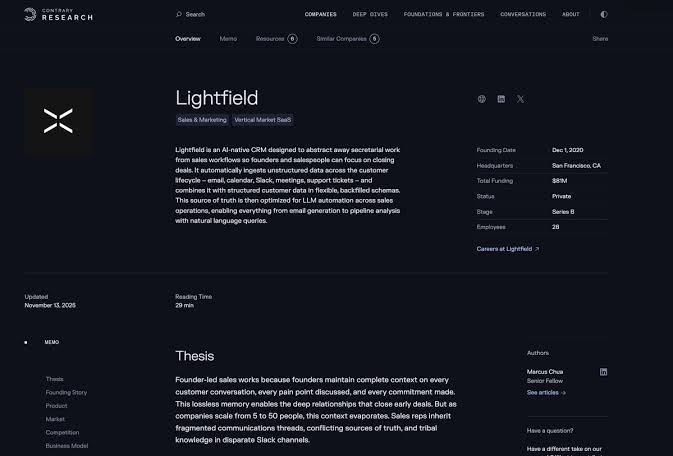
The company is headquartered in San Francisco and operates as a lean team. Coatue Management, which backed Tome's original investment, has backed the pivot into Lightfield as well, which is an important signal about investor conviction in the team's direction even while moving into a more competitive software category.
The AI Architecture: Why This Is Different From Other AI CRMs
There is no shortage of companies in 2026 claiming to have AI-powered CRM features. Most of them have done one of two things: layered a ChatGPT interface on top of a Salesforce integration, or built a modern CRM UI and called the ability to auto-populate a field from an email an AI feature. Lightfield is architecturally different in ways that matter to how the product actually performs.
Schema-less Memory
Traditional CRMs require you to define your data model before you can capture anything meaningful. You set up custom fields, build pipeline stages, define the relationships between objects, and then begin logging. If your go-to-market strategy changes three months into the year, you rebuild the schema. If a new data point becomes important that you did not anticipate, you add it manually and lose all historical data for that field from before it existed.
Lightfield stores customer data as semantic key-value pairs rather than fixed columns. The AI agent creates fields on the fly based on what it learns from your conversations and backfills that data across all historical records. If you realize six months in that tracking the specific objection each prospect raised would be valuable, you add that field and Lightfield populates it from every past email and meeting transcript where an objection was mentioned. That retroactive field population is the feature that most consistently surprises users who have spent years in legacy CRMs where adding a field means losing all history for it.
Complete Conversation Context
Lightfield does not summarize your conversations into a field. It stores the full text of every email thread, every meeting transcript, every call recording, and keeps that complete context searchable and queryable in natural language. When you ask the AI agent what objections came up in deals we lost last quarter, it is not working from a dropdown field where a rep selected a category. It is pattern-matching across the actual language your prospects used in real conversations. The answer comes back with citations to specific interactions, meaning you can verify what the agent is telling you against the original source rather than trusting an abstraction.
One early user at a Product Hunt launch described asking the agent to go through my emails and fill in my opportunities and returning to a fully populated pipeline with stages, contacts, and full deal context built from email history the user had already written but never bothered to enter into a CRM. That single-prompt migration experience is what Lightfield is actually selling. The claim of 95 percent recall accuracy at scale is the statistic behind it.
Agent-Driven Execution
Lightfield's AI agent does not just answer questions. It writes and runs Python scripts in a sandboxed environment with direct API access to the object model. This means the agent can perform bulk updates, process CSV imports, generate custom reports, and execute workflow steps without requiring the user to have technical expertise. The agent can be instructed through natural language: draft re-engagement emails for all cold prospects, or update the next action field for every deal that has not had contact in 14 days, and the agent handles the execution rather than generating instructions for a human to follow.
The April 2026 launch of Skills and Knowledge extended this capability further. Skills allow users to define specific workflows the agent can execute on command. Knowledge gives the agent access to structured company context, such as product information, competitive positioning, or pricing guidance, that it can draw from when drafting customer communications. The Lightfield MCP server, also launched in April 2026, enables connection to external tools through the Model Context Protocol, with native connectors for Notion, Linear, and Granola already live.
The Lightfield App: Getting Up and Running
Lightfield runs as a web application with no desktop download required. You access it at lightfield.app and can be operational within minutes of creating an account. The onboarding flow starts with connecting your email, calendar, and optionally uploading a CSV from your existing CRM. One of the bolder claims on the product page, that you are up and running in five minutes, is validated by multiple independent accounts of the setup experience. The lack of an upfront schema requirement is what makes this possible: there are no fields to define, no pipeline stages to configure before the system becomes useful.
The interface is organized around accounts, contacts, opportunities, and the AI agent panel. The visual design is clean without being sparse. Table and kanban views are both available for pipeline management, and as of the March 27, 2026 changelog update, tables include a footer with configurable column math operations for quick quantitative review. The command palette accessible through the keyboard shortcut added in the March 20 update makes navigation across records fast for users who prefer keyboard-driven workflows.
The meeting preparation feature is one of the most consistently praised day-to-day capabilities. Before a scheduled customer meeting, Lightfield automatically generates a prep brief drawing from recent email exchanges, past meeting transcripts, open action items, and the full context of the account relationship. For a founder doing five customer calls a day who used to spend 20 minutes pulling together context from their inbox before each one, this single feature is worth the subscription cost. Several user testimonials specifically cite meeting prep as the workflow change that stuck.
Call recording is built into the platform. Meetings are recorded, transcribed, and linked automatically to the correct CRM record. Action items extracted from the call appear in a central task panel without anyone manually creating them. Follow-up emails can be drafted by the agent with knowledge of the full conversation that just happened, not a generic template but a personalized draft that references the specific things discussed. One user at a startup quoted in VentureBeat described Lightfield catching dropped follow-up threads and drafting sends automatically, a behavior they credited with preventing three deals from going cold in a single quarter.
Login, Onboarding, and Account Setup
Signing up for Lightfield is done at lightfield.app. The product requires a credit card at signup to filter out bot traffic, which is worth knowing before you go through the process expecting a no-payment-required evaluation path. A free trial is available for teams who want to evaluate the product before committing to a paid plan, and the trial provides access to the core functionality rather than a locked-down preview.
Account connection during onboarding supports Gmail and Google Calendar natively, with Outlook support for email and calendar integration as well. LinkedIn Sales Navigator integration is listed as in development but is not yet live as of April 2026, which is a specific gap for teams whose prospecting workflow is heavily LinkedIn-centric. The Chrome extension for LinkedIn sync is a workaround some users employ in the interim, though it is not as seamless as a native integration would be.
For teams migrating from another CRM, Lightfield launched an automated migration agent in early 2026 that handles the transition from HubSpot in under 60 minutes. The migration process handles schema mapping, field translation, and data integrity checks without requiring the user to manually rebuild their data model. The agentic CSV import added in the March 2026 changelog extended this capability more broadly, including retry-safe import logic so that interrupted imports can be resumed without creating duplicate records.
The REST API entered public beta in March 2026, giving technical teams programmatic access to Lightfield data for custom integrations. The API supports reading filter lists of objects and has continued to expand with each weekly release. For teams with existing tech stacks that need Lightfield to connect to tools not yet supported natively, the API and the workflow builder's HTTP request step provide a path to custom data flows without waiting for Lightfield to build a native connector.
What Our Research Found: The Real-World Performance Picture
Lightfield's early commercial performance is genuinely striking for a product that launched publicly in late 2025. The numbers that show up across multiple independent sources tell a consistent story. Over 100 companies from recent Y Combinator batches have adopted the platform. Word-of-mouth conversion from free trial to paid subscription is running around 35 percent, which is exceptionally high for B2B software. Power users interact with the AI agent more than 400 times per week. Average session length is close to 30 minutes. SaaStr named Lightfield its AI App of the Week in February 2026 and called the product philosophy exactly how AI should reshape CRM.
What drives those engagement numbers is that Lightfield is solving the behavior problem rather than the interface problem. Every other CRM redesign attempt of the past decade has approached the manual data entry problem by making it easier to enter data manually: cleaner forms, faster field population, better mobile apps. Lightfield skips the entry step entirely by capturing data from where it already lives. The difference between a CRM that requires discipline and one that requires none is not a marginal improvement in the category. For teams that have historically treated CRM as a necessary administrative burden rather than a source of insight, it represents a fundamental change in what they get out of the system.
The SaaStr analysis notes that the category Lightfield is entering is worth more than $80 billion and describes most of that market as begging to be rebuilt from scratch. The $300 million Tome valuation provides context for the quality of the investors who backed the pivot, and the fact that Coatue doubled down on the team specifically signals that the investor who knows Peiris and Liriani best believes they are on to something larger than what they left behind.
Where the Product Is Still Early
Lightfield's limitations are real and worth naming plainly. Pricing starts at $59 per user per month, which is higher than the entry point for comparable newer CRMs. There is no permanent free tier; the free trial eventually leads to a paid commitment. LinkedIn Sales Navigator integration, which matters enormously for B2B sales teams that prospect heavily through LinkedIn, is not yet live. Larger enterprise requirements including complex territory management, multi-organization structures, and deep Salesforce integrations are outside the current scope. The Pro plan's 50,000 record limit is sufficient for most growth-stage companies but could become a constraint for organizations with very large contact databases.
One reviewer noted that while ease of use is a genuine strength from day one, the platform does not yet have all the advanced features that large legacy providers have accumulated over decades. The development team is shipping weekly updates, but some features that enterprise buyers treat as standard are still on the roadmap rather than in the product. For teams evaluating Lightfield as a Salesforce replacement at significant scale, the honest answer is that the product is not there yet for the most complex enterprise requirements. For teams evaluating it as a replacement for their first CRM or an alternative to HubSpot at early to growth stage, the honest answer is that it is almost certainly better for their use case than what they are currently using.
Pricing: What Lightfield Costs in 2026
Lightfield's pricing is structured around two tiers. There is no permanent free plan, though a free trial provides full feature access for evaluation purposes. A credit card is required at signup. Here is the current breakdown based on publicly available information as of April 2026:
|
Plan |
Price |
What You Get |
|
Starter |
$59/user/month |
Core CRM functionality. Email and calendar sync. Automatic record capture. AI agent with natural language queries. Meeting recording and transcription. Up to 10,000 records. 1,000 workflow events per month. Basic data model configuration. |
|
Pro |
$99/user/month |
Everything in Starter. Up to 50,000 records. 10,000 workflow events per month. Advanced permissioning and access controls. Dedicated customer success support. Priority for enterprise integration requests. |
Annual billing available with savings over monthly rates. A free trial is available with full feature access. Credit card required at signup. Verify current pricing at lightfield.app/pricing as plans and features are updated regularly given the product's early stage.
How Lightfield's Price Compares
At $59 per user per month on the entry plan, Lightfield is not the cheapest option in the CRM market. Pipedrive starts lower. HubSpot's starter tier is cheaper. Attio's entry point is lower. The pricing is justified, in the Lightfield argument, by the elimination of work rather than the delivery of features. A team spending two hours per week per person on CRM data entry that Lightfield eliminates has a direct labor cost saving that exceeds the subscription cost at most salary levels. The value question is whether the automatic capture is reliable enough in your specific workflow to actually eliminate that admin time rather than supplement it with periodic auditing and cleanup.
For teams that do adopt Lightfield and find the automatic capture reliable for their use case, the product generates very strong retention. The 35 percent word-of-mouth conversion rate and the high session engagement times suggest that users who get value from the product get significant value from it. The challenge is that the value is harder to evaluate on a free trial than a product with a simpler feature set, because the automatic capture quality depends on the volume and variety of email and meeting activity you have during the trial period.
User Experience: What Day-to-Day Use Actually Looks Like
The user who benefits most from Lightfield in 2026 is a founder or early account executive who is running multiple sales conversations simultaneously, hates spending time logging CRM data, and finds that customer context is constantly getting lost between conversations. The platform was built by founders for founder-led sales, and that origin shows in the product decisions. The meeting prep brief. The automatic action item extraction. The natural language query over your entire deal history. Every one of those features addresses a specific pain point that comes from doing sales yourself while also running a company.
Early user accounts describe the onboarding experience as genuinely smooth: connect email, type a prompt, return to a populated pipeline. The surprise moment that converts trial users into paying customers tends to happen during the first natural language query, when someone asks a question they could not answer from their legacy CRM in under five minutes and Lightfield returns an answer in seconds with citations. One product reviewer described the response to what objections keep coming up across all my calls as being pattern-matched across every conversation the user had ever had in the system, something that would have required hours of manual review in any other tool.
The collaboration aspect of Lightfield is an underrated element of the value proposition. When a sales team member joins an organization, they can ask the AI agent how the founding team has been demoing the product and use the accumulated context as a starting point for their own approach. The product's knowledge base compounds as the team grows: every new hire benefits from the conversations that happened before they arrived, rather than relying on whoever has time to onboard them. This compounds the value over time in a way that individual tools cannot replicate.
The rough edges are consistent with an early product. Not every integration users want is available yet. The LinkedIn Sales Navigator gap is the most commonly cited specific limitation. Some users doing significant prospecting through LinkedIn are using Lightfield alongside their existing LinkedIn workflow rather than as a complete replacement, which adds a layer of tool management the product ideally would eliminate. The product ships weekly updates that have consistently closed specific feature gaps since launch, so the roadmap trajectory is encouraging even where specific capabilities remain missing.
Pros and Cons
What Lightfield Gets Right
Schema-less architecture means the CRM works from day one without upfront configuration. You can start capturing data before you know exactly what you need to track, and restructure the data model later without losing historical context
Retroactive field population is one of the most practically powerful features in any CRM available in 2026. Create a field today and Lightfield populates it from past email and meeting history including content captured before the field existed
Natural language queries over complete conversation history return cited answers, meaning you can ask what objections came up in lost deals and get answers drawn from actual conversation text rather than manually entered categories
Meeting prep briefs generated automatically from recent email and call context eliminate one of the most time-consuming pre-call rituals in sales: manually gathering context from scattered tools before a customer meeting
AI agent can write and run Python code in a sandboxed environment, enabling bulk updates, CSV processing, and custom reports without requiring technical skill from the user
The team behind the product, Keith Peiris who grew Instagram Direct to 500 million MAUs and Henri Liriani who rebuilt Facebook Messenger from scratch, brings a quality of product judgment that is unusual in the CRM space
35 percent word-of-mouth conversion from trial to paid and 400-plus weekly AI agent interactions per power user are genuine product-market fit signals, not marketing claims
Weekly changelog updates show consistent shipping velocity. The product has added REST API, agentic CSV import, MCP server, Skills and Knowledge, D3 data visualizations, and table column math all in the first months after launch
Automated HubSpot migration agent handles the CRM transition in under 60 minutes for teams switching from HubSpot
Where Lightfield Has Limitations
No permanent free tier. A credit card is required at signup even for the free trial, which creates more friction than free access models in an evaluation process
Pricing starts at $59 per user per month, which is higher than the entry point of several comparable newer CRMs and requires a clear productivity argument to justify over cheaper alternatives
LinkedIn Sales Navigator integration is not yet live as of April 2026, which is a specific gap for B2B sales teams whose prospecting workflow depends heavily on LinkedIn
The product is not designed for large enterprise requirements. Complex territory management, multi-organization structures, and deep Salesforce integrations are outside the current scope
The 10,000 record limit on the Starter plan could constrain teams with larger existing contact databases who want to start on the lower tier
As a recently launched product, the feature surface is smaller than legacy CRMs that have accumulated years of capability. Some workflows teams rely on in established tools are still on Lightfield's roadmap
The value of automatic capture depends on volume and variety of email and meeting activity. Teams with thin communication histories in their accounts will see less impressive retroactive population than teams with rich interaction records
How Lightfield Compares to the Competition
Lightfield vs HubSpot: HubSpot is the dominant CRM for growth-stage companies and has enormous ecosystem breadth: thousands of integrations, a fully built-out marketing suite, a vast template library, and deep documentation. The tradeoff is that HubSpot assumes you have people willing to maintain it. Data entry discipline erodes over time, the pipeline drifts from reality, and most teams end up with a CRM that reflects history only when someone has time to update it. Lightfield makes the argument that CRM data should reflect reality continuously, not periodically. For teams willing to swap ecosystem breadth for automatic data quality, Lightfield is the more compelling proposition.
Lightfield vs Attio: Attio is a well-designed modern CRM with a data-model-first approach and strong reviews from technical founders. It requires deliberate schema design before the CRM delivers value and relies on configured automations to keep records current. Lightfield's schema-less model and automatic capture mean it is operational in minutes rather than hours, which matters for teams that want to start capturing value immediately. For teams with complex relational data needs or non-standard pipeline structures, Attio's flexibility may be more valuable than Lightfield's automation. For teams doing high-volume, conversation-driven B2B sales, Lightfield's architecture fits the use case more directly.
Lightfield vs Salesforce: Salesforce is not the competitive target for most companies considering Lightfield. Peiris has acknowledged this directly: Salesforce is too expensive, too complex, and frankly does not do enough to justify the investment for early-stage companies. Lightfield's target market is companies that would answer no if asked whether they use Salesforce, which describes the overwhelming majority of Y Combinator companies and most startups below 50 employees. For teams already running complex Salesforce instances with established RevOps processes, Lightfield is not a realistic near-term migration target.
Frequently Asked Questions About Lightfield (2026)
1. What is Lightfield and what does it do?
Lightfield is an AI-native CRM that builds and updates itself from your actual customer conversations rather than requiring manual data entry. You connect your Gmail, Google Calendar, Outlook, or other email and calendar accounts, and Lightfield ingests the emails, meeting transcripts, call recordings, and other communication history from those accounts to automatically build structured CRM records. Contacts, accounts, deal stages, and action items are all populated from the real conversations you have had rather than from fields a team member has to remember to fill in. The AI agent layer then lets you query all of that data in plain English, draft follow-ups with full conversation context, generate meeting prep briefs before customer calls, and automate workflows based on signals from account activity. Lightfield is designed specifically for founder-led sales and small B2B revenue teams where every deal matters and manual CRM maintenance has historically been the thing that gets dropped when things get busy.
2. Who founded Lightfield and what is the company's background?
Lightfield was founded by Keith Peiris and Henri Liriani, the same team that co-founded Tome, the AI-powered presentation platform. Peiris grew up teaching himself web development and was running a web design business with over 100 clients by age 15. He went on to spend 12 years at Meta, where he led Instagram Direct from zero to 500 million monthly active users and managed products across Facebook, Instagram, and Oculus. Liriani spent six years at Meta building zero-to-one products and led a rebuild of Facebook Messenger that reduced the codebase by 84 percent. Together they built Tome into a platform with 25 million users, raised $81 million from Coatue, Greylock, Lightspeed, 8VC, and GV, and were recognized on the Forbes AI 50. In mid-2025, they shut down Tome and spent a year building Lightfield in stealth, concluding that customer intelligence, not presentation, was the real problem their skills could best solve. Coatue backed the pivot, and Lightfield launched publicly in late 2025.
3. How do I log in to Lightfield?
You create an account and log in to Lightfield at lightfield.app. Signup requires an email address and a credit card, the latter used to filter out bot traffic. A free trial is available that provides full feature access before any charge is applied. During onboarding, you connect your email account, either Gmail or Outlook, and your calendar, which allows Lightfield to begin ingesting communication history and building CRM records. The connection process is handled through standard OAuth authorization flows, meaning you authorize Lightfield's access through your email provider's login rather than sharing your email password. Once your accounts are connected and initial data processing completes, you can access the full CRM through your browser. There is no desktop application required. The web interface is the primary surface, with the application accessible from any modern browser.
4. What makes Lightfield's AI different from other AI CRM tools?
The primary architectural difference in Lightfield is that it stores customer data as semantic key-value pairs in a schema-less memory system rather than in fixed database columns with predefined fields. Most AI CRM tools either layer natural language interfaces on top of traditional structured databases or add AI-generated summaries alongside existing manual fields. Lightfield's AI agent has direct access to the complete text of every email, meeting transcript, and call recording, not just structured fields that a human or AI has distilled from those sources. When you ask a question, the agent pattern-matches across actual conversation content with citations to the original interactions. The retroactive field population feature is the most distinctive practical consequence of this architecture: you can add a new data field at any time and Lightfield automatically backfills it across all historical records from communication history captured before the field existed. No other commercially available CRM offers this capability at scale.
5. Is there a free version of Lightfield?
Lightfield does not offer a permanent free tier. A free trial is available that gives full access to the platform's features so you can evaluate the product before committing to a paid plan. The free trial does require a credit card at signup, which is unusual for a free evaluation but is explained by the team as a measure to prevent bot signups. The paid plans start at $59 per user per month on the Starter tier. For teams evaluating whether Lightfield fits their workflow, the trial period is the best evaluation path. The value of the automatic capture in particular depends on the volume of email and meeting activity you run through the trial, so running it during an active sales period rather than a slow one produces a more representative evaluation. If you are migrating from HubSpot, Lightfield's automated migration agent can move your data over in under 60 minutes, which makes the transition substantially less painful than most CRM migrations.
6. How does Lightfield capture data from emails and meetings?
After you connect your email and calendar accounts during onboarding, Lightfield continuously ingests new emails, calendar events, meeting recordings, and call transcripts as they happen. Email integration works through Gmail and Outlook OAuth connections that give Lightfield read access to your inbox, which it uses to identify customer communications, associate them with the correct contact and account records, and extract structured information like deal stage signals, action items, and commitments made. Calendar integration lets Lightfield access meeting metadata and, when recordings are available, the full transcript of those meetings. Call recording is built into the platform and captures meetings attended through the connected calendar. The data model updates continuously rather than through periodic manual review. For teams importing history from a previous CRM or a contact spreadsheet, the agentic CSV import added in March 2026 handles the migration and is retry-safe so interrupted imports can resume without creating duplicate records.
7. What integrations does Lightfield support in 2026?
As of April 2026, Lightfield supports Gmail and Google Calendar natively, Outlook for email and calendar, and has launched native MCP connectors for Notion, Linear, and Granola. The REST API, currently in public beta, provides programmatic access to Lightfield data for custom integrations with other tools in your stack. The workflow builder includes an HTTP request step that can push Lightfield record data to external services. LinkedIn Sales Navigator integration is in development but not yet live, which is a specific gap for LinkedIn-heavy sales workflows. Support ticket integration is handled by many users through webhook or API connections rather than a native integration. The MCP server launched in April 2026 expands the integration surface for teams using Model Context Protocol-compatible tools. For teams with specific integration needs not yet natively supported, the REST API and workflow builder provide paths to custom connections while native integrations are added on a rolling basis.
8. Who is Lightfield best suited for?
Lightfield is built specifically for high-touch B2B teams where customer relationships move through conversations rather than forms. The clearest fit is founders doing their own sales at companies between pre-revenue and around 50 employees, small sales teams where every rep is closely involved in deals and manual CRM maintenance is a constant friction point, partnership and business development teams managing relationships across many accounts simultaneously, and customer success teams at early-stage companies where account context needs to survive team transitions and handoffs. Over 100 companies from recent Y Combinator batches have adopted the platform, which is a useful data point for understanding the product's current center of gravity. Lightfield is not optimized for large enterprise sales organizations with complex territory management, multi-organization Salesforce instances, or teams that need deep LinkedIn Sales Navigator integration today. For those environments, the product's current feature scope creates specific gaps that the team is actively building toward but has not yet fully addressed.
9. What did Lightfield find about how CRM is actually used?
Through both the founding team's own experience with sales and the pilots they ran before building Lightfield, the key finding was that the fundamental problem with CRMs is not the interface. Every CRM redesign of the past decade has tried to make manual data entry easier. The problem is the entry step itself. Sales reps and founders consistently do not update CRMs in real time because they are focused on the conversation in front of them, not on logging it. The gap between what is known and what is logged widens as teams grow. By the time a company brings in its first head of sales, a significant portion of the institutional knowledge about customer relationships lives in individual inboxes and meeting recordings rather than in the CRM. Lightfield's research finding, confirmed by the engagement data from early users, is that eliminating the entry step rather than improving it produces qualitatively different outcomes in CRM data quality and the willingness of users to actually query the system for insights.
10. How does Lightfield handle data security and privacy?
Lightfield ingests sensitive sales data including email content and call transcripts, which makes data security a material consideration. The platform processes this data to build CRM records and enable natural language queries. Email and calendar connections are established through OAuth authorization with standard scopes, meaning users authorize specific access through their email provider rather than sharing credentials directly with Lightfield. Call recordings processed through the platform are stored and associated with the relevant account records. For teams with data residency requirements or specific security certifications needed for enterprise procurement, contacting Lightfield directly through lightfield.app is the appropriate path to get current documentation on security controls, certifications in progress, and data handling policies. Given the product's early stage, not all enterprise security requirements are yet fully documented publicly, but the team's Meta engineering background includes extensive experience with security practices at scale. For early-stage to growth-stage B2B teams without formal enterprise security requirements, the standard data handling practices in place reflect appropriate baseline controls for the category.
Icon polls Verdict
Lightfield earns a 4.0 out of 5 from Icon Polls in 2026 by doing something genuinely rare in business software: building a product that people actually want to use. The engagement statistics, 400 AI agent interactions per week from power users and 30-minute average session times, are not metrics you see from CRM tools. You see them from consumer apps people enjoy. That Lightfield achieves them in a B2B context reflects both the quality of the automatic capture experience and the quality of the answers the AI agent returns when people query their customer data in natural language.
The founding story, walking away from 25 million users and $81 million raised to build something harder because you believe it is more important, is unusual enough to be worth taking seriously as a signal about conviction. Peiris and Liriani have already proven at Tome that they can build products people adopt at scale. The question with Lightfield is whether they can build something that enterprises will trust with their most sensitive commercial data and integrate into mission-critical workflows. The early adoption among YC companies suggests the initial market is convinced. The trajectory of the weekly changelog suggests the team is closing capability gaps at a speed that will bring larger organizations into scope within the next year.
The 4.0 rather than a higher score reflects honest acknowledgment that the product is still early, pricing is not the cheapest in the category, the LinkedIn Sales Navigator gap matters for a significant portion of B2B sales workflows, and enterprise-grade features are still being built. None of that changes the core finding: for founder-led sales teams and early-stage B2B revenue organizations, Lightfield is the most thoughtfully designed CRM available in 2026 and the one most likely to actually get used rather than abandoned three months after signup. That alone separates it from most of the competition.