|
Profile Item |
Details |
|
Product name |
Perplexity Computer |
|
2026 Mac product name |
Personal Computer for Mac |
|
Company |
Perplexity AI, Inc. |
|
Category |
AI assistant, AI browser assistant, agentic productivity tool |
|
Main use |
Research, browsing, local Mac tasks, file support, app actions and workflow automation |
|
Related product |
Comet browser |
|
Availability reviewed |
Perplexity for Mac and Comet ecosystem, with access depending on plan, device and rollout |
|
Supported Mac requirement noted by Perplexity |
macOS 15 Sequoia or later for Personal Computer for Mac |
|
Installation route |
Download Perplexity for macOS, install Comet, grant permissions, connect folders and apps, then pair phone if needed |
|
Free access |
Some Perplexity and Comet features are free, but advanced Computer access may require a paid plan or limited rollout |
|
Best for |
Researchers, founders, students, creators, analysts and busy Mac users |
|
ICON POLLS rating |
3.0 out of 5 |
Perplexity Computer Review in 2026
Perplexity Computer is not just another AI chatbot. In 2026, it is better described as Perplexity trying to turn AI search into an assistant that can act. The company’s official Personal Computer for Mac page says one keyboard shortcut can open an always-on AI that controls local files, native apps and the Comet browser, with no uploads required for the local context. That is a big claim, and it is the main reason the product has attracted attention.
For ICON POLLS, the best way to judge Perplexity Computer is to ask a simple question: does it make the computer easier to use, or does it add another complicated layer? The answer is mixed. When it works well, it feels like a smart worker sitting beside your Mac. It can help draft emails, organize files, continue research in Comet, and take instruction by voice. When it feels weak, the user has to slow down and manage permissions, check output, correct assumptions and understand which product feature is actually available on their plan.
That is why a 3.0 rating feels fair. Perplexity Computer is useful enough to watch closely, but not polished enough for everyone to depend on daily without patience.
Perplexity Computer Personal
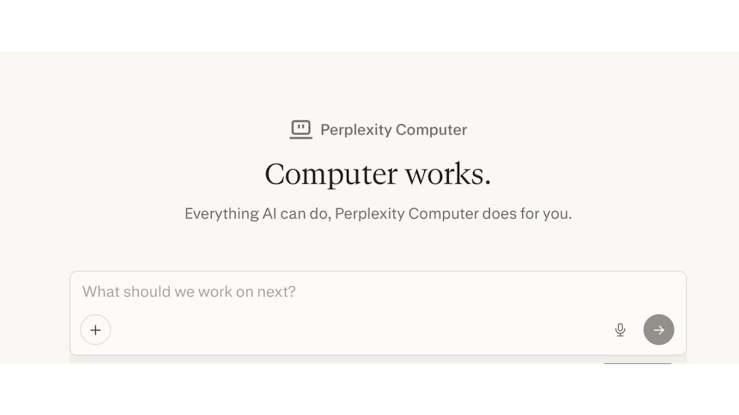
The personal side of Perplexity Computer is the strongest part of the product story. Personal Computer for Mac is aimed at the individual user who wants an AI layer on top of their own apps and files. Perplexity says it can operate Messages, Notes, Mail and native Mac apps, while also driving Comet for browsing and research.
This makes it different from a normal web chatbot. A normal chatbot waits for copied text. Personal Computer is designed to understand more of the user’s working context. For example, a user could ask it to clean up a folder, help finish a to-do list in Notes, organize a research task in the browser, or prepare a draft email.
The personal value is clear for users who already live inside Mac apps. The weak side is that this level of access requires trust. A tool that can touch files and apps has to be predictable. Perplexity says actions are designed to be auditable and reversible, but users should still review important outputs, especially when dealing with finance, contracts, private messages, business files or client work.
Perplexity Computer Pro
The Pro question is one of the most searched topics because people want to know whether Perplexity Computer is free or locked behind a subscription. Perplexity’s own Pro page lists access to Perplexity Computer among its plan benefits, while some coverage around the Mac launch also described Personal Computer as rolling out to higher-tier users first. In simple terms, access can depend on the feature, the region, the device, and Perplexity’s current rollout rules.
For most users, Pro is the sensible place to start because it gives more serious access to Perplexity’s models and productivity tools than the basic free account. However, users should not subscribe only because of one feature without checking whether Perplexity Computer or Personal Computer is available to their account at that moment.
ICON POLLS believes Perplexity needs clearer product naming and plan messaging. The terms Perplexity Computer, Personal Computer, Comet, Pro and Max can confuse new users. A user should not need to read several pages to understand what they can download, what they can install, and what they can use today.
Perplexity Computer Download
The download path depends on what the user wants. For Personal Computer on Mac, Perplexity’s setup page directs users to download the Perplexity macOS app. The official setup checklist also includes installing Comet, allowing macOS permissions, connecting folders and apps, and pairing a phone.
For users interested mainly in the browser experience, Comet is available through Perplexity’s Comet page and app listings. Comet is important because it is the browser layer that gives Perplexity more context around browsing, research, shopping, scheduling and page summaries.
Our advice is simple: download only from Perplexity’s official website or verified app stores. Search interest around Comet and Perplexity Computer has created room for confusing third-party downloads and unofficial desktop wrappers. Users should avoid random download sites unless they fully understand what they are installing.
Perplexity Computer Mac
Mac is the main platform for the 2026 Personal Computer experience. Perplexity’s Personal Computer page says the Mac version requires macOS 15 Sequoia or later. It also highlights local files, native apps, Comet browser control, voice mode, an iPhone remote feature and an always-on setup that can run in the background.
The Mac focus makes sense. Apple users often keep their work inside Notes, Mail, Calendar, Messages, Finder and browser tabs. If Perplexity can connect those pieces in a useful way, the product can save time for people who handle research, admin work, content planning and repeated digital tasks.
Still, Mac support does not mean every Mac user will enjoy the same experience. Older devices, outdated macOS versions, permission restrictions, company-managed laptops and account rollout limits can affect use. This is another reason our rating stays at 3.0 rather than going higher.
Perplexity Computer Install
Installing Perplexity Computer for Mac is not difficult, but it is more involved than installing a normal chat app. Based on Perplexity’s own setup flow, users should expect five main steps: download Perplexity for macOS, install Comet, allow macOS permissions, connect folders and apps, and pair a phone if they want remote control.
The permission step is the one users should take seriously. AI tools that interact with files, browser sessions and apps need access to do their work. That access is also where privacy and safety questions begin. Users should grant only the permissions they understand and should test the product with non-sensitive tasks before using it on important work.
For installation experience, ICON POLLS rates it as average. It is not too hard for a tech-friendly user, but it may be confusing for someone who only wants a simple download button and instant use.
Perplexity Computer Free
Perplexity has free products, and Comet has been made available more widely, but Perplexity Computer should not be treated as fully free in every situation. Free users can often try the Perplexity ecosystem, search features and some Comet experience, but advanced agentic productivity features may be limited, rate-limited or tied to paid plans.
This matters because the word “free” can mislead users. A free AI browser is not always the same thing as a free local computer assistant. A free search account is not always the same thing as full Computer access. Users should check the current Perplexity account page after signing in.
ICON POLLS sees the free tier as a good testing ground. It lets users understand Perplexity’s style before paying. But anyone who wants to use Perplexity Computer for daily productivity should expect to evaluate Pro or another paid tier.
Perplexity Computer User Experience
The user experience is promising but uneven. The strongest experience comes when Perplexity Computer handles research and light productivity. It fits users who already trust Perplexity for answers and want the assistant to move across the browser, notes, files and apps.
The weaker experience appears when the product is expected to behave like a fully reliable human assistant. AI agents can misunderstand instructions, take extra steps, or need correction. Even when the product is technically impressive, the user still needs to supervise it. That is not a failure, but it means users should treat it as a co-pilot, not a replacement for judgment.
Privacy is also part of the experience. Perplexity says Personal Computer can work with local files and apps, and its setup uses Mac permissions. Engadget also reported Perplexity’s position that created files are in a secure sandbox and actions are auditable and reversible. These are positive points. However, users still need to think carefully before allowing any AI agent near sensitive folders, private messages, medical records, tax files or confidential client data.
Overall, Perplexity Computer feels like an early version of where computers are going. It is exciting, useful and sometimes impressive, but still not simple enough for a higher ICON POLLS rating.
ICON POLLS Final Verdict
ICON POLLS gives Perplexity Computer a 3.0 out of 5 rating in 2026. The product deserves attention because it joins search, browsing, local apps and AI action in a way that can genuinely reduce digital workload. It is especially interesting for Mac users, researchers, business owners, students, writers, analysts and people who already use Perplexity or Comet.
The main reasons it does not score higher are product confusion, unclear access expectations, subscription questions, permission concerns, and the general unreliability that still comes with agentic AI tools. Perplexity Computer is not bad. It is simply early. It is a smart product that still needs cleaner onboarding, clearer pricing explanations and more predictable everyday performance.
Our recommendation is to try the free Perplexity and Comet experience first. Then check whether your account has access to Perplexity Computer or Personal Computer for Mac before paying. For heavy Mac users who understand AI limits, it may be worth testing. For casual users, it is still more of an interesting productivity experiment than a must-have tool.
Perplexity Computer FAQs
1. What is Perplexity Computer in 2026?
Perplexity Computer is Perplexity’s agentic AI productivity system. It is built to go beyond answering questions by helping users complete tasks across browsing, files, apps and workflows.
2. Is Perplexity Personal Computer the same as Perplexity Computer?
Personal Computer for Mac is best understood as the Mac-focused version or expansion of Perplexity Computer. It brings Perplexity Computer closer to a user’s local Mac apps, folders and Comet browser.
3. Is Perplexity Computer available on Mac?
Yes. Perplexity promotes Personal Computer for Mac through the Perplexity macOS app. The official page says it requires macOS 15 Sequoia or later.
4. How do I download Perplexity Computer?
For the Mac experience, download Perplexity for macOS from Perplexity’s official site. The setup process also points users to install Comet, allow permissions, connect folders and apps, and pair a phone if needed.
5. Is Perplexity Computer free?
Not fully in every case. Perplexity has free features and Comet access, but advanced Computer features may depend on account access, plan limits, rollout status or subscription tier.
6. Do I need Perplexity Pro to use Perplexity Computer?
Some Perplexity pages list Computer access under paid plans, while rollout details may vary. Users should check their account after signing in before paying only for this feature.
7. What is Comet and why does it matter?
Comet is Perplexity’s AI browser. It matters because Perplexity Computer can use Comet as the browsing layer for research, web tasks, summaries and online workflows.
8. Is Perplexity Computer safe to install?
It can be safe when downloaded from official sources, but users should be careful with permissions. Start with low-risk tasks and avoid connecting sensitive folders until you understand how the tool behaves.
9. Can Perplexity Computer control my Mac apps?
Perplexity says Personal Computer for Mac can operate native Mac apps such as Messages, Notes and Mail, depending on permissions and setup.
10. Can Perplexity Computer edit local files?
The 2026 Mac product is promoted as being able to work with local files and folders. Users should still review changes before trusting it with important documents.
11. Does Perplexity Computer work on Windows?
Comet is available on Windows, but the Personal Computer for Mac experience is specifically centered on macOS. Windows users should check Perplexity’s current download pages for supported features.
12. What is the ICON POLLS rating for Perplexity Computer?
ICON POLLS rates Perplexity Computer 3.0 out of 5 in 2026. It is promising and useful, but still early, confusing in parts, and not fully polished for every user.
Pros
Strong idea for turning AI search into real productivity support.
Useful for research, browsing, file organization and simple workflows.
Mac integration makes sense for users who live inside Apple apps.
Comet browser gives the assistant more web context.
Voice and iPhone remote features make the product feel more personal.
Cons
Product naming can confuse new users.
Plan access and feature availability are not always easy to understand.
Requires serious permissions, which may worry privacy-conscious users.
Still needs supervision like most AI agents.
Not yet a must-have tool for casual users.