Quick Verdict
Pipedrive does one thing very well: it makes managing a sales pipeline feel genuinely simple. The drag-and-drop interface, fast onboarding, and clean deal view are among the best in the CRM category, and sales reps with straightforward pipelines will likely feel at home within a day. But there is a gap between the advertised starting price and what most teams actually pay once they start adding the features they need. Automation is limited without upgrading. Reporting is thin on lower tiers. And several tools that feel like core CRM functionality, such as lead capture forms, document sending, and email marketing, live entirely behind separate paid add-ons. For small teams running simple sales processes on a tight budget, Pipedrive works. For teams that need more, the costs and limitations become real friction. We rate Pipedrive 3.0 out of 5 for 2026.
At a Glance: Icon Polls Ratings
Here is how Pipedrive scored across the areas we evaluated in our 2026 research:
|
Category |
Stars |
Score |
|
Visual Pipeline and Deal Management |
★★★★★ |
4.5/5 |
|
App and Mobile Experience |
★★★★☆ |
4/5 |
|
Download and Setup |
★★★★☆ |
4/5 |
|
Login and Account Access |
★★★★☆ |
3.5/5 |
|
Pricing Transparency |
★★☆☆☆ |
2/5 |
|
Automation Capability |
★★★☆☆ |
2.5/5 |
|
Customer Support |
★★★☆☆ |
2.5/5 |
|
Overall |
★★★☆☆ |
3/5 |
What Is Pipedrive?
Pipedrive was founded in 2010 by a group of sales professionals who were frustrated with the CRM tools available at the time. Most of the existing options were built by software engineers for software engineers, with interfaces that prioritized data completeness over daily usability. The founders wanted something that worked the way salespeople actually work, focused on activity, not administration.
The company is headquartered in New York and Tallinn, Estonia, and by 2026 reports over 100,000 companies worldwide using the platform. It sits firmly in the small-to-mid-sized business CRM segment, competing primarily with HubSpot, Zoho CRM, monday CRM, and Freshsales. Pipedrive has never tried to be everything to everyone. It is a sales CRM, full stop, and that focus is both its biggest strength and its most significant limitation.
In late 2025, Pipedrive rebranded its pricing tiers. The Essential plan became Lite. Advanced became Growth. Professional became Premium. Enterprise became Ultimate. The underlying features largely carried over, but the renaming caused some confusion among existing customers reviewing their billing and plan details. This review uses the current plan names throughout.
Pipedrive is SOC 2 Type II certified, ISO 27001 certified, and GDPR compliant. Data is hosted on Amazon Web Services infrastructure across multiple geographic regions with encryption at rest and in transit, two-factor authentication, and role-based access controls. For a CRM handling sales contact data, these are solid foundations, and the compliance credentials give enterprise buyers and regulated industries more confidence than many SMB-focused tools can offer.
The Pipedrive App and Download Experience
Pipedrive is primarily a web application accessed through a browser at app.pipedrive.com. There is nothing to download for the desktop experience. You sign up, get an account, and log in. The web app is where most users spend the majority of their time, and it is polished enough that the absence of a native desktop client is rarely noticed.
The mobile app is a different story and one of the more consistently praised aspects of the platform. The iOS app is available from the Apple App Store and the Android app is available on Google Play. Both are free to download but require a paid Pipedrive subscription to use beyond the trial period. The mobile app has been described by TechRadar as among the best mobile CRM interfaces available, and user reviews across G2 and Capterra generally reflect that. Sales reps in the field can update deal stages, log calls, add notes, check contact history, and receive activity reminders all from their phone without losing the visual clarity that the desktop interface provides.
Setting up a new Pipedrive account is refreshingly fast. The onboarding flow walks new users through creating their first pipeline, importing contacts from a CSV or directly from Google Contacts, and connecting their email. Most people can have a functional pipeline running within an hour or two without needing training. The system includes personalized onboarding prompts and an AI Sales Assistant that suggests next steps based on deal history and pipeline activity. For teams switching from spreadsheets or a more complex CRM like Salesforce, this speed of adoption is one of Pipedrive's most practical selling points.
One thing worth flagging for new users: Pipedrive does not offer a free plan. The 14-day free trial gives you full access to Premium-level features without a credit card, which is genuinely useful for testing. But once the trial ends, you need a paid subscription for the account to function. Anyone coming from HubSpot's free CRM tier will notice this gap immediately.
Login and Account Access
Logging into Pipedrive is standard. You enter your email and password at app.pipedrive.com, or use single sign-on through Google Workspace or other identity providers depending on your plan tier. Two-factor authentication is available on all plans and is recommended for any team handling sensitive prospect data.
SSO support is included on all current plans, which is a notable improvement from earlier Pipedrive plan structures where SSO was restricted to higher tiers. Admin users can manage team access, set permission levels, and restrict which data each user can view or edit through the settings panel. Role-based permissions work reasonably well for smaller teams, though enterprise-level governance, such as territory management, complex approval workflows, and advanced user hierarchy structures, requires the Ultimate plan and still does not match what dedicated enterprise CRMs offer.
Where login and account access has generated complaints is in the customer support experience during plan changes or subscription renewals. One G2 reviewer described reaching out to Pipedrive support over 20 times by email, chat, and scheduled meeting across a 30-day period while trying to sort out a subscription renewal issue after the plan rebrand. Their account was shut down without resolution despite assurances it would not be. This kind of escalation failure is not the typical experience, but it is documented and reflects a support operation that can struggle under complex account situations. For day-to-day login and access, the experience is clean and largely frictionless.
Pipedrive Pricing in 2026: What You See and What You Actually Pay
Pricing is where Pipedrive earns the most mixed reactions, and it is worth spending real time on this section before committing to the platform. The advertised starting price is $14 per user per month on annual billing. That number is accurate for the Lite plan. But for most teams doing anything beyond basic deal tracking, the Lite plan is not enough, and the total cost climbs quickly once you account for higher tiers and add-ons.
Base Plan Pricing
Pipedrive currently offers four plans. All prices shown are per user per month on annual billing. Monthly billing costs 30 to 51 percent more depending on the tier:
|
Plan |
Annual Billing |
Monthly Billing |
Best For |
|
Lite |
$14/user/mo |
$24/user/mo |
Solo users or 1 to 2 seat setups testing a basic pipeline |
|
Growth |
$39/user/mo |
$49/user/mo |
Teams of 3 to 15 needing email sync, automations, and forecasting |
|
Premium |
$49/user/mo |
$79/user/mo |
Scaling teams needing AI tools, deeper reporting, and advanced permissions |
|
Ultimate |
$79/user/mo |
$99/user/mo |
Larger orgs needing enterprise security, testing environments, and phone support |
Prices as of February 2026 (US list pricing). Prices may vary by region and promotion. A 14-day free trial is available on all plans with no credit card required. LeadBooster and Projects are included from the Premium plan up.
The Add-On Layer
Several features that many teams consider standard CRM functionality are sold as separate monthly add-ons on the Lite and Growth plans. Here is what each add-on costs and what it provides:
|
Add-On |
Starting Price |
What It Includes |
|
LeadBooster |
$32.50/mo |
Chatbot, live chat, web forms, and Prospector lead database for outbound research |
|
Web Visitors |
$41+/mo |
Identifies anonymous company visitors on your website and links them to deals |
|
Smart Docs |
$32.50/mo |
Proposal and contract creation, e-signature, and open-tracking on sent documents |
|
Campaigns |
$16+/mo |
Email marketing builder with drag-and-drop templates, segmentation, and basic automation |
|
Projects |
$6.67/mo |
Lightweight project management for post-sale delivery and onboarding workflows |
LeadBooster and Projects are included in the Premium and Ultimate plans at no extra charge. All other add-ons are priced separately on all tiers.
The Real Cost for a Small Team
A five-person sales team on the Growth plan ($39 per user per month, billed annually) pays $195 per month as a base. If they add LeadBooster ($32.50), Smart Docs ($32.50), and Web Visitors ($41), the total reaches $301 per month. That is more than double what the entry price suggests. Independent reviewers at Lindy.ai ran the same calculation and came to a similar figure, noting that what started as a reasonable monthly bill grew quickly even with a small team once add-ons were factored in. This is not a hidden fee problem in the traditional sense, Pipedrive discloses its add-on pricing clearly. But the gap between the headline number and the real number is wide enough to cause genuine budget surprises for teams who sign up expecting the low entry price and only discover the full cost after committing.
Core Features: What Pipedrive Does Well in 2026
Visual Pipeline Management
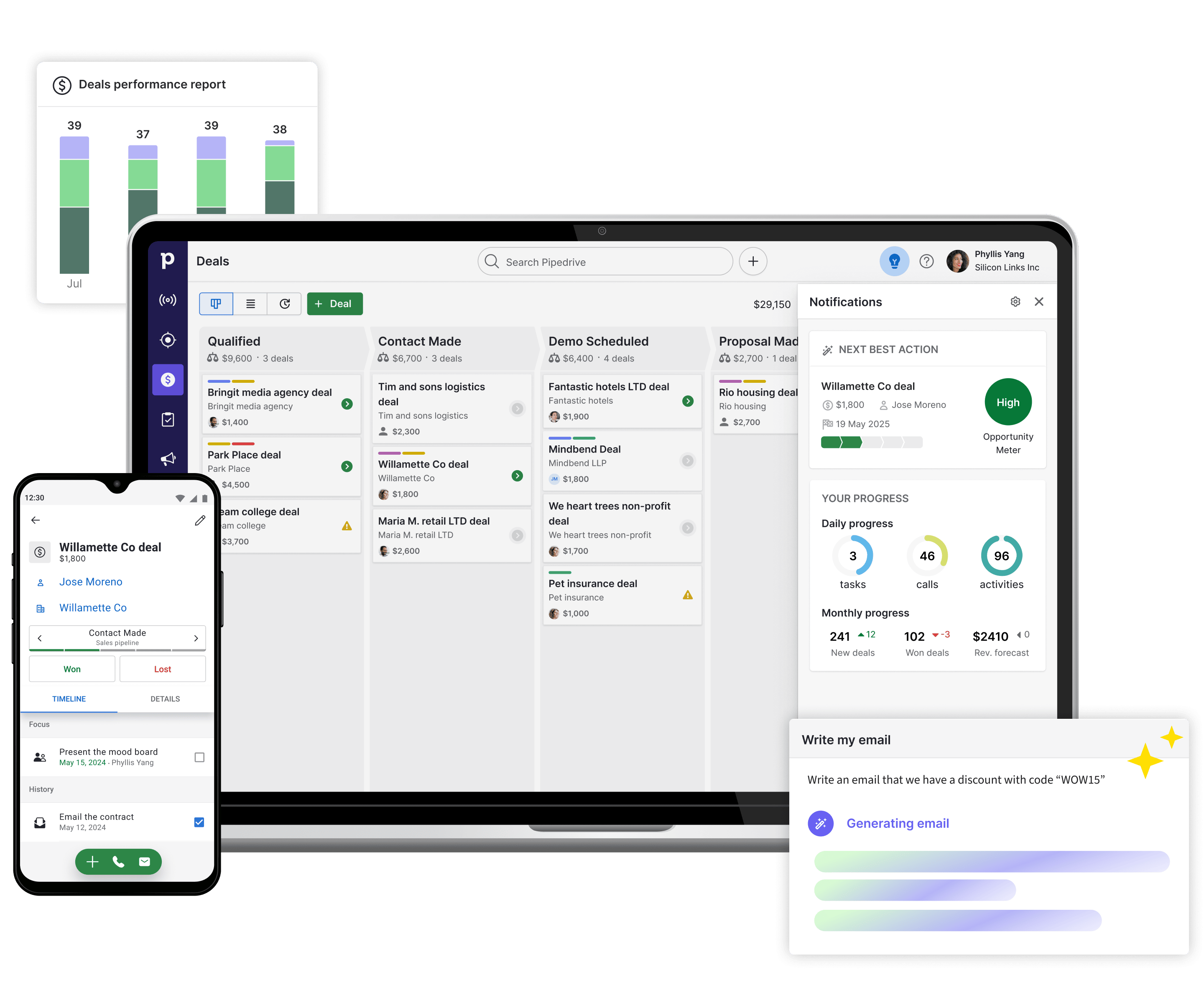
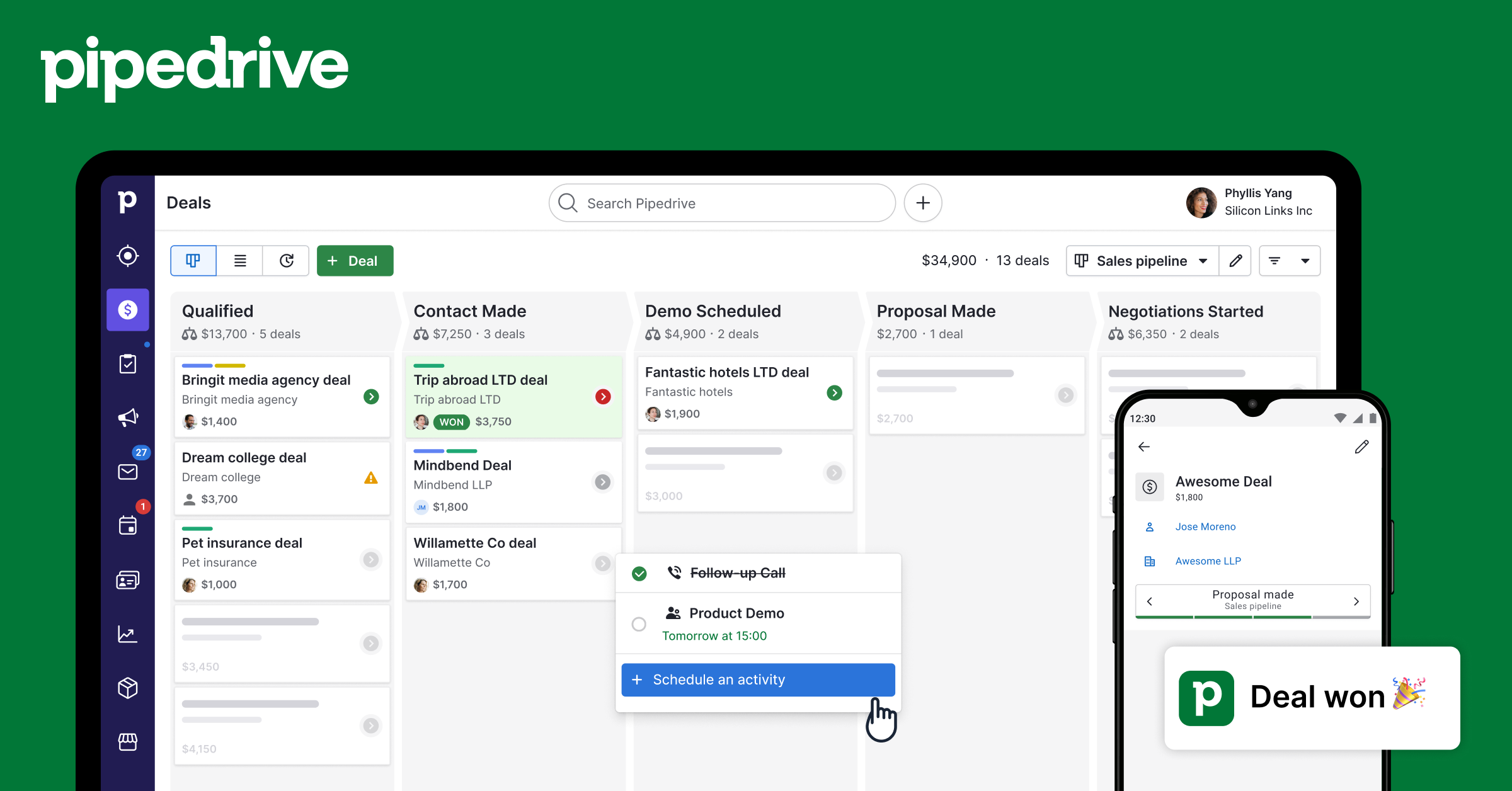
The drag-and-drop pipeline board is the feature Pipedrive is most recognized for and the one it executes most consistently well. Each deal lives as a card on a kanban-style board that moves left to right through the stages of your sales process. You can create unlimited pipelines for different products, regions, or deal types, and you can customize the stage names and the data shown on each deal card. The interface got a visible polish update in 2026, and the result is one of the cleanest sales views you will find in any CRM at this price point.
Deal rotting, where deals that have been sitting idle for a configurable number of days turn visually red on the board, is a genuinely useful feature that keeps reps aware of stalled opportunities without needing a manager to call it out. Activity reminders, call logging, and email tracking all connect back to individual deal records, so the context for each conversation is available in one place.
Activity-Based Selling
Pipedrive is built on the idea that the only thing a sales rep can control is their activity, not whether a deal closes. The platform reinforces this by making activities, calls, emails, meetings, and tasks, the primary unit of work rather than the deal stage alone. You can see an activity-focused view of everything you need to do in a given day, separate from the pipeline view. For managers, this makes it easier to coach on process rather than just results.
AI Sales Assistant
The AI Sales Assistant, available on Premium and Ultimate plans, surfaces suggested next steps based on deal history, pipeline velocity, and contact activity. It highlights deals that may be slipping, reminds reps of follow-ups, and can draft sales emails directly within the platform. In 2026, the assistant has been improved to work more proactively, surfacing insights without requiring the user to specifically ask for them. It is not the most sophisticated AI in the CRM category, but it is genuinely useful as a daily prompt rather than a novelty feature.
Email Integration and Sequences
Two-way email sync with Gmail and Microsoft Outlook is available from the Growth plan upward. Email templates, tracking open and click events, and group emailing are included. Sequences, which let you build structured multi-step follow-up workflows using emails and tasks, are available from Growth as well. The Growth plan allows up to five active sequences, which is enough for straightforward nurture flows but limits more complex outbound operations.
The Campaigns add-on extends email capabilities with a marketing-focused editor, list segmentation, and automated sends. It is functional but not a replacement for dedicated email marketing tools. The drag-and-drop editor has fewer content block options than Mailchimp or ActiveCampaign, and the automation within Campaigns is relatively simple. For teams that want sales and basic email marketing in one place, it works. For teams with serious email marketing needs, it is a stopgap.
Integrations
Pipedrive has a marketplace of over 500 native integrations covering most tools a sales team would use. Gmail, Outlook, Slack, Zoom, Microsoft Teams, Trello, Zapier, HubSpot, Google Calendar, DocuSign, and many more connect without requiring custom development. Zapier and Make expand the integration surface to thousands of additional apps for teams with specific workflow needs. The API is available on all plans and is well-documented, though advanced API usage and higher rate limits are reserved for upper tiers.
Where Pipedrive Falls Short
Automation Has a Low Ceiling
Workflow automation is one of the most requested features in any CRM, and it is also one of the areas where Pipedrive's limitations become most visible as teams grow. The Growth plan includes 50 active automations with a maximum of three if/else conditions each. There is no branching logic, no looping, and no engagement-based routing. For a team that wants to automate deal assignment based on region and deal value simultaneously, or create conditional follow-up paths based on email opens, Pipedrive will not get them there without workarounds. Reviewers who tested the platform for more complex workflows consistently describe needing to build multiple parallel automations to approximate the logic they wanted, which introduces maintenance overhead and potential errors.
The automation engine is capped at 5,000 automation runs every 10 minutes across the account. For most small teams this never becomes a practical issue. For growing teams running high-volume prospecting sequences, it can become a bottleneck.
Reporting Depth Requires Upgrading
Basic deal and activity reports are available on all plans and cover conversion rates, deal velocity, and activity completion. Deeper reporting, including revenue forecasting, custom report builders, and goal tracking dashboards, requires the Growth plan and above. The reporting interface improved in the 2026 update but still generates complaints from teams that want to build the specific views their sales operations require without paying for a higher tier. Cross-pipeline reporting and team-level performance analytics are particularly thin unless you are on Premium or above.
No Self-Service Free Plan
HubSpot's free CRM tier is the most significant competitive pressure Pipedrive faces in the sub-$20 per user segment. HubSpot's free plan includes contact management, deal tracking, email templates, and basic reporting with no time limit. Pipedrive's answer is a 14-day trial with no credit card required, which is a reasonable offer but is not the same as a permanent free tier. For bootstrapped startups and solopreneurs who want to test a CRM for an extended period before committing, this is a real barrier.
Customer Support is Inconsistent
Support quality is one of the more polarizing aspects of the Pipedrive experience. Live chat support is available on all plans during business hours, and phone support is reserved for Ultimate subscribers. The majority of users who describe contacting support for routine questions report satisfactory, responsive interactions. But when support involves account changes, billing disputes, or technical escalations, the experience becomes less predictable. The G2 review describing 20-plus support contacts over a month for a subscription renewal issue, ending with an unauthorized account shutdown, represents the worst end of that spectrum. It is not typical, but it is documented. For teams that cannot afford CRM downtime, the lack of guaranteed phone support below Ultimate is a meaningful consideration.
Pros and Cons
What Pipedrive Gets Right
Visual pipeline management with drag-and-drop deal cards is intuitive and among the cleanest in the CRM category
Onboarding is fast. Most users have a functional pipeline set up within a couple of hours without formal training
Mobile app is consistently rated as one of the best CRM mobile experiences available on iOS and Android
14-day free trial with no credit card required lets teams test Premium features before committing
SOC 2 Type II, ISO 27001, and GDPR compliance provides solid data security credentials
Over 500 native integrations cover most tools a sales team already uses
AI Sales Assistant on Premium and above provides useful daily prompts and deal insights
No-contract billing. Monthly or annual, cancel at any time
Deal rotting and activity-based selling features help keep pipeline hygiene without manual management overhead
What Has Room to Improve
No permanent free plan. HubSpot's free CRM is a significant competitive gap for budget-constrained teams
Add-ons for lead capture, document sending, email marketing, and website visitor tracking add meaningful cost on lower tiers
Automation is limited to basic if/else logic with no branching, looping, or engagement-based triggers
Reporting depth requires upgrading, with revenue forecasting and custom dashboards locked to Growth and above
Customer support quality is inconsistent, particularly for billing and subscription escalations
The plan rebrand in late 2025 created confusion for existing subscribers reviewing their plan details
Monthly billing costs 30 to 51 percent more than annual, creating pressure to commit to a full year
Not suited for teams that need marketing automation, lead scoring, or lifecycle-based CRM alongside sales pipeline tracking
How Pipedrive Compares to the Competition
Pipedrive vs HubSpot CRM: HubSpot's free CRM is the hardest comparison for Pipedrive to win outright. HubSpot includes contact management, deal tracking, email templates, and basic reporting at no cost indefinitely. Where Pipedrive pulls ahead is in the pipeline visualization and simplicity for pure sales workflows. HubSpot's paid tiers also become considerably more expensive than Pipedrive's equivalent plans. For teams that primarily need sales pipeline management and do not require marketing automation built into the same platform, Pipedrive is a cleaner, faster tool. For teams that want an all-in-one sales and marketing platform, HubSpot's ecosystem is broader.
Pipedrive vs Zoho CRM: Zoho CRM's Professional plan runs approximately $17 per user per month with automation included. At a comparable price point, Zoho provides more automation depth and a wider range of built-in features than Pipedrive's base plans. Pipedrive wins on interface quality and ease of adoption. Zoho is more capable for complex workflows but has a steeper learning curve and a more cluttered interface. Teams prioritizing usability over feature depth tend to prefer Pipedrive. Teams prioritizing total functionality per dollar tend to land with Zoho.
Pipedrive vs Salesforce: Salesforce is the enterprise standard and a fundamentally different product category. It offers deep customization, territory management, complex approval workflows, and an ecosystem of third-party tools that has no equivalent. It also costs significantly more, requires significant setup investment, and carries a learning curve that is inappropriate for most teams under 50 users. Pipedrive's tagline of being a CRM built by salespeople for salespeople holds most directly in contrast to Salesforce, which is a CRM built by engineers for administrators. For SMB teams, Pipedrive wins on usability. For enterprise teams with dedicated CRM admins, Salesforce wins on depth.
User Experience: What It Feels Like to Actually Use Pipedrive
The defining word for the day-to-day Pipedrive experience is speed. The interface loads quickly, deals can be updated in two or three clicks, and the left sidebar navigation is clean and customizable enough that you can hide features you do not use and keep only what matters visible. G2 reviewers consistently describe the platform as less complicated than Salesforce and more enjoyable to use than tools with comparable feature sets.
The search function is fast and cross-references people, deals, and notes simultaneously. Even with 200 or more records, finding a specific contact or deal takes seconds. The contact timeline view, available from Growth, gives a chronological record of every interaction with a contact, which is particularly useful when multiple reps are working with the same prospect or when picking up a deal after a period of inactivity.
Where the experience becomes less smooth is when a team starts bumping into the feature gaps. A user who sets up a campaign in Campaigns and then tries to trigger an automation based on who opened it will quickly discover the automation engine cannot handle that logic. A user who wants to build a custom report comparing pipeline performance across two different sales regions will find the reporting tools insufficient without the Premium plan. These are not edge cases. They are the kinds of workflows that growing sales teams naturally develop, and discovering they require either an upgrade or a workaround is a friction point that the initial onboarding experience does not prepare you for.
Customer reviews across platforms give Pipedrive an average rating of around 4.4 out of 5 on Capterra and G2, which reflects the genuine satisfaction most users have with the core experience. The lower ratings consistently trace back to add-on costs, automation limitations, and support escalations, all of which are real issues that get disproportionately represented in critical reviews but which a significant number of users never encounter.
Frequently Asked Questions About Pipedrive (2026)
1. Is Pipedrive worth it in 2026?
Pipedrive is worth it for specific types of teams. If you run a straightforward sales pipeline with a small team (two to twenty people), care about ease of use and fast onboarding, and primarily need deal tracking with email integration and basic automation, Pipedrive delivers genuine value at a reasonable price relative to more complex CRMs. Where it becomes less worth it is if you need advanced automation, built-in marketing tools, lead scoring, or serious reporting without paying for multiple add-ons. In those cases, you may find yourself paying more than you expected for a platform that still does not fully cover your needs. A competing option like HubSpot's paid tiers or Zoho CRM will give you more capability per dollar for more complex use cases.
2. How much does Pipedrive cost per month in 2026?
Pipedrive's base plans start at $14 per user per month on annual billing for the Lite plan, rising to $39 (Growth), $49 (Premium), and $79 (Ultimate). Monthly billing costs 30 to 51 percent more. The Lite plan is genuinely limited, and most teams doing real sales work will need Growth at minimum. A three-person team on Growth paying annually costs $117 per month for the base plan. Adding LeadBooster and Smart Docs brings that to $182 per month. A five-person Growth team with the same add-ons reaches $264 per month. These are not unusual configurations and represent what many small teams actually pay. Always calculate the total cost including add-ons and user count before comparing Pipedrive to a competitor.
3. Does Pipedrive have a free plan?
No. Pipedrive does not offer a permanent free plan. The only free access is a 14-day trial that requires no credit card and gives you access to Premium-level features during the trial period. Once the trial ends, you must subscribe to a paid plan to continue using the account. This is a meaningful distinction from HubSpot, which offers a free CRM tier with no time limit. If a free option is important for your situation, Pipedrive is not the right choice. If you are ready to pay for a CRM and want to evaluate the platform before committing, the 14-day trial is generous enough to give a realistic picture of the tool.
4. How do I download and set up Pipedrive?
Pipedrive is a web-based CRM with no desktop application to install. You sign up at pipedrive.com, choose a plan or start a free trial, and access the platform through your browser at app.pipedrive.com. No download is required for the desktop experience. The mobile app is a separate download. The iOS app is available in the Apple App Store and the Android app is on Google Play, both searched by typing Pipedrive. Once signed in on mobile, the app syncs with your web account automatically. Initial setup through the onboarding flow takes most users under two hours and covers creating a pipeline, importing contacts, and connecting email.
5. How do I log in to Pipedrive?
Log in to Pipedrive at app.pipedrive.com using your registered email address and password. You can also log in with Google, which simplifies access if your team uses Google Workspace. Single sign-on (SSO) through identity providers like Okta or Microsoft Azure AD is available on all plans. Two-factor authentication is available and recommended for all accounts. If you forget your password, the Forgot Password link on the login page initiates a reset via email. For SSO configuration issues or account access problems, Pipedrive's support can be reached by live chat from within the app or at support.pipedrive.com.
6. What are the main differences between Pipedrive's plans?
The Lite plan covers basic deal tracking, pipeline customization, one-way email via Smart BCC, the AI Sales Assistant for simple insights, and the mobile app. It does not include two-way email sync, workflow automation, or email sequences. The Growth plan adds full two-way email sync, 50 active workflow automations, email sequences, sales forecasting, a meeting scheduler, and a contacts timeline. Growth is the practical starting point for any team doing real sales work. The Premium plan adds AI-powered features, advanced reporting, LeadBooster, Projects, and more customization options. The Ultimate plan adds enterprise security controls, sandbox testing environments, 24/7 phone support, and higher limits across the board. Most small teams will find the Growth or Premium plans cover their needs. Lite is genuinely underpowered for anything beyond basic tracking.
7. Can Pipedrive be used on a mobile phone?
Yes. Pipedrive's mobile app is available for both iOS and Android and is one of the more consistently praised mobile CRM experiences in the market. The app lets you view and update your pipeline, add notes and activities, log calls, check contact history, and receive push notifications for upcoming tasks and deal updates. You can search contacts and deals quickly and see your full activity calendar. The app is especially useful for field sales reps who need to update deal status after a meeting without going back to a desktop. The mobile app is included with all paid plans and requires the same login credentials as the web app. One caveat: not all settings and admin functions are available on mobile. Some configuration changes, particularly around automation and custom fields, still require the web interface.
8. Does Pipedrive have email marketing?
Not natively on base plans. Pipedrive's Campaigns add-on provides email marketing capability starting at around $16 per month for up to 1,000 subscribers, with pricing scaling by list size. The Campaigns module includes a drag-and-drop email builder, list segmentation, and basic automated sends. It is functional for teams that want simple email marketing managed within the same platform as their CRM without adding a separate tool like Mailchimp. However, reviewers consistently describe it as more limited than dedicated email marketing platforms in terms of editor flexibility, automation logic, and deliverability features. If email marketing is a serious channel for your business, Campaigns is a convenience feature rather than a serious tool. If you just need basic newsletter sends and promotional emails tied to your contact lists, it covers the basics.
9. How does Pipedrive compare to HubSpot in 2026?
Pipedrive and HubSpot serve overlapping but distinct audiences. Pipedrive's advantage is its pipeline visualization, ease of use, and cleaner interface for pure sales workflows. It is faster to set up and less cluttered for reps who only need to manage deals and activities. HubSpot's advantage is its free CRM tier, its broader all-in-one platform covering marketing automation, service, and operations alongside sales, and its more powerful reporting at comparable paid price points. Teams that only need CRM and sales pipeline management often prefer Pipedrive's interface. Teams that want to grow into marketing automation or service operations without buying additional tools tend to prefer HubSpot's ecosystem. The pricing comparison depends heavily on team size and required features. HubSpot's paid Sales Hub plans become more expensive than Pipedrive at scale, but the free tier makes HubSpot the better starting point for teams not yet ready to pay.
10. What are the biggest complaints about Pipedrive?
The most consistently documented complaints across G2, Capterra, GetApp, and Reddit fall into four categories. First, the add-on cost structure. Features that feel like standard CRM functionality, including lead capture forms, document sending, and website visitor tracking, require separate monthly payments that significantly raise the real cost above the advertised price. Second, automation limitations. The workflow builder handles basic if/then logic but cannot support branching, looping, or engagement-triggered conditions, which growing teams regularly need. Third, customer support quality. While routine support interactions are generally described positively, escalations around billing, subscription changes, and technical issues have generated documented failures where accounts were impacted while problems went unresolved. Fourth, the absence of a free plan. This is not a complaint about quality so much as a structural limitation that eliminates Pipedrive from consideration for teams that need a no-cost starting point. None of these issues are dealbreakers for the target audience, but they are real enough that teams should factor them into their evaluation.
Icon polls Verdict
Pipedrive earns its 3.0 out of 5 rating from Icon Polls because it is genuinely good at what it was built to do and genuinely limited in the areas it has chosen to leave to add-ons or higher-tier plans. The pipeline visualization and mobile app are excellent. The onboarding experience is faster than most CRMs in its class. The interface is clean enough that sales reps actually use it rather than working around it. These things matter for adoption, and adoption is where most CRM implementations fail.
But the advertised starting price creates unrealistic expectations for teams that need a complete sales tool rather than a basic tracking board. A small team of five people doing real outbound sales with email sequences, lead capture, and proposal tracking can easily spend over $250 per month once the add-ons are factored in. That is not a niche scenario. It is a common one, and the gap between the $14 entry price and the actual cost of a functional setup is wide enough to cause real budget surprises.
The honest recommendation is this: if you run a small sales team, value visual clarity over feature depth, and have a relatively linear sales process, Pipedrive is worth trying. Use the 14-day trial seriously, map out the specific add-ons your team would need, calculate the real monthly cost at your user count, and compare that number to what HubSpot or Zoho would charge for equivalent functionality. If the number works and the interface feels right, Pipedrive is a solid choice. If the automation limitations or reporting gaps become visible during the trial, those gaps will not shrink as your team grows.