|
Category |
Details |
|
Brand name |
Vidcard |
|
Product type |
Video business card with NFC, QR code, landing page and analytics features |
|
Main use |
Networking, sales introductions, investor meetings, creative portfolios and memorable first impressions |
|
Known launch period |
Publicly promoted on Product Hunt in 2025 and Kickstarter in January 2026 |
|
Core hardware |
5-inch LCD screen card with video playback support |
|
Connectivity |
NFC tap, QR code and companion app linking |
|
App status |
Companion app mentioned for setup and analytics, but public app store visibility appears limited at the time of review |
|
Download focus |
Users should check Vidcard’s official website or campaign updates for current app/download instructions |
|
Login focus |
Account login appears connected to the landing page, analytics and card profile setup |
|
Best for |
Founders, sales teams, event networkers, recruiters, creators and people who need to stand out |
|
Not ideal for |
Bulk handouts, casual networking, low-budget teams and users who only need a simple digital business card link |
|
ICON POLLS rating |
2.6 out of 5 |
What Is Vidcard?

Vidcard is a physical video business card designed to play a short intro video on a small built-in screen. The product has been described publicly as a 5-inch LCD video card with NFC and QR code support. Instead of only showing a name, job title and phone number, it gives the owner a way to present a short pitch, portfolio, product demo or personal introduction.
The brand’s pitch is simple: paper cards are easy to ignore, while video creates a stronger first impression. That message will make sense to founders, salespeople, job seekers, creators and event networkers who often meet people in crowded settings. However, people looking for a clean and low-cost digital business card may find Vidcard too much for everyday use.
Vidcard Login in 2026
Vidcard login is mainly important because the product is tied to a digital profile and analytics dashboard. From the public information available, the account system appears to connect the card owner’s video, profile page and lead-tracking data. A user would likely need to log in to manage their landing page, check views and update personal information.
Our review found that Vidcard’s login experience is not as clearly documented as more mature digital card platforms. This is one reason the product loses points. For a networking tool, users should not have to guess where to sign in, how to reset a password, whether there is a web dashboard, or which app controls the card. ICON POLLS expects Vidcard to improve this if it wants to compete seriously in 2026.
Vidcard App Review
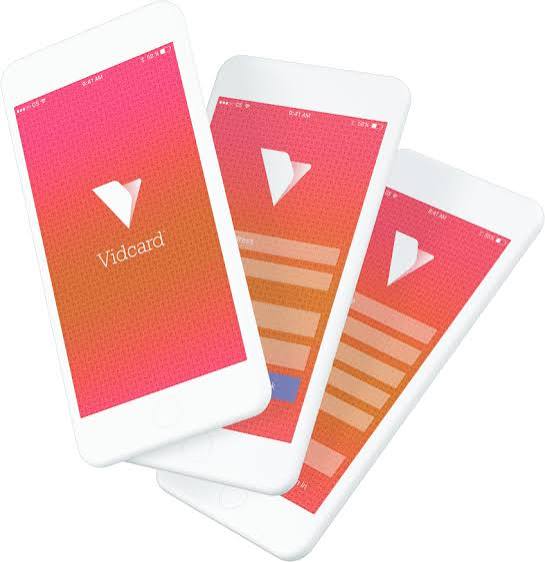
The Vidcard app is one of the areas people are searching for, but it is also one of the least clear parts of the product. Public coverage says a companion phone app is used to upload videos, link the card to a personal account and view real-time profile metrics. That is a useful workflow if it works smoothly.
Still, we did not find the same level of public app store presence and review history that users would expect from a fully mature app product. For buyers, this means the app should be treated as part of an early product ecosystem. Before buying, users should confirm whether the app is available for their phone, whether it supports their region, and whether updates are being actively shipped.
Vidcard Download in 2026
People searching for Vidcard download are probably looking for the companion mobile app. Based on available public information, Vidcard is not best understood as a downloadable app first. It is a hardware card supported by software. The safest route is to follow the official Vidcard website, Kickstarter updates or creator instructions rather than downloading files from random third-party app sites.
This matters because new hardware products often attract unofficial download pages, clones or outdated files. Users should avoid unknown APK files and should only install from trusted sources. If Vidcard wants broader adoption, it needs a cleaner download path, clear Android and iOS availability, and visible support documentation.
Vidcard User Experience
The user experience starts strong when the card is shown in person. A small screen playing a custom pitch is naturally more noticeable than paper. For a sales demo, job fair, investor room or creative portfolio moment, that can create a real conversation starter. The NFC and QR features also help bridge the physical card to the owner’s digital profile.
The challenge is what happens after the first impression. Users need easy video uploading, simple profile editing, reliable battery life, fast NFC response, clear analytics and an obvious login route. If any of those parts feel rough, the novelty fades quickly. Vidcard also creates a social question: do you hand the card away, or do you show it and take it back? That is not a small issue because the product costs far more than paper cards.
For everyday networking, Vidcard may feel heavy. For selective high-value meetings, it can make sense. ICON POLLS sees it as a special-purpose product rather than a daily business card replacement.
Vidcard Review: What We Like
The biggest positive is memorability. A video business card is unusual enough to get attention without a long explanation. The second positive is the mix of video, NFC, QR and profile tracking. If implemented well, that combination could help users understand which contacts are worth following up with.
We also like that the product is aimed at a real problem. Many paper cards are thrown away, forgotten or never saved into a phone. Vidcard tries to solve that by making the introduction richer and measurable. For creators and business owners, the ability to show a short video instead of only listing contact details is genuinely useful.
Vidcard Review: What We Do Not Like
The product still feels early. Public review history is limited, the app and login process are not clearly visible enough, and the long-term support picture is still developing. A physical screen card also raises questions around durability, charging, shipping, warranty and replacement.
The price is another concern. A product like this cannot replace bulk business cards for most people. It is more like a premium introduction tool. That may work for a founder, consultant or sales closer, but it will not fit every budget. The product also depends on people caring enough to watch a short video, tap NFC or scan a QR code after the meeting.
Who Should Use Vidcard?
Vidcard is best for people who attend important events where standing out can lead to real value. That includes startup founders, real estate agents, luxury sales teams, recruiters, consultants, event speakers, creators and job seekers with visual work to show. It is also a good fit for people pitching a product that is easier to understand through a short video.
It is not the best option for people who mainly need a free digital card, a simple link page, a QR code or a shareable Apple Wallet card. For those users, normal digital business card apps are cheaper and easier.
Vidcard FAQs in 2026
1. What is Vidcard used for?
Vidcard is used as a video business card. It helps users introduce themselves with a short video, then share contact information through NFC, QR code or a linked profile page.
2. Is Vidcard a normal business card app?
No. Vidcard is better described as a hardware business card with software support. It is not just a downloadable digital card app.
3. How does Vidcard login work?
Vidcard login appears to be connected to the user account, profile page and analytics dashboard. Users should check official Vidcard instructions for the current login page or app sign-in route.
4. Is there a Vidcard app?
Public coverage says Vidcard has a companion phone app for uploading videos, linking the card and checking profile metrics. However, app store visibility and availability should be confirmed before purchase.
5. Where can I download Vidcard?
Users searching for Vidcard download should use only official Vidcard channels, app stores or campaign update links. Avoid random third-party APK or download pages.
6. Does Vidcard work with NFC?
Yes, Vidcard has been promoted with NFC one-tap sharing. It also uses QR code support for people whose devices or settings do not support NFC easily.
7. Can Vidcard track who views my profile?
Vidcard promotes analytics and real-time metrics for profile visits. The exact depth of tracking may depend on the app, account setup and privacy settings available at the time of use.
8. Is Vidcard worth buying in 2026?
Vidcard may be worth buying for founders, salespeople, creators and job seekers who need to stand out in important meetings. It is less suitable for casual networking or bulk handouts.
9. Why did ICON POLLS rate Vidcard 2.6 out of 5?
The rating reflects a strong concept but weaker maturity. Vidcard has novelty and attention value, but the price, app clarity, public reviews and long-term support questions keep the score low.
10. Is Vidcard better than a digital business card app?
It depends on the use case. Vidcard is more memorable, but a normal digital business card app is usually cheaper, easier to share and easier to update.
11. Can I use Vidcard for job interviews?
Yes, it may help job seekers show a portfolio, intro video or personal pitch. It works best when the video is short, polished and relevant to the role.
12. What are the biggest Vidcard problems?
The main concerns are price, unclear app availability, limited public review history, hardware durability, charging needs and whether people will actually use the card after the first impression.