Quick Verdict
WordPress remains one of the most flexible ways to build and manage a website in 2026. It can power a personal blog, news site, business website, online store, membership platform, directory, portfolio, learning portal, or a heavily customised web project. The software itself is open source, and the real strength comes from the large theme and plugin ecosystem around it. A beginner can publish a simple site with a block theme, while an experienced developer can build custom plugins, themes, APIs, and complex content systems.
Our 3.5 out of 5 rating reflects both sides of the experience. WordPress gives users ownership, flexibility, a large support community, and room to grow. At the same time, the platform is not completely hands-off. Hosting, updates, security, backups, plugin conflicts, performance, and design decisions still need attention. WordPress can be excellent when it is maintained properly, but it can become frustrating when too many plugins are installed or when the owner expects every technical task to happen automatically.
At a Glance: Icon Polls Ratings
Here is how WordPress scored across the main areas we evaluated in 2026:
|
Category |
Stars |
Score |
|
Flexibility and Customisation |
★★★★★ |
4.7/5 |
|
Themes and Plugin Ecosystem |
★★★★★ |
4.6/5 |
|
Content Publishing Tools |
★★★★☆ |
4.2/5 |
|
Mobile App Experience |
★★★☆☆ |
3.4/5 |
|
Ease of Use for Beginners |
★★★☆☆ |
3.1/5 |
|
Maintenance and Security Burden |
★★★☆☆ |
2.8/5 |
|
Developer Experience |
★★★★☆ |
4.4/5 |
|
Overall |
★★★★☆ |
3.5/5 |
What Is WordPress?
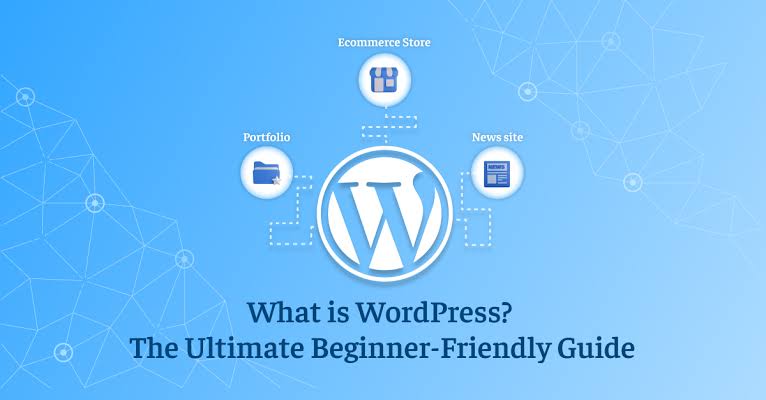
Websites can be created and maintained using WordPress, an open-source content management system. Installing the self-hosted version on an appropriate web host requires downloading it from WordPress.org. The hosting account, database, files, themes, plugins, and site settings are all under the user's control. This contrasts with a fully managed website builder, where the client is kept in the dark about the majority of technical choices.
The block editor and site editor are still the primary visual building tools used by WordPress in 2026. Blocks can be used to arrange headers, footers, posts, navigation, templates, patterns, and other sections of the website. The latest major release under evaluation is WordPress 7.0, and there is more work to be done in the areas of editing, collaboration, performance, APIs, accessibility, and developer tools.
WordPress App
For those who wish to manage content without a computer, the WordPress app is helpful. From a phone or tablet, it may be used to create and modify posts, add images, read comments, check notifications, and carry out simple site management tasks. Bloggers, publishers, journalists, and small business owners who need to make last-minute adjustments while traveling will find it very useful.
The PC dashboard cannot be fully replaced by the mobile app. In-depth theme development, plugin configuration, debugging, code modifications, backups, and sophisticated WooCommerce administration are still simpler when done in a browser. The site configuration and related services also affect the app experience. It works well for short publication and comment moderation, but a larger screen is still more comfortable for serious site construction.
What Is WordPress Used For?
Almost any content-driven website can use WordPress. Blogs, business websites, online magazines, portfolios, event websites, school websites, nonprofit pages, job boards, forums, directories, property listings, membership communities, course platforms, and e-commerce stores are examples of common uses. Contact forms, search engine optimization, payment methods, reservations, analytics, multilingual content, security measures, and many more features can be added by plugins.
Because of its versatility, users must exercise caution when making decisions. Because they use various hosting, themes, plugins, page builders, caching systems, and custom code, two WordPress websites may operate extremely differently. Although the platform offers the framework, how the site is put together and maintained determines its final quality.
WordPress for Developers
WordPress allows developers to create more than just the dashboard. Block themes and classic themes can be made by theme developers. New features, custom post kinds, settings, blocks, integrations, and administration tools can all be added by plugin developers. A REST API, hooks, filters, command-line tools, coding standards, and comprehensive code references are also included in the platform.
PHP, HTML, CSS, JavaScript, and more and more block-based tools are used in modern WordPress development. Updated developer APIs, additional work around the block editor, and AI-related integration tools are also included in WordPress 7.0. Theme development, plugin development, the Block Editor, common APIs, advanced administration, WP-CLI, and WordPress Playground are all included in the official developer resources.
Although strong, the developer experience comes some responsibilities. A poorly constructed theme or plugin may cause security problems, slow down a website, or malfunction after an update. Version control, staging, backups, performance testing, security evaluations, and a transparent updating procedure are all necessary for professional projects.
WordPress Tutorial for Beginners
Rather of installing everything at once, a novice should begin with a basic strategy. First, pick a host and domain name that satisfy WordPress's current specifications. Create the Home, About, Contact, Privacy Policy, and Services pages after installing WordPress, turning on HTTPS, and choosing a lightweight theme. Next, configure the homepage layout, colors, font, logo, navigation menu, and site title.
Install only the plugins that clearly address a need once the basic design is complete. A contact form, backup tool, security tool, search optimization plugin, caching solution, and analytics connection can all be necessary for a normal tiny website. Every plugin should be updated and sourced from reliable sources. Don't add many plugins that do the same thing.
Prior to launch, test the website on a computer and phone, verify that all forms are functional, compress huge photos, check spelling, generate a backup, and ensure that the site can be restored. While WordPress Playground enables users to practice in a browser without creating a permanent site, the official WordPress documentation and Learn WordPress materials offer structured starting tutorials.
WordPress Download and Installation
You can download the self-hosted WordPress software for free. The current download mentioned in this review is WordPress 7.0.2. Additionally, the majority of hosting firms offer a one-click installer, which is the simplest option for novices. In a manual installation, the package must be downloaded, files must be uploaded to a server, a database must be created, database details must be entered, and the browser-based setup must be finished.
In 2026, PHP 8.3 or higher, MySQL 8.0 or MariaDB 10.11 or higher, and HTTPS are the suggested server baselines. Web servers like Apache or Nginx are frequently suggested. WordPress may still function with older versions, however unsupported server software may cause security and performance issues. Before installation, users should verify the hosting environment.
WordPress should only be deployed by a reliable hosting company or downloaded from the official project. Unwanted links, spyware, and covert administrator access can all be present in modified packages downloaded from random websites. Premium themes and plugins that are unlawfully distributed for free should be treated with the same caution.
WordPress Cost in 2026
WordPress software is free, but a working website is rarely completely free. Most users need a domain name and hosting. Additional costs may include premium themes, paid plugins, email services, security tools, backups, developer help, maintenance, and e-commerce extensions. A basic personal site can be inexpensive, while a busy store or custom business platform may require stronger hosting and professional support.
|
Cost Area |
Typical Position |
What to Expect |
|
WordPress Software |
Free |
Open-source core software |
|
Domain Name |
Paid yearly |
The public address of the website |
|
Web Hosting |
Monthly or yearly |
Stores the website files and database |
|
Themes and Plugins |
Free or paid |
Optional design and feature upgrades |
|
Maintenance |
Do it yourself or paid |
Updates, backups, security and troubleshooting |
WordPress User Experience
WordPress feels much easier than it did several years ago. The block editor gives users visual control over posts and pages, while block themes allow more parts of the website to be changed without code. Patterns can speed up page creation, and the media library, revisions, scheduling, user roles, comments, menus, and publishing tools are mature.
The experience becomes less consistent when several third-party systems are added. A page builder may have one interface, a theme may add another settings panel, and each plugin can introduce its own menus. This can make the dashboard crowded. Plugin conflicts, failed updates, caching problems, and hosting limits are also difficult for beginners to diagnose.
For content ownership and long-term flexibility, WordPress remains strong. For someone who wants a website with no maintenance, no hosting decisions, and one company responsible for every issue, a fully managed builder may feel easier. The best WordPress experience usually comes from a lightweight setup, reliable hosting, a small number of trusted plugins, and regular maintenance.
Pros and Cons
What Works Well
Open-source software with strong ownership and portability
Can support blogs, business sites, stores, memberships, directories, and custom platforms
Large selection of free and paid themes and plugins
Mature publishing, media, user role, scheduling, and revision tools
Block editor and Site Editor reduce the need for code on many sites
Strong developer resources, APIs, hooks, WP-CLI, and documentation
Large global community with tutorials, forums, events, and professional services
Can grow from a small website into a more advanced project
What Needs Improvement
Hosting, security, backups, and updates remain the site owner's responsibility
The dashboard can become crowded when many plugins are installed
Plugin and theme conflicts can be difficult for beginners to diagnose
Performance varies widely depending on hosting and site configuration
Some premium tools use separate subscriptions that increase total cost
The mobile app cannot handle every administration or design task
New users may confuse self-hosted WordPress with managed WordPress services
Poorly maintained sites can become vulnerable or unreliable
Frequently Asked Questions About WordPress (2026)
WordPress is used to create blogs, company websites, portfolios, news sites, online stores, membership platforms, directories, course websites, and many other content-driven projects.
2. Is WordPress free?The WordPress software is free and open source. Users normally pay for a domain name, hosting, and any optional premium themes, plugins, services, or professional support.
3. Does WordPress have an app?Yes. The WordPress mobile app can be used to publish posts, upload media, review comments, receive notifications, and manage basic site activity from a phone or tablet.
4. How do I download WordPress?Download the current package from the official WordPress project or use the one-click installer provided by a trusted web host. Avoid modified packages from unofficial websites.
5. Is WordPress good for beginners?Yes, especially with managed hosting and a simple block theme. Beginners still need time to learn hosting, plugins, updates, backups, security, and the difference between WordPress services.
6. Do I need coding skills to use WordPress?No coding is required for a basic website. Coding becomes useful when a user needs custom themes, plugins, advanced integrations, performance work, or highly specific design changes.
7. What does a WordPress developer do?A WordPress developer builds or modifies themes, plugins, blocks, APIs, integrations, and custom site features. Developers may also handle performance, security, migrations, and technical maintenance.
8. Can WordPress be used for an online store?Yes. E-commerce plugins can add products, payments, orders, shipping, taxes, coupons, and customer accounts. Stores need stronger attention to hosting, security, backups, and updates.
9. Is WordPress safe?WordPress can be secure when the core software, themes, and plugins are updated, strong passwords are used, backups are available, and the hosting environment is properly maintained.
10. What are the WordPress requirements in 2026?The recommended baseline is PHP 8.3 or higher, MySQL 8.0 or MariaDB 10.11 or higher, and HTTPS. A reliable host should also provide backups, security controls, and modern server software.
11. Can I try WordPress without buying hosting?Yes. WordPress Playground can run a temporary WordPress environment in a web browser, making it useful for learning, testing plugins, and practising before creating a permanent website.
12. Is WordPress better than a website builder?WordPress offers more ownership and flexibility, but it requires more maintenance. A managed website builder is often simpler, while WordPress is better for users who want greater control and room to customise.
13. How often should WordPress be updated?Updates should be reviewed regularly. Back up the site first, test important updates when possible, and keep the WordPress core, themes, plugins, and server software on supported versions.
14. Can I move a WordPress website to another host?Yes. The files and database can be migrated to another compatible host. Many hosts and migration plugins provide tools for moving a site, but backups and testing are important during the process.
Icon polls Verdict
WordPress earns 3.5 out of 5 in the ICON POLLS 2026 review. It remains a powerful platform for people who value flexibility, ownership, content control, and access to a large ecosystem. The block editor, Site Editor, themes, plugins, mobile app, developer tools, and community resources make it suitable for projects ranging from simple blogs to complex business websites.
The rating stays below four because the platform still asks more from the owner than many hosted website builders. Updates, hosting, backups, security, plugin quality, speed, and troubleshooting all affect the final experience. WordPress is not automatically difficult, but a careless setup can become complicated very quickly.
Our practical recommendation is to start with reliable hosting, a lightweight theme, and only the plugins that solve a real problem. Create regular backups, keep everything updated, and use a staging site for major changes. WordPress is at its best when the freedom it provides is matched with sensible maintenance.