Quick Verdict
Photoshop 2026 is the most AI-forward release Adobe has ever shipped, and for the most part the AI genuinely delivers. Across four major updates from October 2025 to April 2026, version 27 gained a conversational AI assistant now in public beta, Generative Fill running on Firefly Image 4 at 2K resolution with the newer Firefly Image 5 model rolling in, reference-image compositing that preserves object identity, multi-model support that lets you choose between Adobe Firefly, Google Gemini 3, FLUX, and 25-plus custom models, and a Harmonize tool that automatically matches light and color in composites. For working designers, photographers, and marketers, this is the deepest and most polished AI image-editing toolset available inside an application people already know how to use, and the commercially safe Firefly models with Content Credentials matter for client work where IP provenance is a real concern. The 3.5 rating reflects the equally real friction. Photoshop has no free tier, only a 7-day trial, and the cheapest legitimate path is the $9.99 Photography Plan. Generative AI features consume credits that run out, and the credit accounting adds a layer of cost anxiety to what used to be a flat subscription. Adobe's cancellation penalties are genuinely punitive, with users reporting early termination fees over $100 for dropping an annual-paid-monthly plan. Price hikes on renewal are a documented and recurring complaint. The learning curve remains steep for newcomers. And Adobe Express, the lightweight companion, has its own pattern of advertised entry pricing that balloons to four to seven times the base cost once the add-ons real workflows need are factored in. Photoshop AI is genuinely excellent software wrapped in a subscription and credit model that demands real scrutiny before committing.
At a Glance: Icon Polls Ratings
Here is how Adobe Photoshop scored across the areas we evaluated in our 2026 research:
|
Category |
Stars |
Score |
|
Core Editing Power and Tools |
★★★★★ |
5/5 |
|
Generative AI Quality (Firefly) |
★★★★★ |
4.5/5 |
|
AI Assistant and Multi-Model Support |
★★★★☆ |
4/5 |
|
Cross-Platform (Desktop, Web, Mobile) |
★★★★☆ |
4/5 |
|
Pricing Value and Transparency |
★★★☆☆ |
2.5/5 |
|
Credit System and Cost Predictability |
★★★☆☆ |
2.5/5 |
|
Ease of Use for Beginners |
★★★☆☆ |
2.5/5 |
|
Overall |
★★★★☆ |
3.5/5 |
What Is Adobe Photoshop in 2026?
Adobe Photoshop is the industry-standard raster image editing application, first released in 1990 and developed by Adobe Inc. For more than three decades it has been the default professional tool for photo editing, digital painting, compositing, graphic design, and image manipulation. The word Photoshop became a verb because the software was so dominant that editing any image came to be called photoshopping it. In 2026, Photoshop is part of the Adobe Creative Cloud subscription ecosystem and runs on desktop, web, and mobile.
What makes the 2026 version distinct is the depth of artificial intelligence woven through it. Photoshop version 27, released across four updates from October 2025 through April 2026, is described by PhotoshopNews as the most AI-forward release Adobe has ever shipped. The AI is not a single feature bolted onto the side. It runs through the core editing pipeline: generating image content from text prompts, removing objects intelligently, expanding canvases, matching the light and color of composited elements, upscaling with regeneration rather than interpolation, and now responding to conversational instructions through an AI assistant.
The AI backbone is Adobe Firefly, Adobe's family of generative models. Over the 2026 cycle, Firefly Image 3 was replaced by Firefly Image 4 at 2K resolution, and by mid-2026 Firefly Image 5 and the actively supported Firefly Fill and Expand model became the recommended engines for generative work. Critically, Photoshop is no longer locked to a single AI model. The Generative Fill interface now lets users choose between Adobe Firefly, Google Gemini 3, FLUX, and over 25 custom models accessible through Firefly Custom Models in public beta, including options from OpenAI and Runway.
The strategic significance of this is that Adobe has positioned Photoshop as the place where professionals run AI image work inside a trusted, established application rather than switching to standalone AI generators. The Firefly models are trained on licensed content and carry Content Credentials, which provide IP provenance information that matters for client-facing and commercial work where the source and rights of generated content are legally relevant. That commercial safety is one of Photoshop's genuine advantages over consumer AI image tools.
The App: Desktop, Web, and Mobile
Photoshop in 2026 exists across three surfaces that increasingly share capabilities. The desktop application for Windows and macOS remains the full-power version, with Actions, advanced scripting, the complete filter set, and the deepest tool access. Photoshop on the web runs in a browser and has grown from a limited companion into a genuinely capable editor that handles the AI-driven workflow nearly as well as desktop. Photoshop on the iPad and mobile provides touch-based editing that syncs with the other surfaces.
The cross-platform consistency is one of the more impressive aspects of the 2026 release. PhotoshopNews describes a workflow where you can start a composite on desktop, review and refine it on an iPad during a client meeting, and then hand it off through Firefly Boards for rapid variation generation, with the file staying consistent across surfaces. The AI assistant entered public beta in March 2026 specifically on Photoshop for web and mobile first, signaling that Adobe sees the lighter surfaces as central to the AI-driven future rather than as afterthoughts.
Desktop-only features still exist. Actions for automation, advanced scripting, and some filter categories remain exclusive to the desktop application. For professionals whose workflows depend on batch automation and scripting, the desktop version is still the necessary home. But for the AI-driven editing pipeline specifically, the platform gap has narrowed significantly, and a designer can do most generative and compositing work on whichever surface is convenient.
The contextual task bar, which surfaces relevant tools and now shows the generative AI credit balance while you work, is part of a broader interface modernization in 2026. The properties panels, the Save for Web dialog, and various tool tooltips have all been refreshed for a more consistent modern experience. These are incremental polish rather than dramatic change, but they reflect ongoing attention to the interface rather than a product coasting on its dominance.
Downloading and Installing Photoshop
Photoshop is downloaded through the Adobe Creative Cloud desktop application, which is the hub for installing and updating all Adobe apps. You download Creative Cloud from adobe.com, sign in with an Adobe account, and install Photoshop from within it. The Creative Cloud app handles updates, manages your subscription, and provides access to cloud storage, fonts, and libraries. There is no way to download Photoshop as a standalone perpetual-license application: since Adobe moved to subscription-only in 2013, Photoshop is exclusively a subscription product accessed through Creative Cloud.
The download requires an Adobe account and an active subscription or trial. The installation is sizable, as Photoshop is a large professional application, and it requires a reasonably capable computer to run well. The AI features in particular have hardware requirements: the April 2026 release notes specifically note that some features like General Distractors now require the same GPU hardware as People Removal, reflecting that the generative and AI-driven tools lean on graphics processing power. Older machines will run Photoshop but may struggle with the heaviest AI operations.
Photoshop on the web requires no download and runs in a browser, which is the fastest way to access the AI features without a full installation. For users who primarily want the generative editing capabilities and do not need the full desktop tool set, the web version accessed through a browser at the Adobe site is a legitimate path that avoids the large desktop install entirely.
The mobile apps are downloaded from the App Store and Google Play. Photoshop on iPad is the most capable mobile version, while the phone apps handle lighter editing. All require an Adobe account sign-in and an appropriate subscription for full functionality, though some mobile features are available at no cost with limited capability.
Login and Adobe Account
Using Photoshop requires an Adobe account and signing in. The account ties together your subscription, your cloud storage, your saved files, your fonts, your libraries, and your generative credit balance across all devices and surfaces. Signing in on desktop, web, and mobile with the same Adobe account keeps everything synchronized, so a file or library created on one surface is available on the others.
The login itself is straightforward, using your Adobe ID email and password or single sign-on options. Two-factor authentication is available and recommended. For organizations, Adobe offers enterprise identity management through the Admin Console, allowing companies to manage Creative Cloud licenses and authentication through their own identity provider.
The account is also where subscription management happens, and this is where users should pay close attention. Adobe's billing, cancellation terms, and the generative credit balance are all managed through the account. Understanding your plan's renewal date, the cancellation terms, and how many generative credits your plan includes per month is important to avoid the cost surprises that are the most common complaint about Adobe's business practices, which we cover in the pricing section.
The AI Features: What Photoshop 2026 Can Actually Do
The Conversational AI Assistant
The most visible addition in Photoshop 2026 is the AI assistant, which entered public beta in March 2026 on the web and mobile versions. The assistant lets you edit photos by describing what you want in natural language rather than manually selecting tools. It operates in multiple modes including automatic, guided, and voice. You can tell it to remove the person in the background or make the sky more dramatic and it executes the edit. For users who find Photoshop's traditional tool-based interface intimidating, the assistant lowers the barrier to accomplishing edits that would otherwise require knowing which of dozens of tools to use.
The assistant is still in beta, which means it is improving and not yet fully reliable for every instruction. For straightforward edits it works well and genuinely speeds up the workflow. For complex multi-step edits it sometimes requires refinement or falls back to the manual tools. As a beta feature it represents a direction rather than a finished capability, but the direction is significant: it points toward a Photoshop where natural language is a primary way of working alongside the traditional tools.
Generative Fill, Expand, and Remove
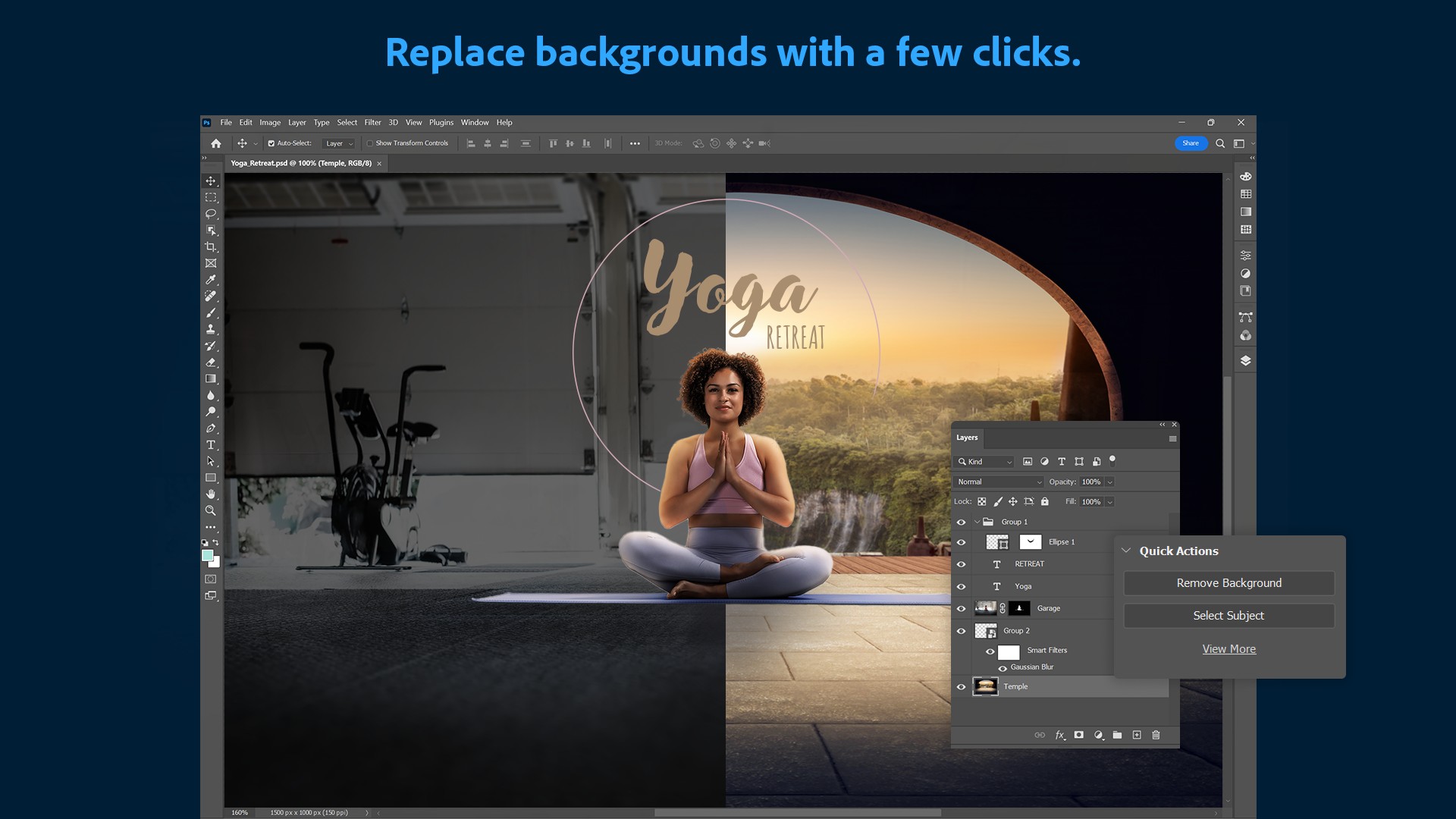
Generative Fill is the headline AI feature and the one most users interact with. You select an area of an image, type a prompt describing what you want there, and Photoshop generates content to fill the selection, matching the surrounding lighting and perspective. In 2026 it runs on Firefly Image 4 at 2K resolution, a substantial upgrade from the previous roughly 1K output, which means generated content is sharper and needs less post-generation cleanup. The model follows complex prompts more accurately, with fewer hallucinated elements and better scene coherence, and edge blending between generated and existing content has improved noticeably.
Generative Expand extends an image beyond its original boundaries, generating new content to fill the expanded canvas, which is useful for changing aspect ratios or giving a subject more room. Generative Remove, rebuilt with a diffusion model in 2026 to replace the older patch-based approach, intelligently removes unwanted objects and reconstructs what should be behind them. Generative Upscale uses AI regeneration through Topaz Labs technology rather than simple interpolation, producing higher-resolution results with genuinely reconstructed detail rather than just enlarged pixels.
Reference Compositing and the Harmonize Tool
Reference-image compositing, new in 2026, supports identity-preserving object placement. You can provide a reference image of an object or a person and place it into a scene while preserving its identity, which is a meaningful advance over generic generation that would produce a different-looking version each time. The Harmonize tool automates the light and color matching that compositing traditionally required manual effort to achieve. When you place an element into a scene, Harmonize automatically adjusts its lighting and color to match the destination, which is one of the most tedious parts of compositing handled automatically.
Multi-Model Support and Custom Models
Photoshop 2026 is no longer locked to a single AI backbone, which is a genuinely important shift. The Generative Fill interface lets you choose the model for each task. Adobe Firefly Image 4 and 5 are the default, commercially safe options with Content Credentials, best for client work where IP provenance matters. Google Gemini 3, known as Nano Banana Pro, is strong at character consistency and complex multi-element scenes. FLUX and over 25 additional models including options from OpenAI and Runway are accessible through Firefly Custom Models in public beta. You can even train a custom model on your own images for consistent brand style. This flexibility means Photoshop functions as a hub for AI image work across multiple model providers rather than tying users to one engine.
Adobe Express: The Lightweight Companion
Adobe Express is Adobe's simplified, template-driven design tool, positioned as the accessible counterpart to Photoshop's professional depth. It is aimed at social media content, quick graphics, flyers, and design tasks that do not require Photoshop's full power. Express has a genuinely useful permanently free tier, a lower learning curve, and an interface that Capterra reviewers describe as quick to onboard for nontechnical users, students, small teams, and anyone new to design.
Express integrates with Photoshop, Illustrator, Premiere Pro, Lightroom, Google Drive, and Dropbox, letting users move assets between Adobe creative apps and cloud storage. For users whose needs are primarily templated social content and light editing rather than detailed image manipulation, Express may be all they need, and the free tier covers a meaningful amount of that work without any payment.
The honest caveat with Express is the gap between its advertised pricing and its real cost for serious use, which the CheckThat.ai analysis documents in detail. Express Premium is advertised at $9.99 per month, but several core professional workflows require additional paid subscriptions: editing PSD or AI files within Express needs separate Photoshop or Illustrator subscriptions, premium Adobe Stock content requires a separate license, and even solo users wanting collaboration features must purchase a 2-seat minimum. The analysis found that true implementation costs for a professional using Express with moderate to heavy AI reliance typically reach $40 to $75 per month, four to seven and a half times the advertised base cost. For casual users the free or $9.99 tier is fine. For professional workflows, Express is not the cheap option it appears to be.
The free tier of Express also limits advanced features, branding removal, and some templates, and Capterra reviewers note that occasional users sometimes find the paid plans expensive for how often they use them. Express is a good fit for its intended audience of casual and template-driven design, and it is worth understanding clearly as a different product from Photoshop rather than as a cheaper version of the same thing.
Photoshop Pricing in 2026
Photoshop's pricing in 2026 sits within the Adobe Creative Cloud subscription structure. Here are the relevant plans verified in May and June 2026:
|
Plan |
Price (Annual) |
What You Get |
|
Free Trial |
$0 (7 days) |
Full Photoshop access for 7 days. Requires payment details. Converts to paid unless cancelled. No permanent free tier. |
|
Photography Plan |
$9.99-$19.99/month |
Photoshop plus Lightroom, 20GB cloud storage. The cheapest legitimate path to Photoshop. 1TB storage variant available at higher cost. |
|
Photoshop Single App |
$22.99/month |
Photoshop on desktop, web, and mobile, plus Adobe Express Premium. Standalone access without the full suite. |
|
Creative Cloud Pro |
$69.99/month |
All 20-plus Adobe apps including Photoshop, Illustrator, Premiere Pro, After Effects, InDesign. For users who need multiple tools. |
|
Photoshop Teams |
$37.99/user/month |
Photoshop for business with team license management, larger AI credit allocations, admin console. |
|
Express Free |
$0/month |
Adobe Express only (not Photoshop). Templates, basic editing, limited AI credits. Permanently free with feature limits. |
Prices verified May to June 2026 from multiple independent sources. Annual commitment pricing shown; monthly billing without commitment costs approximately 50% more. Photoshop has no permanent free tier, only a 7-day trial. Generative AI features consume monthly credits that vary by plan. Early termination fees apply to annual plans cancelled mid-term.
The Pricing Problems Worth Knowing
Three documented pricing issues deserve attention before subscribing. First, the credit system. Generative AI features consume monthly generative credits, and Photoshop now shows your credit balance in the contextual task bar and provides a Generative Credits Usage panel because credit exhaustion is a real concern. When credits run out, generative features become limited or require additional purchase. For heavy AI users, this transforms what feels like a flat subscription into a metered one, and the cost anxiety of watching a credit balance deplete is a genuine change to the experience.
Second, cancellation penalties. The analysis documents that cancelling an annual subscription paid monthly triggers a hefty early termination fee, with one user reporting Adobe asking for a $119 exit fee to cancel a monthly subscription. This lock-in is one of the most criticized aspects of Adobe's business model. Before committing to an annual plan, understand that leaving early is expensive.
Third, price hikes on renewal. Steep price increases when subscriptions renew, making long-term budgeting difficult. The introductory or current rate is not a guarantee of the renewal rate. These three issues, the credit metering, the cancellation penalty, and the renewal hikes, are the substance behind the pricing-value and cost-predictability scores in our ratings table, and they are the reasons a genuinely excellent piece of software does not earn a higher overall rating.
User Experience: Power With a Learning Curve
The Photoshop user experience in 2026 is the experience of using the most capable image editor ever made, which is both its strength and its challenge. For professionals who know the software, Photoshop is extraordinarily powerful, and the 2026 AI additions remove tedium from workflows that used to consume hours. Generative Fill handling a complex object removal in seconds, Harmonize matching composite lighting automatically, and the AI assistant executing edits from natural language all represent genuine time savings that professional users feel immediately.
The G2 reviews capture the dual nature well. One reviewer described Photoshop as allowing you to do as little or as much as you would like, noting you can come at it as a beginner for minimal edits or become a complete expert. That flexibility is real, but the path from beginner to competent is steep. Photoshop has hundreds of tools, panels, and capabilities, and the interface assumes a level of familiarity that newcomers do not have. The AI assistant helps lower this barrier for simple edits, but mastering Photoshop remains a significant time investment.
For the AI features specifically, the user experience is mostly positive with the caveat of the credit awareness. Designers report that the Firefly-powered tools feel natural within the existing interface rather than bolted on, which reduces the friction of adopting them. The protocloudtechnologies coverage noted that designers do not feel like they are learning a new system from scratch, because the Generative Fill and Generative Expand tools feel natural within the interface they already know. This integration is a genuine advantage over standalone AI tools that require learning an entirely new application.
The friction points in daily use are the credit balance awareness, the occasional need to clean up AI generation results despite the quality improvements, the hardware demands of the AI features on older machines, and for newcomers, the overall complexity. None of these are dealbreakers for the professional audience Photoshop is built for, but they are real parts of the experience that a prospective user should expect.
Pros and Cons
What Photoshop AI Gets Right
The core image editing toolset remains the most powerful and complete available, the genuine industry standard that professional workflows are built around
Generative Fill on Firefly Image 4 and 5 at 2K resolution produces sharp, coherent results with improved prompt matching and edge blending that need far less cleanup than earlier versions
The conversational AI assistant lets users edit by describing what they want in natural language, lowering the barrier for edits that would otherwise require deep tool knowledge
Multi-model support lets users choose between Adobe Firefly, Google Gemini 3, FLUX, and 25-plus custom models per task, making Photoshop a hub for AI image work across providers
Firefly models are commercially safe with Content Credentials providing IP provenance, which genuinely matters for client and commercial work where rights and sourcing are legally relevant
The Harmonize tool automatically matches composite lighting and color, and reference compositing preserves object identity, automating two of the most tedious parts of professional compositing
Cross-platform consistency across desktop, web, and mobile lets a file move between surfaces while staying consistent, with the AI pipeline working well on all three
Generative Upscale uses AI regeneration through Topaz Labs technology to reconstruct genuine detail rather than just enlarging pixels
Where Photoshop AI Falls Short
There is no permanent free tier, only a 7-day trial that requires payment details and converts to a paid subscription unless cancelled
Generative AI features consume monthly credits that run out, turning a flat subscription into a metered experience and adding cost anxiety for heavy AI users
Adobe's cancellation penalties are punitive, with documented cases of early termination fees over $100 for dropping an annual-paid-monthly plan
Price hikes on renewal are a recurring documented complaint, making long-term budgeting difficult and meaning the current rate is not a guarantee of the renewal rate
The learning curve for newcomers is steep, with hundreds of tools and an interface that assumes familiarity, though the AI assistant helps with simple edits
AI features have real hardware demands, with some tools requiring specific GPU capability, so older machines struggle with the heaviest generative operations
Adobe Express, the lightweight companion, has advertised entry pricing that balloons to four to seven times the base cost once the add-ons real professional workflows require are factored in
Generative results, while much improved, still occasionally require cleanup, so the AI is a powerful accelerator rather than a fully hands-off solution
Frequently Asked Questions About Adobe Photoshop (2026)
1. What AI features does Photoshop have in 2026?
Photoshop 2026, version 27, is the most AI-forward release Adobe has shipped. The main AI features are: a conversational AI assistant in public beta that lets you edit by describing what you want in natural language, with automatic, guided, and voice modes; Generative Fill, which generates image content from a text prompt to fill a selected area, running on Firefly Image 4 at 2K resolution with Firefly Image 5 rolling in; Generative Expand, which extends an image beyond its original boundaries; Generative Remove, rebuilt with a diffusion model to intelligently remove objects and reconstruct what is behind them; Generative Upscale, which uses AI regeneration through Topaz Labs to reconstruct detail rather than just enlarging; reference-image compositing that preserves object identity when placing elements into a scene; and the Harmonize tool that automatically matches the light and color of composited elements. Photoshop 2026 also supports multiple AI models, letting you choose between Adobe Firefly, Google Gemini 3, FLUX, and over 25 custom models including options from OpenAI and Runway for each generative task.
2. Is Photoshop free in 2026?
No, Photoshop does not have a permanent free tier. Adobe offers a 7-day free trial that provides full Photoshop access, but it requires payment details and converts to a paid subscription automatically unless you cancel before the trial ends. After the trial, Photoshop requires a paid Creative Cloud subscription. The cheapest legitimate way to get Photoshop is the Photography Plan at $9.99 to $19.99 per month on annual commitment, which includes Photoshop and Lightroom with cloud storage. The Photoshop Single App plan is $22.99 per month. If you want a genuinely free Adobe option, Adobe Express has a permanently free tier, but Express is a simplified template-driven design tool, not Photoshop, and it does not have Photoshop's full editing capabilities. There is no legitimate way to use the full Photoshop application for free on an ongoing basis beyond the 7-day trial.
3. How do I download Photoshop?
Photoshop is downloaded through the Adobe Creative Cloud desktop application. Go to adobe.com, sign in with or create an Adobe account, start a subscription or free trial, and download the Creative Cloud app. From within Creative Cloud, you install Photoshop, and the app also handles updates and manages your subscription. Photoshop cannot be downloaded as a standalone perpetual-license program because Adobe moved to subscription-only in 2013. If you prefer not to do a full desktop installation, Photoshop on the web runs in a browser with no download required and provides access to most of the AI features. The mobile and iPad apps are downloaded from the App Store and Google Play. All versions require an Adobe account sign-in and an appropriate subscription for full functionality. The AI features have hardware requirements, particularly GPU capability, so check that your computer meets the current system requirements before installing if you plan to use the generative tools heavily.
4. How much does Photoshop cost in 2026?
Photoshop pricing in 2026 starts with the Photography Plan at $9.99 to $19.99 per month on annual commitment, which is the cheapest path and includes Photoshop plus Lightroom with 20GB of cloud storage. The Photoshop Single App plan is $22.99 per month and includes Photoshop on desktop, web, and mobile plus Adobe Express Premium. Creative Cloud Pro, which includes all 20-plus Adobe apps, is $69.99 per month. Photoshop for Teams is $37.99 per user per month with business license management. All these prices are for annual commitment billed monthly; paying month-to-month without an annual commitment costs roughly 50 percent more. Important cost considerations beyond the headline price: generative AI features consume monthly credits that can run out and require more for heavy use; cancelling an annual plan early triggers a substantial termination fee that has been reported at over $100; and renewal price increases are a documented recurring complaint. Factor in these realities when budgeting rather than relying on the advertised monthly rate alone.
5. What is the difference between Photoshop and Adobe Express?
Photoshop and Adobe Express are different products for different needs. Photoshop is the professional-grade raster image editor with the full depth of tools for detailed photo editing, compositing, digital painting, and complex image manipulation, plus the most advanced generative AI features. It has a steep learning curve and requires a paid subscription. Adobe Express is a simplified, template-driven design tool aimed at social media content, flyers, quick graphics, and design tasks that do not need Photoshop's power. Express has a permanently free tier, a much lower learning curve, and is quick to onboard for nontechnical users. Express integrates with Photoshop and other Adobe apps so assets can move between them. The key distinction: Express is for fast, accessible, template-based design, while Photoshop is for professional, detailed, pixel-level image work. Note that Express, despite its $9.99 advertised Premium price, can cost $40 to $75 per month for professional workflows once the add-ons like Photoshop access for editing PSD files, premium Stock content, and AI credits are factored in. For casual design, free Express is genuinely useful; for professional image editing, Photoshop is the necessary tool.
6. How good is Photoshop's Generative Fill in 2026?
Photoshop's Generative Fill in 2026 is significantly better than earlier versions and is one of the strongest implementations of generative image editing available. It runs on Firefly Image 4 at 2K resolution, a substantial upgrade from the previous roughly 1K output, with Firefly Image 5 and the Firefly Fill and Expand model rolling in for even sharper, more photorealistic results. The practical improvements are immediately visible: generated content is sharper and needs less cleanup, the model follows complex prompts more accurately with fewer hallucinated elements and better scene coherence, and edge blending between generated and existing content has improved noticeably. You select an area, type what you want, and Photoshop generates content matching the surrounding lighting and perspective. The 2026 multi-model support also lets you switch to Google Gemini 3 for tasks needing character consistency or complex multi-element scenes. The honest caveat is that even at this quality level, generative results occasionally still require manual cleanup, so Generative Fill is a powerful accelerator rather than a fully hands-off tool. For professional work, the commercially safe Firefly models with Content Credentials are the recommended choice because they provide IP provenance for client and commercial use.
7. Does Photoshop AI use credits and what happens when they run out?
Yes. Photoshop's generative AI features consume generative credits that are allocated monthly based on your subscription plan. Features like Generative Fill, Generate Similar, Generative Expand, and the Adobe and partner-powered AI models all draw from your credit balance. Photoshop now displays your credit balance in the contextual task bar while you work and provides a Generative Credits Usage panel that breaks down the credit cost of each generative feature, specifically because credit exhaustion is a real concern that Adobe added tools to help users track. When your credits run out, generative features become limited and you may need to purchase additional credits or wait for the monthly reset. For light AI users, the included monthly credits are usually sufficient. For heavy AI users who rely on generative features throughout the day, credit exhaustion before the monthly reset is a genuine possibility, which effectively turns the flat subscription into a metered cost. Monitoring the credit balance and understanding your plan's monthly allocation is important if generative AI is central to your workflow.
8. Can I use Photoshop's AI commercially for client work?
Yes, and this is one of Photoshop's genuine advantages for professional use. The Adobe Firefly models that power Photoshop's generative features are trained on licensed content and carry Content Credentials, which provide IP provenance information showing how content was created. For client-facing and commercial work where the source and rights of generated content are legally relevant, this commercial safety matters. When you use Firefly Image 4 or 5 for generative work, you can use the results commercially with the confidence that comes from Adobe's licensed training data and the provenance tracking. This is a meaningful distinction from some consumer AI image generators where the training data sourcing and commercial usage rights are less clear. The multi-model support in Photoshop 2026 lets you choose Firefly specifically as the commercially safe default for client work, while other models like Google Gemini 3 are available for tasks where their particular strengths matter. For professional designers, marketers, and agencies producing work for clients, using the Firefly models keeps the generative content on solid commercial and IP footing, which is exactly why Adobe positions them as the default for client-facing work.
9. Is Photoshop hard to learn for beginners in 2026?
Photoshop has a genuinely steep learning curve, and this remains true in 2026 despite the AI additions. The application has hundreds of tools, panels, and capabilities, and the interface assumes a level of familiarity that complete newcomers do not have. Becoming competent with Photoshop is a significant time investment. That said, 2026 has lowered the barrier in specific ways. The conversational AI assistant lets beginners accomplish edits by describing what they want in natural language rather than knowing which of dozens of tools to use, which makes simple edits accessible without deep knowledge. For someone who wants to remove an object, expand a background, or make a basic adjustment, the AI assistant and generative tools provide an accessible path. However, for serious image editing, compositing, and the full range of what Photoshop can do, the traditional tool-based skills still require learning. For genuine beginners who want an easier starting point, Adobe Express has a much lower learning curve and a free tier, and many people start there before graduating to Photoshop. If you want Photoshop's full power, expect to invest real time in learning it, with the AI assistant helping smooth the early stages.
10. Is Adobe Photoshop worth it in 2026?
Photoshop is worth it for professionals and serious enthusiasts whose work genuinely requires its capabilities, and harder to justify for casual users. For professional photographers, designers, marketers, and digital artists, Photoshop in 2026 is the industry standard and the AI additions deliver real time savings that justify the cost, with the commercially safe Firefly models being particularly valuable for client work. The Photography Plan at $9.99 to $19.99 per month is reasonable value for the capability if you use it regularly. For these users, Photoshop is worth it. For casual users who edit images occasionally, the value case is weaker. The lack of a free tier, the credit system, the steep learning curve, and Adobe's punitive cancellation penalties and renewal price hikes are real reasons for casual users to consider whether they need Photoshop specifically or whether the free Adobe Express tier or another tool would serve them better at lower cost and commitment. The honest framing is that Photoshop is excellent software with a business model that demands scrutiny. If your work depends on professional image editing, it is worth it and the AI features make it more so. If your needs are occasional, evaluate carefully whether the subscription commitment and credit model fit how much you will actually use it before signing up beyond the 7-day trial.
Icon polls Verdict
Adobe Photoshop earns a 3.5 out of 5 from Icon Polls in 2026. The rating reflects genuinely excellent and deeply AI-enhanced software held back by a subscription and credit model that demands real scrutiny.
On capability, Photoshop 2026 is outstanding. It is the most AI-forward release Adobe has ever shipped, and the AI genuinely works. Generative Fill at 2K resolution, the conversational AI assistant, multi-model support spanning Firefly, Google Gemini, FLUX, and custom models, the Harmonize tool for automatic composite matching, and reference-image compositing all represent real advances that save professional users meaningful time. The commercially safe Firefly models with Content Credentials are a genuine differentiator for client work. For the professional audience Photoshop is built for, the 2026 version is the best it has ever been, and the AI features integrate naturally into workflows people already know.
The 3.5 rather than higher comes down to the business model. The absence of any permanent free tier, the credit system that meters generative AI use and adds cost anxiety, the punitive cancellation penalties that have left users facing $100-plus exit fees, and the documented pattern of renewal price hikes are all real and all affect the value equation. Adobe Express, the lightweight companion, compounds this with advertised pricing that balloons four to seven times for real professional use. These are not minor footnotes. They are the substance of the most common and most legitimate complaints about Adobe in 2026.
The practical guidance from Icon Polls: if you are a professional or serious enthusiast whose work depends on image editing, Photoshop is worth it, and the Photography Plan at $9.99 to $19.99 per month is the smart entry point rather than the pricier Single App or full suite plans unless you need them. Use the 7-day trial first to confirm the AI features fit your workflow. Monitor your generative credit usage so the metering does not surprise you. Understand the cancellation terms before committing to an annual plan so the exit fee does not catch you out. And if your needs are casual rather than professional, seriously evaluate whether the free Adobe Express tier covers what you actually do before committing to a Photoshop subscription. Photoshop AI is excellent. The thing to scrutinize is not the software but the terms around it.