|
Product Name |
NextChat (formerly ChatGPT-Next-Web) |
|
Website |
nextchat.club / nextnext.chat |
|
GitHub Repository |
github.com/ChatGPTNextWeb/NextChat |
|
GitHub Stars |
88,600+ |
|
Latest Version |
v2.16.1 |
|
License |
MIT (Open Source) |
|
Developer |
Leizhenpeng / GPTsMotion Tech LLC |
|
Founded |
2023 |
|
Platforms |
Web, Windows, macOS, Linux, iOS, Android |
|
Built With |
TypeScript, React, Tauri |
|
Primary Use |
Multi-model AI chat interface |
|
Supported Models |
GPT-4, Claude, Gemini, DeepSeek, Ollama, and more |
|
Pricing |
Free (self-hosted) / SaaS plans available at nextchat.club |
|
ICON POLLS Rating |
2.6 / 5 |
What Exactly Is Nextchat?
To be clear about what we are reviewing here: Nextchat is not an AI model. It does not compete with ChatGPT or Claude in the sense of being its own language model. Instead, it is a lightweight chat interface that connects to various AI providers. Think of it as a universal remote control for AI models. You plug in your own API keys from OpenAI, Anthropic, Google, or other providers, and Nextchat gives you a clean chat window to interact with those models.
The open-source version can be self-hosted on platforms like Vercel or run locally through Docker. There is also a commercial SaaS version hosted at nextchat.club, which offers subscription plans for users who do not want to deal with the technical setup.
The appeal is obvious on paper. One interface, multiple AI models, full control over your data since everything is stored locally in the browser. The reality, however, is more complicated than the pitch suggests.
Nextchat on Windows: Desktop Experience
Nextchat offers a desktop application for Windows built using Tauri, which keeps the file size small at roughly 5MB. That is a notable advantage compared to Electron-based apps that can easily balloon to several hundred megabytes.
During our testing, the Windows app installed without any problems and launched quickly. The interface mirrors the web version almost exactly, which means you get a familiar experience if you have used Nextchat in a browser before. Dark mode works, markdown rendering is solid, and switching between models is straightforward.
However, we ran into a few issues that are worth noting. The app occasionally froze when handling long conversation threads, particularly when the auto-compress feature kicked in to summarize older messages. We also noticed that some users on the GitHub issues page have reported similar stability problems on Windows 11 machines, particularly around version 2.15 and later.
The Windows app does not support automatic updates in a seamless way. You need to manually download new versions from the GitHub releases page or SourceForge. For a tool that positions itself as ready for daily use, this feels like a gap that the team should address.
Our verdict on the Windows experience: functional but rough around the edges. It works for basic chat sessions, but power users who run long or complex conversations may find the stability issues frustrating.
Login and Access: How Does Authentication Work?
One of the more confusing aspects of Nextchat for new users is figuring out how the login system works, or rather, how it does not work in the traditional sense.
The self-hosted version of Nextchat does not have a user account system. There is no registration page, no email verification, and no password recovery. Instead, access is controlled through an access code that you set as an environment variable when deploying the app. Anyone who has that code can use the instance. This approach keeps things simple, but it also means there is no way to track individual user activity or manage multiple accounts with different permissions.
The iOS and SaaS versions at nextchat.club do offer a more traditional account system with login functionality. The iOS app recently added in-app subscription plans, which require an Apple ID-based login.
For teams or businesses considering Nextchat, the lack of proper user management in the self-hosted version is a real limitation. There is no role-based access, no audit logging for individual users, and no way to enforce usage limits per person. Enterprise-oriented features exist according to the project documentation, but they are behind the commercial offering rather than the open-source version.
Nextchat on GitHub: Project Health in 2026
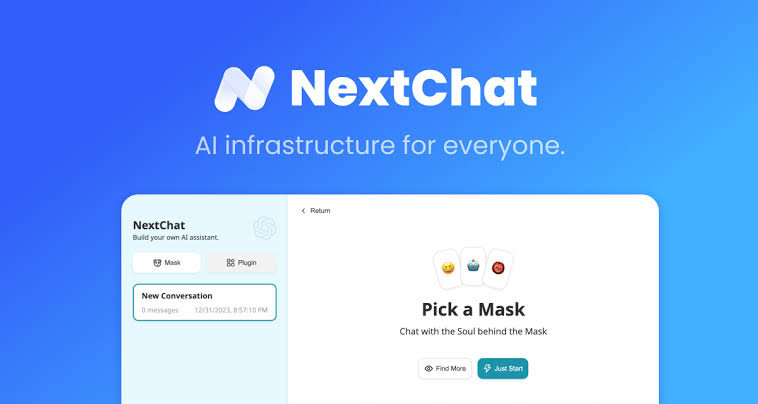
The GitHub repository for Nextchat sits at over 88,600 stars with more than 59,000 forks as of August 2026. Those are impressive numbers, and they tell you that the community interest in this project is genuinely strong.
But when you look beyond the star count, the picture gets more complicated. The project currently has over 700 open issues, with 23 of them flagged as needing help. Recent issues filed in mid-2026 include bug reports about broken functionality and feature requests that have gone unanswered for weeks.
The release cadence has also slowed down compared to earlier years. The latest version, v2.16.1, was released in late July 2026, but the changes included were relatively minor, such as a Danish translation, Mistral icon fixes, and Claude 3.7 support. There have been no major feature releases in 2026 so far.
Pull requests tell a similar story. Several community contributions from May and June 2026 remain open and unmerged, including a fix for Claude 4 model compatibility and a feature to add a new API provider. The documentation repository has not been updated since early 2025.
What this suggests to us is that Nextchat is in a maintenance phase rather than active development. The core product works, but the pace of improvement has slowed, and community contributions are not being processed quickly.
Nextchat on iOS: Mobile Experience
Nextchat released its iOS app through the App Store, developed under GPTsMotion Tech LLC. The app requires iOS 17.3 or later and also supports macOS on Apple Silicon through a universal build.
According to the App Store listing, the iOS app follows the same bring-your-own-key model as the web version but also includes in-app subscription plans for users who prefer not to manage API keys. The app emphasizes that it does not collect user data, and privacy practices are straightforward.
However, there is a telling detail on the App Store page: the app has not received enough ratings or reviews to display an overview. That is unusual for a project with 88,000 GitHub stars. It suggests that the mobile user base is either very small or that iOS users are not engaging with the app enough to leave feedback.
We tested the iOS app and found the experience to be acceptable but not impressive. The interface is clean and responsive, but it lacks some of the polish you would expect from a dedicated mobile app. Features like haptic feedback, proper swipe gestures, and mobile-optimized layouts are either missing or minimal.
The separate Google Play listing for a different app also called NextChat, which is a random video chat app by MeetZone MMC, creates confusion in search results. This is not related to the AI tool we are reviewing, but it does make finding the correct app harder than it should be.
User Experience: The Good and the Bad
What Works Well
The core chat experience in Nextchat is genuinely fast. Pages load quickly, messages stream in with minimal delay, and the overall interface feels lighter than most competing products. Markdown rendering handles LaTeX, code blocks, and Mermaid diagrams without issues. The mask system, which lets you create and save character personas for different use cases, is a nice touch that adds practical value.
Multi-model switching is another strength. Being able to jump between GPT-4, Claude, Gemini, and DeepSeek from a single interface saves time compared to opening separate tabs for each provider.
What Does Not Work Well
Setup is still too technical for average users. Deploying Nextchat requires either command-line knowledge or familiarity with platforms like Vercel. While one-click deployment options exist, configuring API keys, setting environment variables, and troubleshooting deployment issues are not things most non-technical users want to deal with.
There is no built-in cost tracking. Since you bring your own API keys, every conversation costs you money through your provider account. But Nextchat gives you no visibility into how much you are spending. There is no usage dashboard, no per-conversation cost estimate, and no spending alerts. For users on a budget, this is a significant oversight.
The internationalization support, while extensive with over a dozen languages, has quality issues in some translations. Several community members have pointed out that non-English versions contain awkward or incorrect phrasing.
ICON POLLS Rating Breakdown
The 2.6 rating reflects a product that has strong technical foundations but is not delivering a complete experience for the average user. If you are a developer comfortable with self-hosting and API management, you will get more value out of it. But for everyone else, the setup friction, missing features, and slowing development pace make it hard to recommend without reservations.
Frequently Asked Questions About Nextchat in 2026
1. Is Nextchat free to use?
The open-source version of Nextchat is completely free. You can deploy it on your own server or use the one-click Vercel deployment at no cost. However, you still need to pay for the AI models you use through your own API keys. OpenAI, Anthropic, and Google all charge per token, so your actual cost depends entirely on how much you chat. The SaaS version at nextchat.club offers subscription plans for users who want a managed experience.
2. Is Nextchat safe and secure?
Since the self-hosted version stores all data locally in the browser, your conversations are not uploaded to any third-party server beyond the AI provider you are using. That is a genuine privacy advantage. However, the iOS app listing notes that data is not encrypted, which is a concern for users dealing with sensitive information. The access code system used for self-hosted deployments is also fairly basic and would not meet enterprise security standards on its own.
3. Does Nextchat work on Windows?
Yes. Nextchat has a Windows desktop application built with Tauri. The installer is about 5MB and supports Windows 10 and later. The app works well for standard chat sessions, though some users have reported stability issues with long conversations. You can download the latest version from the GitHub releases page or through the SourceForge mirror.
4. Can I use Nextchat without an API key?
Not with the self-hosted version. You need at least one API key from a supported provider like OpenAI, Anthropic, or Google to use Nextchat. The SaaS version at nextchat.club may include bundled access to models through its subscription plans, but we were unable to fully verify current pricing since the pricing page returned a server error during our research.
5. How does Nextchat compare to ChatGPT?
They serve different purposes. ChatGPT is a complete product with its own AI model, user accounts, plugins, and a polished interface. Nextchat is a front-end interface that lets you access ChatGPT models (and others) through your own API keys. You get more flexibility and control with Nextchat, but you lose the convenience, stability, and integrated features that ChatGPT provides out of the box.
6. Why are there multiple apps called NextChat on the app stores?
This is a common source of confusion. The AI chat interface we reviewed in this article is developed by GPTsMotion Tech LLC and is listed as NextChat AI on the App Store. There is a separate, unrelated app called NextChat on Google Play by MeetZone MMC, which is a random video chat application. There is also another NextChat on Google Play by Servionsoft that focuses on multilingual communication. Make sure you are downloading the correct app if you are looking for the AI chat tool.
7. Is Nextchat still being actively developed?
Development is ongoing, but the pace has slowed noticeably in 2026. The most recent release, v2.16.1, came out in July 2026 with minor fixes. Several community pull requests from earlier in the year remain unmerged. The project is not abandoned, but it appears to be in a maintenance phase rather than rapid feature development. The documentation repository has not seen meaningful updates in over a year.
8. What AI models does Nextchat support?
Nextchat supports a wide range of AI models. Current supported providers include OpenAI (GPT-4, GPT-4o, o1), Anthropic (Claude 3.5, Claude 3.7), Google (Gemini 1.5, Gemini Pro), DeepSeek, XAI, ChatGLM, Mistral, and any model that uses an OpenAI-compatible API endpoint. This means you can also connect it to locally running models through tools like Ollama or LocalAI.
9. Can I use Nextchat for my business or team?
You can, but with limitations. The open-source version lacks user management, role-based access, and audit logging. For teams, you would need to either build those features yourself or go with the enterprise offering through nextchat.club. The project documentation mentions enterprise features like security auditing and conversation tracing, but these are part of the commercial product rather than the free version.
10. What are the main alternatives to Nextchat?
The most commonly mentioned alternatives include LobeChat, which has around 77,000 GitHub stars and offers a similar multi-model interface with more built-in features. Chatbot UI by McKay Wrigley is another popular option with over 33,000 stars. For users who want a fully hosted solution without any setup, the official apps from OpenAI, Anthropic, and Google remain the most polished options.