Quick Verdict
Documenso is the most credible open-source challenge to DocuSign in 2026, and it has earned that position through a combination of clean product execution, genuine community investment, and a pricing architecture that makes real commercial sense for teams who care about where their data lives. The product is built on Next.js and TypeScript with PostgreSQL and Redis underneath, which means any competent engineering team can inspect, fork, and deploy it. The cloud plan is accessible and reasonably priced. The self-hosting path via Docker is well-documented. The API is available on every plan, not just enterprise tiers. The audit trail, PAdES-compliant signatures, SOC 2 certification, and HIPAA readiness mean this is not a toy for casual contracts but a platform used by teams with real compliance requirements. Over 12,900 GitHub stars and 2,635 forks reflect community momentum that is still building. Product Hunt reviewers describe it as signing infrastructure for modern teams and builders. The 4.0 rating reflects genuine strengths alongside honest limitations. The free cloud plan is capped at 5 documents per month, which is tight for any serious business use. Self-hosting requires Docker fluency, SMTP configuration, a signing certificate, and ongoing infrastructure management that non-technical teams simply cannot take on. The platform is focused on document signing and does not handle contract lifecycle management, document generation, or proposal building. Deep native integrations with Salesforce or HubSpot are limited. And the AGPL-3.0 license means any commercial product embedding Documenso without purchasing the Platform plan must open-source its own code. For the right team, Documenso is genuinely excellent. Understanding who that team is matters before committing.
At a Glance: Icon Polls Ratings
Here is how Documenso scored across the areas we evaluated in our 2026 research:
|
Category |
Stars |
Score |
|
Core Signing Experience and UI |
★★★★★ |
5/5 |
|
Open Source Transparency and Control |
★★★★★ |
5/5 |
|
Developer API and Embedding |
★★★★★ |
4.5/5 |
|
Self-Hosting via Docker |
★★★★☆ |
4/5 |
|
Compliance and Security Certifications |
★★★★☆ |
4/5 |
|
Free Plan Value |
★★★☆☆ |
2.5/5 |
|
Native Third-Party Integrations |
★★★☆☆ |
3/5 |
|
Overall |
★★★★☆ |
4/5 |
What Is Documenso?
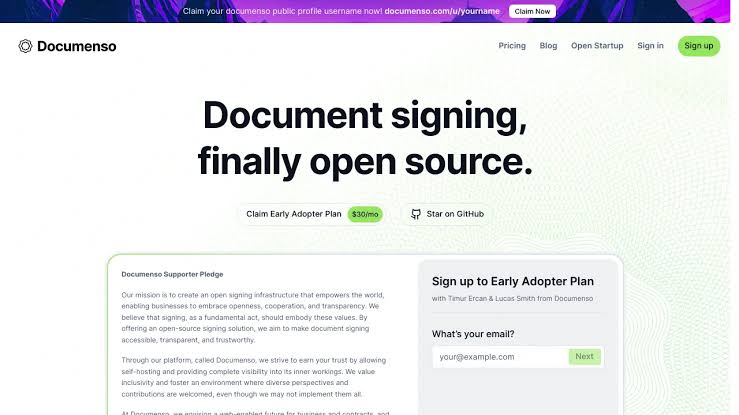
Documenso is an open-source electronic document signing platform built as a direct alternative to DocuSign, created by Timur Ercan and headquartered in Germany. The company raised $1.54 million in pre-seed funding and has grown its community and customer base through a model that is transparent by design: the full product including the API, document workflow, and audit trail is published under the AGPL-3.0 license on GitHub and can be inspected, forked, and self-hosted by anyone.
The product description on documenso.com is deliberately brief: e-signatures for everyone. That simplicity reflects what Documenso actually does. It handles the sending, signing, and audit trail for PDF documents, whether you are a freelancer sending a single contract or an enterprise team processing thousands of documents through an embedded API workflow. It does not try to be a contract lifecycle management platform, a proposal builder, or an HR system. It does document signing, and it does it well.
The stack is modern and maintained. Documenso is built with Next.js, TypeScript, Prisma, and PostgreSQL. Redis handles caching and job queues. The codebase has 12,900-plus GitHub stars and 2,635 forks as of May 2026, with the repository updated as recently as four hours before our research was conducted. The community engagement reflected in those numbers is real, not decorative.
The compliance credentials are what separate Documenso from lighter open-source signing tools. The platform is SOC 2 certified, HIPAA-ready, ESIGN Act compliant, UETA compliant, and follows 21 CFR Part 11 standards relevant to pharmaceutical and life sciences document workflows. PAdES-standard signatures, which are PDF Advanced Electronic Signatures that meet EU eIDAS requirements, are the default signing format. This is not marketing language. These certifications require real audits and represent genuine evidence that the platform has been designed and operated with security and legal compliance at the core.
The Prisma COO quoted on documenso.com describes the platform as having streamlined their digital signing process, making it faster, secure, and incredibly user-friendly, characterizing it as a game-changer for team, partners, and customers. That kind of third-party validation from a well-known technical company reflects the platform's positioning in the developer and technical startup community rather than in the traditional enterprise procurement market.
The Documenso App and Download
Documenso is a web-based platform, meaning there is no native desktop application to download in the traditional sense. The full product is accessible through a web browser at documenso.com after creating an account. For signers who receive documents, the signing process happens directly in their browser without requiring any account creation, download, or software installation. This is one of the platform's most practically important characteristics: the recipient of a document for signature does not need to know what Documenso is, does not need an account, and does not need to install anything to complete their part of the process.
For teams deploying Documenso on their own infrastructure, the self-hosting route involves pulling the repository from GitHub and running the Docker-based deployment. This is the path that technical teams choose to maintain full data sovereignty, avoid ongoing SaaS fees, and deploy signing infrastructure inside their own network perimeter. The Docker path is covered in detail in a dedicated section of this review.
Mobile access to the Documenso cloud platform is available through any mobile browser. The interface is responsive and handles basic signing tasks on mobile adequately. There is no dedicated iOS or Android application in the app stores as of May 2026. For signers completing a single signature on their phone, the mobile web experience is functional. For senders managing multiple documents and templates, desktop browser access provides a more comfortable workspace.
One aspect of the Documenso app experience that Product Hunt reviewers highlight consistently is the signing celebration. When a document is fully signed by all parties, Documenso displays a visual celebration that makes the completion feel like a positive event rather than a routine administrative step. This is a small detail, but it reflects the attention to the experience of signing that distinguishes Documenso's design philosophy from tools that treat signing as purely mechanical.
Logging In and Getting Started
Creating a Documenso account starts at documenso.com. Account creation requires an email address and password, or authentication through Google. No credit card is required to access the free plan. After signing up, new users are taken directly into the dashboard without an extended onboarding wizard. The interface presents the primary actions immediately: upload a document, select signers, place signature fields, and send. For users who have signed documents with other platforms before, the mental model maps over directly.
The dashboard organises documents into pending, completed, and draft states. Documents waiting for signatures from other parties appear in the pending view with a clear status showing which signers have and have not completed their part. The completed view archives all fully signed documents with their audit certificates. Templates, direct links, and team settings are accessible from the left navigation.
For teams deploying through a self-hosted instance, the login configuration is more involved. Documenso supports email and password authentication as well as configurable OAuth providers. Administrators can set up their own OAuth integration with Google or other identity providers, configure SMTP for email notifications, and manage user accounts through the admin panel. Single sign-on with SAML is available on higher tiers.
One documented limitation in user feedback is that the first-time experience can feel slightly fidgety, with a small number of Product Hunt reviewers noting the UX was not perfectly smooth on initial use. The majority of feedback describes the interface as intuitive and easy to navigate, which suggests this friction is limited to specific interactions rather than the overall flow. The document preparation step, where you upload a PDF and place signature fields by dragging and dropping elements onto the document, is described across multiple reviews as fast and clear.
Core Features: What Documenso Actually Does
Document Sending and Signing
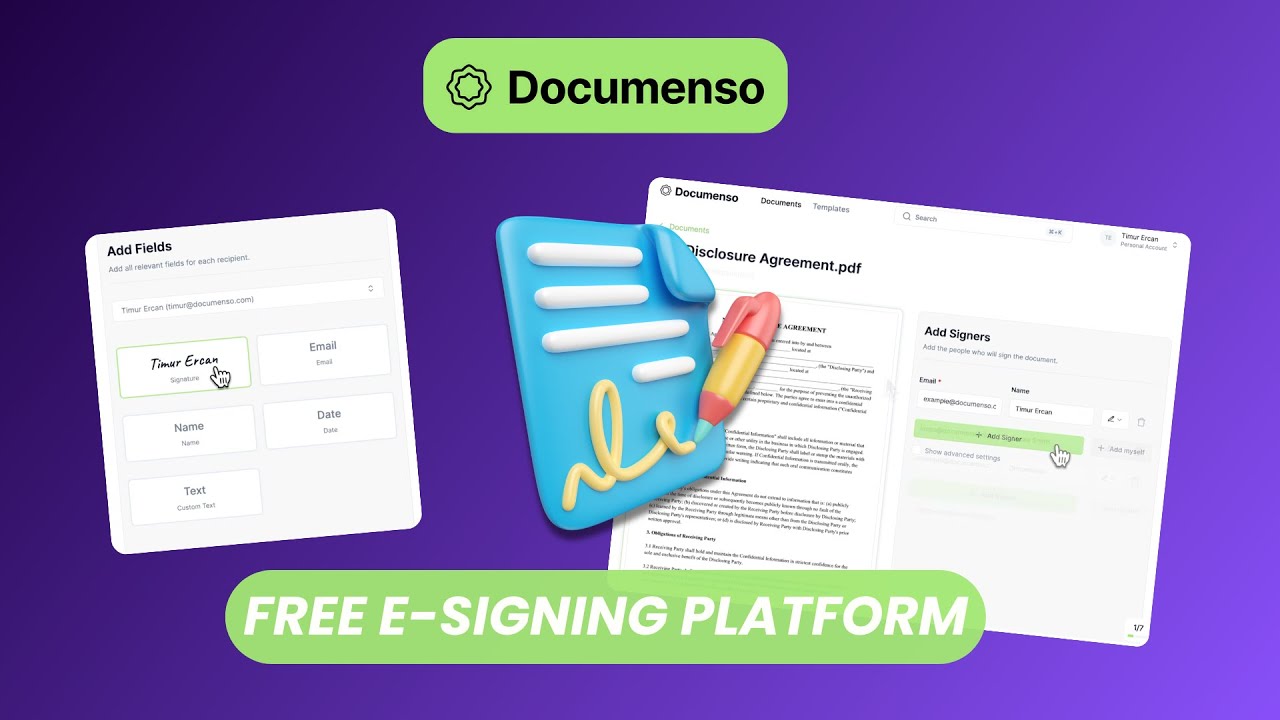
The core sending and signing workflow in Documenso is designed to be fast. You upload a PDF, add one or more signers by email address, drag and drop the required signature fields and any other form elements (initials, dates, text fields, checkboxes) onto the document, configure the signing order if the document requires sequential rather than parallel signing, and send. Signers receive an email with a link that opens the document in their browser. They review the document, click the fields they need to complete, sign or initial by typing, drawing, or uploading an image, and submit. Both parties receive a completed PDF with the audit trail embedded.
The audit trail documents every event in the signing lifecycle: when the document was sent, when each signer viewed it, when each field was completed, when the document was submitted, and the IP address and timestamp associated with each action. This audit trail is embedded in the final signed PDF as a certificate that can be verified independently of Documenso's servers, which matters for legal enforceability in contexts where the signing platform's continued existence might otherwise be a dependency for document validity.
Templates and Direct Links
Templates allow users to save a frequently used document structure, including field placements and signer roles, so that the same document type can be prepared and sent repeatedly without configuring fields from scratch each time. For businesses that send similar contracts regularly, for example employment agreements, service contracts, or NDAs, templates reduce the per-document preparation time significantly.
Direct Links are a Documenso feature that generates a publicly accessible signing URL for a template. Anyone who clicks the link can complete and sign the document without the sender needing to specify their email address in advance. This is useful for consent forms, agreement acceptance flows embedded in websites or apps, and any situation where the signer population is open-ended rather than a known list of specific email addresses. The feature works particularly well for developers who want to embed a signing flow into their own product without handling the signing infrastructure themselves.
Teams, White-Labeling, and Public Profiles
Team accounts allow multiple users to share a Documenso workspace, see each other's documents, and collaborate on signing workflows under a shared organizational account. The Teams cloud plan includes five users by default with additional seats available. Team-level permissions and document visibility can be configured to separate documents by team member where appropriate.
White-labeling allows teams on the Platform plan and some higher cloud tiers to replace Documenso's branding with their own. Signers see the organization's logo and branding rather than the Documenso brand, which is important for teams where the signing experience is customer-facing and brand consistency matters. The embedded signing capability available on every plan takes this further by allowing the signing interface to appear inline within a product or web page rather than as a standalone Documenso-hosted page.
Public Profiles are a feature that allows individuals or organizations to display a public-facing signing page where anyone can find and sign documents linked to that profile. For freelancers and consultants who regularly need to get the same agreement signed by new clients, a public profile signing link reduces the back-and-forth of document preparation and sending to a single shareable URL.
API and Webhooks
The Documenso API is available on every plan, including the free tier, which is a deliberate and significant product decision. Most competing platforms reserve API access for enterprise tiers, making developer integration a capability only available to larger paying customers. Documenso makes it available from day one of any account, which reflects the platform's positioning as signing infrastructure for builders rather than a sales tool aimed at procurement budgets.
The API allows developers to create documents, add fields, specify signers, trigger the sending workflow, and retrieve completed documents and audit certificates programmatically. Webhooks push event notifications to a configured endpoint when document status changes, allowing integrations to react in real time to signing completions, rejections, or expirations without polling the API.
Zapier integration is available for teams who want to connect Documenso to other tools in their stack without writing custom API code. The Zapier connector handles the most common workflow trigger and action combinations, such as creating a Documenso document from a new row in a spreadsheet or sending a notification when a document is signed. For the more complex custom integrations that enterprise teams build, the full API provides the flexibility that Zapier cannot.
The Free Plan: What You Get and Where It Stops
Documenso's free plan on the managed cloud platform provides five documents per month with no time limit. This is not a time-limited trial. It is a permanent free tier that lets individuals and small teams use the platform for low-volume signing without any payment commitment. Five documents per month is adequate for personal use, freelancers sending occasional contracts, and teams evaluating the platform before upgrading.
For any team with regular signing needs beyond five documents monthly, the free plan is not a working solution. It is an evaluation and occasional-use tier. A small business sending ten service agreements per month, an HR team processing employment paperwork, or a startup processing investor documents will exceed the limit quickly. The workflow automation.net review puts the limit in clear context: the free plan gives you 5 documents per month on the managed cloud platform with no time limit, which makes it genuinely useful for testing but not for steady business volume.
The free plan includes access to the API, which is one of the more generous free tier decisions in the document signing space. Developers building integrations can test the full API workflow, including document creation, field placement, signer specification, and webhook configuration, on the free plan without upgrading. This reduces the cost of evaluating Documenso as signing infrastructure for a product from a commitment decision to a technical question.
Self-hosting on your own infrastructure through the AGPL-licensed open-source release has no document limits at all. If you have the technical capability to set up and maintain a Docker-based deployment, you can process unlimited documents at no licensing cost beyond the infrastructure you run. This is the option that makes Documenso genuinely free for technical teams, and the distinction between the free cloud plan and the free self-hosted option is important enough to understand before deciding which path to evaluate.
Documenso Pricing: Cloud Plans and Self-Hosting Options
Documenso's pricing in 2026 has distinct tracks for cloud-hosted and self-hosted deployment. Here is the complete structure as of May 2026:
|
Plan |
Price |
Key Features and Limits |
|
Free (Cloud) |
$0/month |
5 documents per month. API access included. Templates, direct links, and audit trail. No credit card required. No time limit. |
|
Individual (Cloud) |
$25/month ($300/year prepay) |
Unlimited documents. Full template library. Direct link signing. Public profile. API and webhooks. White-label features. SOC 2 and compliance certifications. |
|
Teams (Cloud) |
$40/month ($480/year, 5 users included + $8/user beyond) |
Everything in Individual plus team workspace. Shared document access. Team management. SAML SSO. Additional users at $8/month each. |
|
Platform (Cloud) |
$250/month flat |
Unlimited documents. AGPL escape hatch: allows embedding Documenso in commercial products without AGPL open-source obligations. White-label. Priority support. Break-even versus DocuSign per-envelope pricing at roughly 250-500 documents per month. |
|
Self-Host (AGPL) |
Free, infrastructure cost only |
Full codebase under AGPL-3.0. Unlimited documents. Docker Compose and Helm chart deployment. Complete data sovereignty. No per-signature fees. Requires technical setup: PostgreSQL, Redis, SMTP, signing certificate. |
|
Business Edition (Self-Host) |
Paid, contact for pricing |
Full enterprise feature set on your infrastructure. Application-focused support (bugs and issues). No formal SLAs. Multi-year licenses available for cost predictability. |
|
Enterprise (Self-Host) |
Custom |
Formal SLAs, roadmap priority, custom certificates, bespoke licensing. Full white-glove self-hosted support. For teams with regulated compliance requirements. |
Prices verified May 2026. Annual prepay pricing applies to Individual and Teams cloud plans. Platform plan at $250/month flat competes specifically with DocuSign's per-envelope pricing of approximately $0.50-$2.00 per envelope. Break-even against DocuSign is approximately 250-500 documents per month. Contact documenso.com for Business and Enterprise self-host licensing.
The Platform Plan and AGPL Licensing
The Platform plan at $250 per month deserves specific explanation because it serves a specific and often misunderstood purpose. The AGPL-3.0 license under which Documenso's open-source code is published has a specific consequence that matters for companies building commercial products: any product that embeds or links to AGPL software must also release its own source code under AGPL. For a startup building a SaaS product that includes document signing as a feature, using Documenso under AGPL means open-sourcing their entire product.
The Platform plan provides a commercial license that exempts the customer from the AGPL open-source obligation. A company paying $250 per month can embed Documenso signing into their commercial product, white-label it, expose it to their customers, and keep their own code proprietary. The DEV.to pricing teardown describes this clearly: the Platform plan is the AGPL escape hatch, not a feature jump. The features are the same as Teams. What changes is the legal permission to use Documenso commercially without open-source obligations.
The value of this plan at $250 per month flat versus DocuSign's per-envelope pricing makes sense primarily for high-volume commercial use. At $0.50 to $2.00 per envelope for DocuSign, the break-even for switching to Documenso Platform is between 250 and 500 documents per month. For SaaS companies with significant document signing volume built into their product, Documenso Platform is clearly the rational economic choice. For low-volume commercial embedding, the economic argument is weaker but the data sovereignty and branding arguments may still apply.
Docker Deployment: Self-Hosting Documenso
Self-hosting Documenso via Docker is one of the platform's most distinctive capabilities and the path that gives technically capable teams complete control over their signing infrastructure. The official self-hosting documentation at docs.documenso.com provides a complete guide to getting the stack running, and the TokRepo deployment reference describes the process as getting running in 5 minutes with Docker.
The actual setup process is more involved than five minutes for a production deployment, though the initial development environment does come up quickly. Here is what the self-hosted stack involves: a PostgreSQL database for document and user data storage, Redis for caching and background job queues, an SMTP email service for sending signing invitations and completion notifications, S3-compatible object storage for document file storage (AWS S3, Backblaze B2, MinIO, and other compatible services work), and a signing certificate for PAdES digital signatures.
The signing certificate requirement is one of the setup steps that catches new self-hosters off guard. Documenso does not ship with a signing certificate. Without one, the application starts and appears to work, but document signing will fail when a signer attempts to complete. Generating or obtaining a signing certificate and configuring it correctly is a required prerequisite that the documentation flags clearly. The type of certificate needed depends on the compliance requirements of the documents being signed. For standard business contracts, a self-signed certificate may be adequate. For regulated industries or internationally recognized legal weight, a certificate from a qualified trust service provider may be required.
The Docker Compose file for production deployment covers the server, PostgreSQL, Redis, and can be extended with a reverse proxy like Nginx or Traefik for TLS termination. A Helm chart is available for Kubernetes deployments at enterprise scale. Teams deploying to major cloud providers can use managed PostgreSQL (RDS, Cloud SQL, Azure Database for PostgreSQL) and managed Redis (ElastiCache, Cloud Memorystore) rather than running those dependencies as containers, which simplifies backup and operational management.
The operational reality of self-hosting is the honest caveat that the platform itself names in its own documentation. You take on TLS certificate management, database backups, SMTP reliability, security updates, and AGPL compliance if you expose the instance externally. For a lean engineering team that already manages infrastructure, these responsibilities are standard and manageable. For a business team without dedicated infrastructure support, the self-hosting path creates operational overhead that the cloud plans eliminate.
The workflow automation.net review captures this clearly: the self-hosted cost advantage only exists if you can manage Docker and email configuration. Non-technical teams are limited to cloud plans, where the pricing advantage narrows. This is an honest and accurate characterization of who self-hosting is and is not right for.
Documenso Demo and Trying Before You Commit
Documenso offers a public demo instance at documenso.com that allows potential users to experience the signing workflow without creating an account. The demo is genuinely useful for understanding the signing experience from the recipient side, which is where most non-technical evaluators spend the majority of their time when assessing a signing platform.
For a more complete evaluation, the free cloud plan account with five documents per month is available without a credit card and provides the full sending and signing experience from the sender side. This is the recommended evaluation path for anyone who wants to test real document workflows rather than a canned demo. Creating an account, uploading a real document, placing fields, and sending it to yourself or a colleague to sign gives a complete view of the operational experience before any financial commitment.
The GitHub repository itself serves as a technical demo for developers evaluating the platform as signing infrastructure. The codebase is publicly readable at github.com/documenso/documenso, and the developer documentation at docs.documenso.com provides API reference, self-hosting guides, and embedding documentation. Teams who want to evaluate the API before committing to a plan can review the complete API specification and test authentication through the free plan's API access.
Documenso also maintains a public changelog at documenso.com/changelog and an Open Startup page that publishes revenue and key metrics. This level of financial transparency is unusual for a venture-backed SaaS company and reflects the open-source culture the team has built. Seeing that the company publishes its actual revenue numbers gives potential customers a more honest basis for evaluating long-term platform sustainability than the typical marketing materials provide.
Compliance, Security, and Legal Standing
Document signing platforms carry legal responsibility in a way that most software categories do not. A signed document is a legally binding agreement, and the platform used to execute that agreement contributes to its enforceability. Documenso's compliance certifications are therefore a core part of the product's value rather than a marketing checklist.
SOC 2 certification means an independent auditor has verified that Documenso's systems, processes, and controls for security, availability, and confidentiality meet the Trust Services Criteria. This certification is required by many enterprise procurement processes and is a prerequisite for selling into regulated industries or large organizations.
HIPAA readiness means the platform has implemented the technical and operational controls required by the Health Insurance Portability and Accountability Act for handling protected health information. For healthcare providers, medical research organizations, and any company handling patient information, this certification is not optional.
ESIGN Act and UETA compliance means Documenso's electronic signatures meet the legal standards for validity in the United States under the Electronic Signatures in Global and National Commerce Act and the Uniform Electronic Transactions Act. PAdES standard signatures provide the EU eIDAS-equivalent legal standing for European signings. 21 CFR Part 11 compliance meets FDA requirements for electronic records and signatures in pharmaceutical, biotech, and medical device contexts.
PAdES signatures embed the audit trail directly within the PDF document rather than in a separate system. This means the document's validity can be verified using standard PDF verification tools independently of Documenso's servers, which is legally relevant for long-term document retention and for situations where third parties need to verify a document's authenticity without access to the signing platform.
User Experience: What Real Users Report
Product Hunt reviewers from 2026 describe Documenso in terms that reflect a product built by people who found the existing options frustrating. One reviewer, identifying as a solo founder and builder, describes it as a much-needed rethink that is open source, clean to use, flexible enough to self-host or use hosted, and built with APIs, templates, direct links, and team workflows in mind. The observation that it feels like signing infrastructure for modern teams and builders rather than just another e-signature app captures why the platform resonates with a technical audience.
The signing experience from the recipient side receives consistent positive feedback. Signers do not need accounts. They open a link, see the document, complete the fields that have been prepared for them, and receive the completed document by email. The process is faster than many legacy platform alternatives and does not involve the recipient downloading software or navigating an unfamiliar interface. Multiple reviewers specifically note using Documenso for freelance contracts, where the recipient experience matters for professional presentation.
The minor UX criticisms that appear in reviews are worth naming. One Product Hunt reviewer described the experience as a bit fidgety on first use, which in context appears to refer to specific interaction patterns in the document preparation flow rather than the overall platform. The workflow automation review notes that Documenso is a focused tool: it signs documents, and does not handle document generation, proposal building, or contract lifecycle management. Users who arrive expecting a full-featured document management platform will find a narrower tool than they expected.
The native third-party integrations are limited compared to established enterprise platforms. Deep Salesforce integration with automatic document generation and status sync is not available. HubSpot integration is manual or Zapier-mediated rather than native. For teams whose workflows are deeply embedded in Salesforce or HubSpot, this integration gap creates real friction that the platform itself acknowledges rather than overpromising on.
Technical users who build integrations describe the API as well-designed and consistent. The developer quickstart at docs.documenso.com is cited as a fast path to a working integration, and the API's availability on the free tier means there is no payment gate between starting an evaluation and building a working prototype.
Pros and Cons
What Documenso Gets Right
Full AGPL-3.0 open-source code means any team can inspect, audit, fork, and self-host the entire platform without black-box trust in a vendor's security claims
PAdES-compliant signatures with audit trails embedded directly in signed PDFs provide legal enforceability independent of Documenso's continued operation as a company
SOC 2, HIPAA, ESIGN Act, UETA, 21 CFR Part 11, and EU eIDAS compliance coverage makes the platform viable for regulated industries and enterprise procurement processes
API access on every plan including the free tier allows developers to evaluate and build integrations without payment gates or enterprise tier requirements
Self-hosting via Docker Compose or Helm chart provides complete data sovereignty for teams with compliance requirements that prohibit sending signed documents through third-party cloud infrastructure
The signing experience for recipients requires no account, no download, and no prior knowledge of Documenso, making the signing step as low-friction as possible for the people being asked to sign
Direct links and public profiles enable open-ended signing workflows where the signer population is not known in advance, which most traditional signing platforms handle poorly
12,900-plus GitHub stars and active daily repository updates reflect a genuinely engaged community rather than a dormant open-source project
Platform plan at $250 per month flat for unlimited documents makes economic sense against DocuSign per-envelope pricing at roughly 250 to 500 documents per month
Open Startup page publishing real revenue metrics gives potential customers unusual visibility into company health
Where Documenso Has Genuine Limitations
The free cloud plan at 5 documents per month is too limited for any regular business signing volume and functions as an evaluation tier rather than a working free option
Self-hosting requires Docker knowledge, SMTP configuration, a signing certificate (not included), S3-compatible object storage setup, and ongoing infrastructure management that excludes non-technical teams
The platform does not handle document generation, proposal building, contract lifecycle management, or conditional signing routing, limiting it to teams whose workflow needs end at the signature stage
Native integrations with Salesforce and HubSpot are limited, creating friction for teams whose documents originate from CRM data or need signing status synced back to CRM records
AGPL-3.0 licensing creates commercial embedding restrictions that require understanding before building a product on top of Documenso without the Platform plan
No native mobile app means all signing management happens through web browsers, which is adequate but not optimized for users who primarily work on mobile devices
SMS verification, knowledge-based authentication, and government ID checks are not available, limiting the platform for high-value transactions that require identity verification beyond an email address
The minor UX fidginess noted in some reviews during initial document preparation suggests the field placement interface has room to improve compared to more polished competitors
Frequently Asked Questions About Documenso (2026)
1. What is Documenso and how does it work?
Documenso is an open-source electronic document signing platform built as an alternative to DocuSign. It allows individuals and businesses to send PDF documents for legally binding e-signatures. The sender uploads a document, adds recipients by email, places signature fields and other form elements on the document, and sends it. Recipients receive an email with a link to the document, open it in their browser, complete the required fields, and sign without needing an account or any software installation. Once all parties have signed, everyone receives a completed PDF with an embedded audit trail documenting the full signing history. The platform is available as a cloud-hosted service at documenso.com or as a self-hosted deployment for teams who want to run signing infrastructure on their own servers. The codebase is published under the AGPL-3.0 license on GitHub at github.com/documenso/documenso, meaning any team can inspect, modify, and deploy it. Documenso is built with Next.js, TypeScript, Prisma, and PostgreSQL and produces PAdES-standard signatures that are legally valid under ESIGN Act, UETA, and EU eIDAS requirements.
2. Is Documenso free to use?
Documenso offers a permanent free tier on the managed cloud platform that provides 5 documents per month with no time limit. No credit card is required for the free plan. The free plan includes API access, templates, direct link signing, and the full audit trail. Five documents per month is useful for individuals and freelancers with low-volume signing needs or for teams evaluating the platform before subscribing. For regular business use above that limit, the Individual cloud plan at $25 per month provides unlimited documents. Alternatively, self-hosting via the AGPL-licensed open-source release has no document limits at all. The self-hosted path is free from a licensing perspective but requires setting up and maintaining Docker infrastructure including PostgreSQL, Redis, SMTP, object storage, and a signing certificate. For technical teams comfortable with that infrastructure management, self-hosting provides unlimited documents at the cost of server infrastructure rather than a subscription fee.
3. How do I download or deploy Documenso?
For the cloud-hosted version, there is nothing to download. Create an account at documenso.com and access the full platform through your browser. For self-hosting, the source code is on GitHub at github.com/documenso/documenso. The basic commands to get started are: clone the repository, copy the environment example file, install dependencies, and start the Docker development environment. The official documentation at docs.documenso.com provides a complete self-hosting guide covering the production Docker Compose setup, Helm chart for Kubernetes, database configuration, SMTP setup, S3 storage configuration, and the signing certificate requirement. The signing certificate is mandatory and does not come included. Without a signing certificate configured correctly, the application will start but document signing will fail. Refer to the self-hosting documentation for certificate generation and configuration instructions before attempting a production deployment.
4. How do I log in to Documenso?
For the cloud-hosted version, log in at documenso.com using your registered email address and password, or through Google authentication if you used that option during account creation. If you forget your password, the password reset flow sends a link to your registered email. For self-hosted instances, the login URL is the domain where your instance is deployed. Administrators can configure additional OAuth providers and optionally set up SAML single sign-on on the Teams cloud plan and higher. The dashboard after login shows document status (pending, completed, drafts), template management, direct link configurations, and team settings depending on your plan. Recipients who are invited to sign documents do not need a Documenso login. They access the document through a link in their signing invitation email and complete the process entirely without an account.
5. What are Documenso's pricing plans in 2026?
Documenso has several pricing tiers as of May 2026. The Free plan provides 5 documents per month at no cost with no credit card required, including API access. The Individual cloud plan is $25 per month ($300 per year prepaid) and provides unlimited documents. The Teams cloud plan is $40 per month ($480 per year) for five users, with additional users at $8 per month each, adding team workspace and SAML SSO features. The Platform cloud plan is $250 per month flat for unlimited documents and provides a commercial license exempting customers from AGPL open-source obligations when embedding Documenso in commercial products. For self-hosted deployments, the open-source AGPL release is free with infrastructure costs only. The Business Edition is a paid self-hosted license with application-focused support for production teams that want more than community support without a full enterprise engagement. Enterprise self-hosted licensing provides formal SLAs and custom agreements for organizations with regulated compliance requirements. The Platform plan competes directly with DocuSign per-envelope pricing and reaches break-even at approximately 250 to 500 documents per month.
6. Can I self-host Documenso with Docker?
Yes. Self-hosting Documenso with Docker is fully documented and actively supported. The repository on GitHub includes a Docker Compose file for both development and production deployments. The production stack runs a Documenso server container alongside PostgreSQL, Redis, and can integrate with any S3-compatible object storage service. A Helm chart is available for Kubernetes deployments. To deploy successfully, you need to configure a PostgreSQL database with connection credentials, Redis for caching and background job processing, an SMTP mail server for signing invitation and completion emails, an S3-compatible storage bucket for document files, and a digital signing certificate for PAdES document signatures. The signing certificate is required and does not ship with the software. The application will start without one but document signing will fail. The self-hosting documentation at docs.documenso.com covers certificate generation, all configuration options, upgrade procedures, and common troubleshooting scenarios. Under the AGPL-3.0 license, self-hosting for internal use is fully permitted. If you expose the self-hosted instance externally as part of a commercial product, AGPL requires releasing your product's source code unless you purchase the Platform commercial license.
7. Is Documenso legally compliant for business contracts?
Yes. Documenso produces PAdES-standard digital signatures, which are legally valid under the ESIGN Act and UETA in the United States and under EU eIDAS regulations in Europe. The platform is SOC 2 certified, HIPAA-ready, and compliant with 21 CFR Part 11 for pharmaceutical and life sciences document requirements. PAdES signatures embed the audit trail and signing certificate directly within the signed PDF document rather than in a separate system, meaning the document's legal validity can be verified using standard PDF tools independently of Documenso's infrastructure. This is important for long-term document retention and for third-party legal verification. The audit trail documents timestamps, IP addresses, and each action in the signing lifecycle. For standard business contracts, NDAs, employment agreements, and service agreements, Documenso's signatures are legally binding. For transactions requiring identity verification beyond an email address, such as high-value financial agreements requiring government ID verification or knowledge-based authentication, additional identity verification steps are not currently available within the platform.
8. What is the Documenso API and who can use it?
The Documenso API is a REST API that allows developers to programmatically create documents, add signature fields, specify signers, trigger the sending workflow, retrieve completed documents, and integrate signing into existing applications and workflows. Unlike most competing platforms that restrict API access to enterprise tiers, Documenso makes the full API available on every plan including the free tier. This means developers can test and build integrations without upgrading to a paid plan. The developer quickstart at docs.documenso.com describes the steps to authenticate and make a first API call. Webhooks push real-time event notifications to a configured endpoint when document status changes. Zapier integration is also available for teams who prefer no-code workflow automation. Embedded signing, where the signing interface appears inline within a third-party application rather than redirecting to a Documenso-hosted page, is available on all plans, making it possible to build product experiences where the signing workflow feels native to the application rather than like a redirect to an external tool. The embedded signing without AGPL commercial obligations requires the Platform plan.
9. Is Documenso suitable for regulated industries like healthcare?
Documenso is designed to support regulated industry requirements and holds certifications that make it viable for healthcare, pharmaceutical, and other regulated contexts. HIPAA readiness means the platform has implemented the technical and operational controls required for handling protected health information, making it appropriate for healthcare providers and organizations handling patient consent forms, authorization documents, and similar materials. SOC 2 certification covers security, availability, and confidentiality controls. 21 CFR Part 11 compliance meets FDA requirements for electronic records and electronic signatures in pharmaceutical, biotech, and medical device product development workflows. PAdES standard signatures provide legally compliant digital signatures under both US and EU regulatory frameworks. For organizations with strict data residency or sovereignty requirements, the self-hosted deployment option allows document data to remain entirely within the organization's own infrastructure without passing through Documenso's cloud servers. Teams evaluating Documenso for regulated use should review the full compliance documentation at documenso.com/compliance and confirm that their specific regulatory requirements are covered before deployment.
10. Is Documenso a good choice for small businesses and freelancers?
Documenso is a good fit for small businesses and freelancers depending on how many documents they need to sign each month and whether they are comfortable with a web-based platform. For a freelancer who sends contracts to clients occasionally, the free plan's 5 documents per month may be adequate. For a small business processing service agreements, employment paperwork, vendor contracts, or client NDAs regularly, the Individual plan at $25 per month provides unlimited documents and is competitive with or cheaper than legacy alternatives for the same volume. The signing experience for clients and counterparties is professional and requires no account or software installation on their end, which matters for business relationships where the signing platform reflects on your brand. The platform does not handle document generation or contract template management at the level that tools like PandaDoc provide, so businesses that need to generate customized contracts from data rather than simply sending pre-prepared PDFs for signature may find Documenso's scope too narrow. For straightforward sign-and-audit workflows, Documenso delivers cleanly at a reasonable price.
Icon polls Verdict
Documenso earns a 4.0 out of 5 from Icon Polls in 2026. The rating reflects a product that delivers genuinely on what it promises, with a philosophy that matches what many technical teams and privacy-conscious businesses have been looking for in the document signing space.
The case for Documenso is clear and specific. If you want a signing platform where you can see every line of code, self-host with complete data sovereignty, access the API without enterprise tier pricing, and meet compliance requirements from HIPAA to EU eIDAS, Documenso is the strongest option available. The design is clean. The signing experience is fast. The compliance certifications are real. The community is active. The Open Startup financial transparency is unusual and reassuring. For technical teams and organizations that have felt overpriced and under-served by the legacy players in document signing, Documenso represents a genuine alternative built on a foundation they can trust.
The 4.0 rather than 4.5 reflects real limitations that the product itself is upfront about. The free plan's 5-document monthly cap functions as an evaluation tool rather than a working free option. Self-hosting requires infrastructure competence that many small teams do not have. The platform scope stops at signing and does not cover the document generation and lifecycle management that some teams need alongside signatures. Native CRM integrations are limited. And the absence of advanced identity verification means the platform is not appropriate for the highest-stakes transaction contexts.
The practical recommendation from Icon Polls: if you need document signing and have been paying DocuSign prices, evaluate Documenso on the free plan first. Create an account, upload a real contract, send it to yourself, and complete the signing flow. If the experience matches your workflow requirements and the compliance certifications cover your industry, the Individual or Teams plan at $25 to $40 per month is likely to be a material improvement in both cost and control. If you have Docker infrastructure skills and data sovereignty requirements, the self-hosted AGPL deployment may be the right path with no ongoing licensing cost at all.