Quick Verdict
Remnote is a genuinely useful tool if you need both note-taking and spaced repetition flashcards in one place, and it works particularly well for serious students and people learning languages or studying for exams. The idea of turning your notes into flashcards automatically is genuinely clever, the app works offline, it syncs across devices smoothly, and the free tier is surprisingly complete. The mobile apps are well-made with solid ratings. At a 3.0 rating, Remnote is solidly useful but comes with real limitations that keep it from being universally great. The learning curve is genuinely steep if you're not familiar with how it works. The interface has concepts like rems and portals that take time to understand. The free tier has restrictions that matter if you work with PDFs or images, only allowing three PDF annotations and five image occlusion cards before you hit limits. The AI features exist but aren't as powerful as some dedicated competitors. And pricing is a noticeable jump from free to Pro. For the specific use case of a student or learner who wants one app combining notes and spaced repetition flashcards, Remnote works well once you get past the learning curve. For someone looking for simplicity or just wanting a basic flashcard app, you might be frustrated. The 3.0 reflects that this is a solid tool for its intended purpose, with a realistic set of tradeoffs that matter depending on what you actually need.
At a Glance: Icon Polls Ratings
Here's how Remnote scored across our testing:
|
Category |
Stars |
Score |
|
Core Note-Taking Features |
★★★★☆ |
4/5 |
|
Flashcard and Spaced Repetition |
★★★★☆ |
4/5 |
|
Free Tier Usefulness |
★★★★☆ |
3.5/5 |
|
Learning Curve and Interface |
★★★☆☆ |
2.5/5 |
|
Mobile App Quality |
★★★★☆ |
4/5 |
|
AI Features |
★★★☆☆ |
3/5 |
|
Pricing Value |
★★★☆☆ |
2.5/5 |
|
Overall |
★★★☆☆ |
3/5 |
What Is Remnote?
Remnote is a learning app that combines note-taking with spaced repetition flashcards. The idea is simple but clever. Instead of taking notes in one place and managing flashcards somewhere else, everything happens in one app. You write your notes, mark important parts with a special syntax, and those marked parts automatically become flashcards that the app will quiz you on using spaced repetition, which is a science-backed method for remembering things long-term.
The app was founded by people who were students themselves and got frustrated having to switch between multiple apps. They built Remnote to solve that problem. It's designed especially for students, people learning languages, and professionals who want to retain information efficiently. Over a million students use it, and it's available as a web app, iOS app, Android app, and desktop versions for Windows, Mac, and Linux.
Getting Started: Download, Login, and the App
Downloading and signing up is straightforward. You go to the Remnote website or download the app from the App Store or Google Play, create an account, and you're in. Login is simple, nothing complicated there. The app itself is available on basically every device, and everything syncs between them, which is convenient if you're using Remnote on your iPad at home and on your phone at the library.
The mobile apps are actually pretty good. The iOS app has a 4.8 rating from thousands of reviews, which is genuinely rare and means people are actually happy with it. You can take handwritten notes on tablets, and the app converts sketches to text, which is nice. For a free or paid app, the mobile experience is solid, way better than a lot of educational tools.
How Remnote Works: Notes and Flashcards
The core of using Remnote is understanding how notes become flashcards. You write normally, and when you want to make something into a flashcard, you mark it using a syntax. The double colon syntax makes flashcards. So if you write The capital of France is ::Paris:: the app automatically creates a flashcard where it asks you about France's capital. That's the magic of the system. Once you mark something as a flashcard, the spaced repetition algorithm takes over and schedules when you review it.
The spaced repetition part is where the science comes in. The app figures out when you're about to forget something and brings it back for review at exactly the right time. If you get a card wrong repeatedly, it shows up more often. If you nail it consistently, it shows up less. This is proven to help your brain retain information better than studying without spaced repetition.
The app also lets you create different types of flashcards. Regular question and answer cards, image occlusion cards where you hide parts of an image, cloze deletion cards where you fill in blanks. You can color-code things, add images, link concepts together. It's a lot more flexible than a basic flashcard app.
The Free Tier and Paid Plans
The free tier is generous in some ways, limited in others. You get unlimited notes and unlimited flashcards. You get spaced repetition review. You can link notes together, sync across devices, and work offline. That's genuinely useful. But there are limits. You can only annotate three PDFs. You can only make five image occlusion cards. You can't upload files larger than eight megabytes. The AI features are very limited on free.
For a student who just wants to take notes and make flashcards from them, the free tier is actually fine. For someone working with a lot of PDFs or images, you hit the limits quickly. The paid plans unlock everything. The Pro plan costs about eight dollars a month if you pay yearly, or ten dollars monthly. That gets you unlimited PDF annotations, unlimited image occlusion cards, bigger file uploads, and access to the AI features like automatic question generation and summarization.
|
Plan |
Price |
What You Get |
|
Free |
$0 |
Unlimited notes and flashcards, basic spaced repetition, syncing, offline access. Limited to 3 PDF annotations and 5 image occlusion cards. 8MB file limit. |
|
Pro |
$8/month or $10/month |
Everything unlimited. Unlimited PDFs, unlimited image occlusion, bigger file uploads, AI features, custom CSS, team collaboration. |
|
Student/Educational |
Discounted |
If you have a student email, ask about educational pricing. Often cheaper than regular Pro. Worth asking for. |
Pricing as we found it in 2026. Educational discounts are available but you have to ask. No trial period in the traditional sense, but you can test Pro features within the limits of the free plan.
Is the Price Fair?
Eight bucks a month for unlimited everything is reasonable compared to some alternatives. Notion costs more and doesn't focus on spaced repetition. Anki is free but only does flashcards and is more complicated to use. For what you get, the pricing is fair. The jump from free to paid is noticeable though. If you're a casual user, the free tier might frustrate you when you hit the PDF limit. If you're a serious student, eight dollars a month is probably worth it.
The Learning Curve
This is the biggest honest criticism of Remnote. It's not an app you open and immediately understand. There's a learning curve. The concept of rems, the way linking works, the different types of cards, the keyboard shortcuts, the portal system. These take time to learn. If you jump in expecting it to be as simple as Quizlet, you're going to be confused for a bit.
That said, the learning is doable. The community helps. The documentation is available. YouTube has tutorials. And once you get it, the system makes sense. It's just that initial friction where a lot of people bounce off the app and don't give it a real chance.
The AI Features
Remnote has AI features like automatic flashcard generation from your notes or PDFs, summaries, and explanations. They exist but aren't as powerful as some dedicated AI study tools. The automatic flashcard generation is useful for getting started, but the cards it generates aren't always perfectly what you'd want. You often end up tweaking them manually. The feature is helpful but not magical.
User Experience Overall
If you're a serious student or learner who wants an all-in-one system for notes and flashcards, Remnote delivers that. The app feels like it was made by people who actually care about learning, not just cranked out by a company trying to make money. The desktop and mobile apps work well. Syncing is smooth. The concept of notes becoming flashcards is genuinely useful once you accept the workflow.
The friction points are the learning curve, the PDF and image limits on free, the AI features not being as good as standalone tools, and the price jump. These aren't dealbreakers for the right person, but they're real considerations.
Pros and Cons
What Remnote Does Well
Notes and flashcards in one place, eliminating the need to switch between apps
Spaced repetition algorithm based on solid science, helps you actually remember things
Free tier is genuinely useful for basic needs
Mobile apps are high quality with excellent user ratings
Works offline so you can study without internet
Syncs smoothly across all your devices
Can link notes and flashcards to build connected knowledge
Customizable, supports different flashcard types, templates, and styling
Where Remnote Falls Short
Steep learning curve, takes time to understand the system
Free tier has meaningful limits on PDFs and image occlusion cards
AI features exist but aren't as powerful as dedicated AI study tools
Interface can feel complex compared to simpler flashcard apps
Pricing jump from free to paid is significant
If you just want a simple flashcard app, this is overkill
Requires some investment of time to learn and master
Frequently Asked Questions About Remnote (2026)
1. What is Remnote and what is it used for?
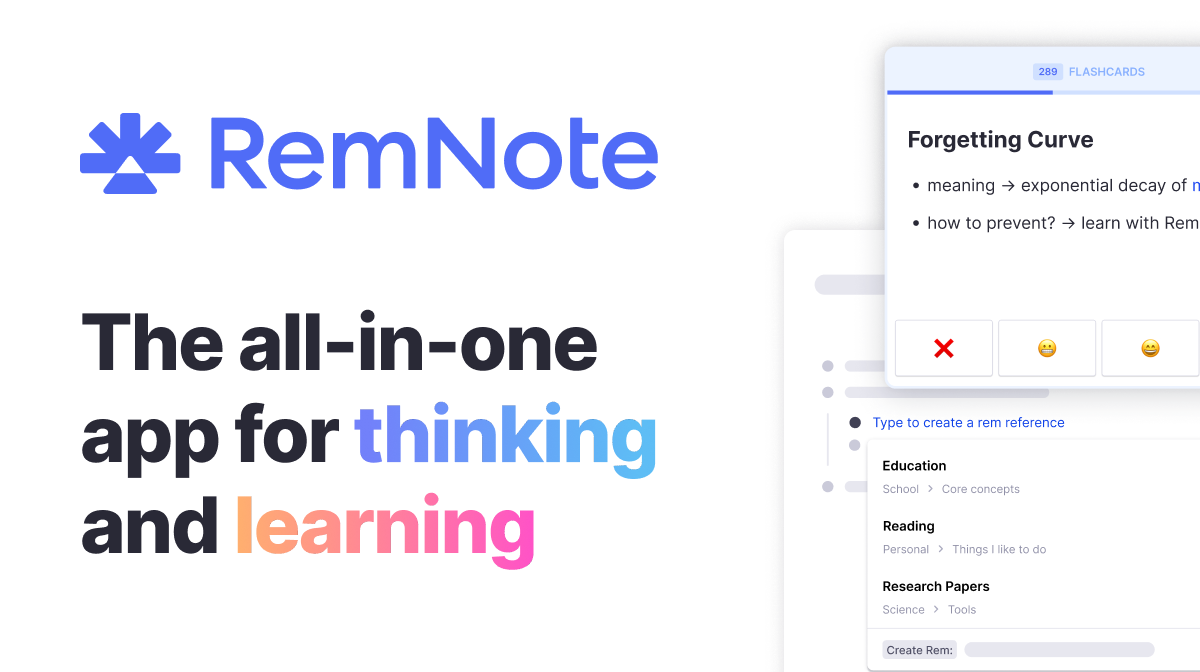
Remnote is an all-in-one app for note-taking and learning with spaced repetition flashcards. You take notes, mark important parts with a simple syntax, and those parts automatically become flashcards. The app then uses a spaced repetition algorithm to schedule when you review each card, timing it so you review right before you'd forget, which helps you remember things better and longer. It's used by over a million students for studying, learning languages, preparing for exams, and building personal knowledge systems. The app is available online and as apps for iOS, Android, Windows, Mac, and Linux.
2. Is Remnote free and what does the free version include?
Remnote has a free tier that includes unlimited notes, unlimited flashcards, basic spaced repetition, device syncing, and offline access. You get the core functionality completely free. The limits are three PDF annotations per month and five image occlusion flashcards. File uploads are limited to eight megabytes. The AI features that auto-generate questions or summaries are very limited on free. For casual users or students not working heavily with PDFs, the free tier is genuinely sufficient. For power users or people working with lots of PDFs, you'll want to upgrade to Pro.
3. How do I create flashcards in Remnote?
You create flashcards directly in your notes using a simple syntax. The double colon syntax makes flashcards. So if you write The capital of France is ::Paris:: the app creates a flashcard that quizzes you on France's capital. Once you mark something that way, it automatically becomes a flashcard that the spaced repetition system schedules for review. You can also create different types of flashcards like image occlusion cards where you hide and reveal parts of an image, or cloze deletion cards where you fill in blanks. The syntax is simple once you get the hang of it.
4. How good is Remnote's spaced repetition algorithm?
Remnote uses a solid spaced repetition algorithm based on science. It determines when you're about to forget something and brings it back for review at the right time. If you struggle with a card, it shows up more often. If you know it well, it shows up less. This is proven to help long-term retention better than other study methods. The algorithm is good enough that many users who switch to Remnote from other flashcard apps notice they remember things better. It's not a unique algorithm that only Remnote has, but it's implemented well.
5. Do I need to pay for Remnote Pro?
Not necessarily. The free tier is useful if you're okay with the PDF and image limits. You don't need Pro if you mostly want to take notes and create flashcards from text. You need Pro if you work heavily with PDFs, use image occlusion cards frequently, want to use the AI generation features, or want larger file uploads. For a student using Remnote seriously, Pro at eight dollars a month is worth considering. For someone just testing it out, the free tier is enough to evaluate whether the app fits your needs.
6. What's the learning curve like for Remnote?
There's a real learning curve. If you're used to simple flashcard apps like Quizlet, Remnote will feel more complex. The syntax for creating flashcards, the concept of rems, the way linking works, portals, keyboard shortcuts, templates, these all take time to learn. You're not going to open the app and immediately understand everything. But the learning is doable. There are tutorials, documentation, community help. Once you get it, the system makes sense and the power becomes clear. The investment of time upfront pays off if you actually use the app seriously.
7. Are the mobile apps good?
Yeah, they're genuinely good. The iOS app has a 4.8 rating from thousands of users, which is genuinely rare. You can take notes on your phone or tablet, handwrite notes and have them converted to text, access all your flashcards on mobile. The app syncs seamlessly with the desktop version. If you're studying on your phone or using your iPad in class, the mobile apps work well. They're not stripped down versions, they're full-featured. This is one of the strongest parts of Remnote.
8. How does Remnote compare to Anki or Notion?
Anki is a dedicated flashcard app that's free and powerful for serious users, but requires more manual work and has an outdated interface. Remnote combines notes and flashcards in one system which is more convenient but has a learning curve. Notion is a broader workspace tool for notes and databases and projects, not specifically designed for learning or spaced repetition. If you want pure flashcard power, Anki might be it. If you want one all-in-one workspace, Notion works. If you want notes plus spaced repetition in one focused app, Remnote is your answer.
9. Is Remnote worth it in 2026?
If you're a serious student, language learner, or professional wanting to build a personal knowledge system, and you want notes and flashcards integrated, Remnote is worth trying on the free tier first. If the free tier works for you, keep using it. If you hit limits, upgrading to Pro at eight dollars a month is reasonable. If you just want a simple flashcard app or basic note-taking, you probably don't need Remnote, there are simpler alternatives. The 3.0 rating reflects that this is a solid tool for its intended use, with a real learning curve and some limitations, but genuinely useful once you get it.
10. Can I use Remnote for learning languages?
Yes, many language learners use Remnote specifically for vocabulary and grammar. You take notes about grammar, mark vocabulary words to create flashcards, and the spaced repetition helps you retain the vocabulary long-term. The ability to link related concepts, the mobile apps for studying on the go, the PDF annotation for textbooks, all of this makes it good for language learning. The learning curve exists but many language learners appreciate the integrated system once they're over it.
Icon polls Verdict
Remnote earns a 3.0 out of 5. That rating reflects a tool that does what it's designed to do genuinely well, but comes with real limitations and a learning curve that matters. For the right user, someone who wants one app combining notes and spaced repetition flashcards, Remnote works and works well. The mobile apps are high quality, the free tier is useful, the core concept of turning notes into flashcards is clever, and syncing across devices is smooth.
The reasons it's not rated higher are real. The learning curve is steep if you're expecting something simple. The free tier hits limits if you work with PDFs or images. The AI features exist but aren't as powerful as dedicated tools. The pricing jump from free to paid matters. And for someone just wanting a basic flashcard app, Remnote is overkill.
The honest recommendation is try it free. If you're someone who takes notes seriously and wants to study effectively, download Remnote, try the free tier for a few weeks, see if it clicks for you. For the right person, it's genuinely useful. For someone looking for simplicity, look elsewhere. The 3.0 is fair because it's a solid tool with real strengths and real limitations, and which one matters depends on what you're actually trying to do.