Quick Verdict
Squarespace remains one of the easiest ways to build a polished website without piecing together hosting, design tools, security, and basic business features from different providers. Its templates are attractive, the editor feels cleaner than many competing builders, and the platform is especially comfortable for portfolios, service businesses, restaurants, blogs, and small online stores. Domains, analytics, scheduling, email tools, invoices, memberships, and commerce can all sit inside the same account.
Our 3.0 out of 5 rating reflects a platform that looks simple at first but becomes more expensive and restrictive as a site grows. The design experience is strong, yet advanced customisation can require a higher plan or custom code. There is no permanent free website plan, moving a completed site away from Squarespace is not always easy, and some business tools are sold separately. Squarespace is a good fit for people who value appearance and convenience. It is less convincing for users who want deep control, the lowest possible long-term cost, or a large plugin ecosystem.
At a Glance: Icon Polls Ratings
Here is how Squarespace scored across the areas we evaluated in 2026:
|
Category |
Stars |
Score |
|
Template Quality |
★★★★☆ |
4.3/5 |
|
Ease of Use |
★★★★☆ |
3.9/5 |
|
Mobile App |
★★★★☆ |
3.7/5 |
|
Domains and Hosting |
★★★★☆ |
4.0/5 |
|
Pricing Value |
★★★☆☆ |
2.8/5 |
|
Advanced Customisation |
★★★☆☆ |
2.7/5 |
|
Site Portability |
★★☆☆☆ |
2.4/5 |
|
Overall |
★★★☆☆ |
3.0/5 |
What Is Squarespace?
Squarespace is an all-in-one website building platform. It provides website hosting, design templates, page editing, domain management, blogging, analytics, online selling, appointment tools, and other business features from one dashboard. Users can start with a template or use the Blueprint AI Builder to create an initial design based on their goals and preferred style.
The platform is aimed at users who want a professional site without managing a server or learning a full development stack. A website can include standard pages, a blog, a portfolio, products, memberships, courses, invoices, forms, galleries, videos, and customer accounts. The trade-off is that users work inside Squarespace rules rather than having complete control over the hosting environment.
Squarespace App
The Squarespace app is useful for managing a site away from a computer. Site owners can edit text and images, add blog posts, check analytics, manage orders, review products, and respond to parts of the business from a phone or tablet. It is convenient for correcting a mistake, posting an update, or checking store activity while travelling.
The app is not the best place to build an entire website from start to finish. Detailed layout work, custom code, complex product setup, and full site styling are still more comfortable in a desktop browser. Mobile users should also remember that the editing view is not exactly the same as the visitor view, so important changes should be checked on several screen sizes before publishing.
Squarespace Login
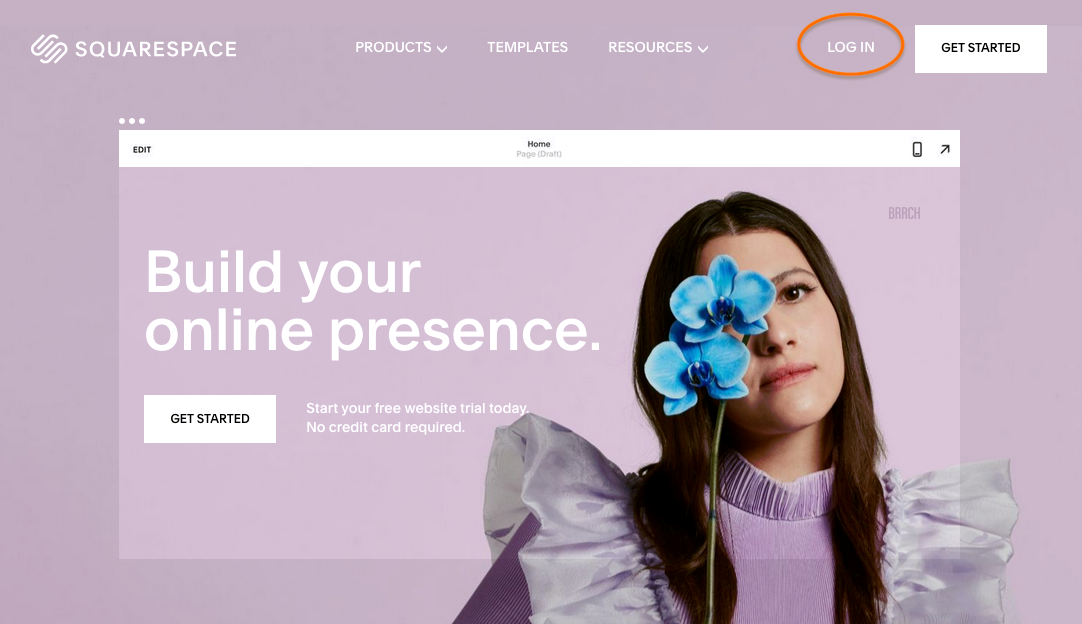
Squarespace login can be completed with an email address and password or with a supported social account such as Google, Apple, or Facebook. Premium and Enterprise accounts may also have additional login options. After signing in, users see the account dashboard, websites, domains, billing subscriptions, and contributor access connected to that profile.
Most login problems happen when a person forgets which method was used during sign-up. Someone who created an account through Google may later try a separate password and think the account has disappeared. The safest approach is to use the original sign-in method, reset the password when necessary, and avoid creating a second account with a similar email address. Two-factor authentication should be enabled for business sites and stores.
Squarespace Domains
Squarespace can register new domains, transfer eligible domains from another registrar, or connect a domain that remains with a third-party provider. Every website also receives a built-in address ending in squarespace.com. A custom domain replaces that built-in address for normal visitors and gives the site a more professional identity.
Eligible annual website plans include one free custom domain for the first year. After that period, the domain renews at its normal yearly price. The exact cost depends on the extension, whether the name is considered premium, taxes, and registration length. Users can manage DNS records, contact details, renewals, and connected sites from the domains dashboard.
Domain convenience is one of Squarespace strongest advantages, but owners should still keep their registration email current and understand renewal prices. A free first year does not mean a permanently free domain. Businesses should also avoid allowing an important domain to expire simply because the website subscription and domain subscription appear in different billing areas.
Squarespace Pricing in 2026
Squarespace offers four current website plan levels: Basic, Core, Plus, and Advanced. Plans can be billed monthly or annually, with annual billing offering a lower average monthly cost. Current plans start at about $19 per month when paid annually, but the final price varies by location, currency, taxes, billing cycle, and any promotion shown at checkout.
|
Plan |
Best For |
Important Difference |
|
Basic |
Personal sites, portfolios, blogs and small stores |
Two contributors, commerce fees and limited premium features |
|
Core |
Growing sites and teams |
Unlimited contributors, custom code and more integrations |
|
Plus |
Businesses selling more products or digital content |
Lower payment and digital product fees |
|
Advanced |
Higher-volume stores and digital businesses |
Lowest eligible platform fees and higher storage limits |
Every current website plan can sell products, content, memberships, courses, and services, but fees and limits change by tier. The Basic plan carries a platform commerce transaction fee, while Core, Plus, and Advanced remove that particular fee. Payment processing still has separate charges, and digital product fees fall as the plan becomes more expensive.
The real cost can be higher than the website plan alone. Domains after the free period, professional email, email campaigns, advanced scheduling, extra contributors on some products, and other services may be billed separately. Users should list every feature they need before choosing a plan instead of judging the platform only by the headline monthly price.
Squarespace Templates
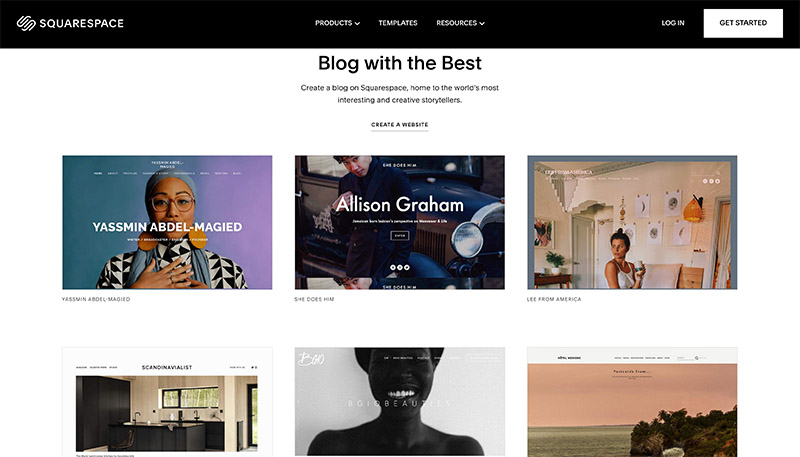
Squarespace templates are one of the main reasons people choose the platform. They are clean, image-focused, responsive, and suitable for businesses that want a premium look without hiring a designer. Version 7.1 uses a shared design system, so users can change layouts, fonts, colours, spacing, and sections without being permanently locked into the original demo style.
A template is best treated as a starting point. Replacing the demo photographs and text with poor-quality content can quickly make a good design look ordinary. Users should choose a template based on structure rather than the example business shown in the preview. The same foundation can often be adapted for a consultant, restaurant, photographer, property company, or personal brand.
The weakness is that many Squarespace sites can begin to feel similar when owners rely heavily on default sections and stock images. Strong branding, original photography, careful spacing, and a clear content plan are still necessary. People who need unusual interactions or a completely custom visual system may find the editor restrictive.
Squarespace Alternatives
The best Squarespace alternative depends on why a user is leaving. Wix is often considered by people who want more drag-and-drop freedom and a broader app marketplace. WordPress is better suited to users who want ownership, plugins, custom development, and control over hosting, although it requires more maintenance. Shopify is usually stronger for businesses where online selling is the main operation rather than one part of a general website.
Webflow offers deeper visual control for designers and agencies, but it has a steeper learning curve. Framer can feel faster for modern landing pages and design-led sites. Hostinger Website Builder and similar tools may cost less for simple business websites. Squarespace remains attractive when the priority is a polished all-in-one setup with less technical maintenance.
Squarespace User Experience
Squarespace creates a good first impression. The dashboard is tidy, the editing controls are consistent, and most common settings are grouped logically. Fluid Engine gives users more freedom to position content inside page sections while keeping the site responsive. Beginners can produce something respectable quickly, especially when they begin with a clear template and prepared content.
The experience becomes less smooth when a user tries to go beyond the intended workflow. Some settings are hidden in separate panels, billing can be spread across different subscriptions, and advanced styling may require code. Large sites can also take time to organise because page management is simpler than a full content management system built for complex publishing operations.
Support documentation is extensive, but there is no normal phone support for most users. Live chat and email can solve many problems, yet urgent store or domain issues may still feel stressful when immediate conversation is not available. Overall, Squarespace is pleasant for standard projects and less comfortable for highly customised or technically demanding work.
Pros and Cons
What Works Well
Attractive, mobile-responsive templates
Hosting, SSL security and core maintenance are handled by the platform
Simple page editing for non-technical users
Domain registration and management inside the same account
Useful tools for blogs, portfolios, services, memberships and small stores
Official mobile app for updates, analytics and store management
Fourteen-day trial without a credit card
Annual plans can include a free custom domain for the first year
What Needs Improvement
No permanent free website plan
Costs can rise after adding domains, email, scheduling and marketing tools
Advanced customisation may require a higher plan or code
Moving a complete site to another platform is limited
Some layouts can look similar when default sections are overused
Mobile editing is less complete than desktop editing
Basic plan includes transaction and digital product fees
Large or highly technical sites may outgrow the platform
Frequently Asked Questions About Squarespace (2026)
Squarespace does not offer a permanent free website plan. New users can normally start with a 14-day trial without entering a credit card, then choose a paid plan to publish the site publicly.
2. How do I log in to Squarespace?Open the Squarespace login page and use the email and password or social account connected to the profile. Use the same method chosen during sign-up to avoid opening the wrong account.
3. Does Squarespace have an app?Yes. The official mobile app is available for supported iOS and Android devices. It can manage content, analytics, orders, products and other site activity, although desktop editing remains more complete.
4. Does Squarespace include a free domain?Eligible annual website plans include one custom domain free for the first year. The domain renews at its normal price after the free period.
5. Can I use a domain bought somewhere else?Yes. A third-party domain can normally be connected to a Squarespace website, and eligible domains can also be transferred into Squarespace management.
6. How much does Squarespace cost in 2026?Current website plans start at about $19 per month with annual billing. Prices vary by plan, billing cycle, currency, country, taxes and promotions.
7. Is Squarespace good for an online store?It works well for small and medium stores that want products, content and website tools in one place. Larger commerce businesses may prefer a platform built mainly around retail operations.
8. Can I change my Squarespace template?Squarespace 7.1 uses a flexible shared design system. Users can change page sections, fonts, colours and layouts without rebuilding the entire site from another template.
9. Is Squarespace good for blogging?Yes. It includes categories, tags, scheduled posts, contributors, comments, social sharing and search-friendly page settings. Very large publishers may prefer a more advanced content management system.
10. Is Squarespace better than WordPress?Squarespace is easier to maintain because hosting and updates are managed for the user. WordPress offers more plugins, hosting choices and technical control but usually needs more setup and maintenance.
11. Can I move my Squarespace website to another platform?Some content can be exported, but a complete Squarespace design cannot usually be transferred exactly. Layouts, store settings and certain content types may need to be rebuilt.
12. Does Squarespace support custom code?Yes, but several custom code features require the Core plan or higher. Users should test code carefully because platform updates and responsive layouts can affect custom changes.
13. Is Squarespace good for beginners?Yes. Templates, guided setup and the visual editor make it approachable. Beginners still need time to prepare content, understand domains and learn the difference between site plans and optional subscriptions.
14. What is the best Squarespace alternative?Wix is a common choice for flexible editing, WordPress for control and plugins, Shopify for serious e-commerce, Webflow for advanced visual design, and Framer for modern landing pages.
Icon polls Verdict
Squarespace earns 3.0 out of 5 in the ICON POLLS 2026 review. It remains a dependable choice for people who want a polished website without handling hosting, security updates, and a complicated technical setup. The templates are strong, domain management is convenient, and the platform covers most needs of a small business or personal brand.
The rating reflects the cost and control trade-offs. A simple site can become expensive after renewals and optional services are added. Advanced users may feel restricted, and moving away from the platform can require rebuilding parts of the site. The platform is strongest when a project fits its intended tools rather than when users try to force it into a fully custom system.
Our practical recommendation is to use the trial to build a real version of the homepage, add the required store or booking features, check mobile layouts, and calculate the full yearly cost. Choose Squarespace when the saved setup time and visual quality matter more than maximum flexibility.